


Reddington
Members
-
Joined
Everything posted by Reddington
-
Hi there. It'd help to know where you have been trying to install them. This topic has been moved to the appropriate forum. Please post in the correct location in the future.
-
Is the path that it's looking for in your mods folder? This topic has been moved to the appropriate forum. Please post in the correct location in the future.
-
I don't recall if Jeff actually said the name of the mod he was using, but there are a few over on GTA 5 mods - https://www.gta5-mods.com/maps Your best option would be to either try them all, or just the one that seems the most promising. This topic has been moved to the appropriate forum. Please post in the correct location in the future.
-
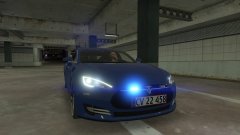
From the album: Red's LSPDFR chaos
-
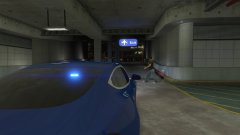
From the album: Red's LSPDFR chaos
-
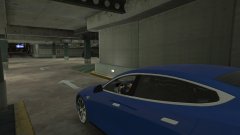
From the album: Red's LSPDFR chaos
-
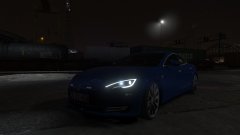
From the album: Red's LSPDFR chaos
-
Do you have ScriptHookV?
-
You'll have to manually remove it. I've installed MVGA before, and it didn't stop ELS from working. You sure that's all you did?
-
Are you positive you're pressing G to turn on the siren when on stage 3 lighting?
-
This topic has been moved to the appropriate forum. Please post in the correct location in the future.
-
This generally implies that after a while, your PC has hit what it can handle in terms of modded GTA. There's not much you can do aside from trying to free up memory.
-
How exactly were you installing these new slots?
-
I've installed TheHurk's CHP pack as a standalone DLC and his cars are working fine for me. I'm sorry to say, but your issue seems to be a user error. What all exactly have you done?
-
This topic has been moved to the appropriate forum. Please post in the correct location in the future.
-
This topic has been moved to the appropriate forum. Please post in the correct location in the future.
-
As was stated, there are plenty of non-ELS packs in our downloads area. As your request for someone to make you cars is specific to your server, and the cars most likely won't be public, I'm going to go ahead and close this. I advise posting your request over on the fivem community, as everyone there probably has the same idea as you. Also closing because your thread has nothing to do with LSPDFR. If you feel this topic has been closed in error, please report this post.
-
Exactly. That's one reason why they sell conceal carry hoodies.
-
A lot of that shit is over kill, though. It seems like ever since 9/11, New York has made it a point to have every single ridiculous response vehicle known to man. Not even California has half of what NY does. NY has geared themselves up for more mass-cas incidents, which I can't blame them, but c'mon.
-
I haven't messed with it myself, so I can't really say. I'd imagine you change these: <dirtLevelMin value="0.000000" /> <dirtLevelMax value="0.300000" /> Although it might not prevent the vehicle from spawning dirty unless you change dirtlevelmax to 0.0.
-
You can either go into the vehicles.meta and change the dirt level, or just delete the dirt texture from the vehicle's .YTD. Your topic has been moved to GTA V Support, this is not LSPDFR related. Please post in the correct location in the future.
-
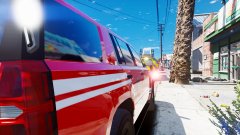
From the album: Red's LSPDFR chaos
-
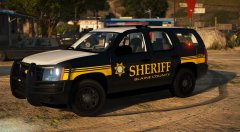 ^^^ MOAR! This is gorgeous!
 -
Like only one siren sound for all vehicles? I'd assume so, but to my knowledge it hasn't been done before.
-
I've yet to install an add-on car pack, but will be installing TheHurk's CHP pack in a day or so. To my immediate knowledge, add-on vehicle dlcpacks still work. Are you positive you've done everything right? Also, I get you were desperate, but it's never, ever advised to replace vanilla files with modded ones. Always use your mods folder.


