


Reddington
Members
-
Joined
Everything posted by Reddington
-
This topic has been moved to the appropriate forum. Please post in the correct location in the future.
-
As you said, and has been said by the developers before, LSPDFR itself is stable and doesn't suffer from fps drops or lag. The problem lies with the plugins. The reality is, you can only play vanilla LSPDFR for so long. While the LSPDFR add-ons are optional, they sort of aren't. Arguably, callout plugins - regardless of which you use - are essential for the LSPDFR experience, I, too, am hoping 0.4 has at least some performance increase, though I honestly have no idea if they can make the mod more stable when the mod itself isn't even the problem.
-
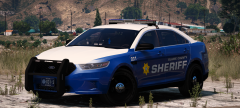 My new favorite BCSO pack!
 -
-
You're welcome.Unfortunately no. Your only solution is to turn off music in GTA V's options.This topic has been moved to the appropriate forum. Please post in the correct location in the future.
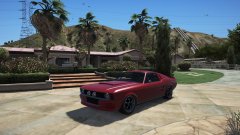
From the album: Off duty shenanigans
I don't know of the mod, as I personally have not had this happen or even heard of this event. However, it is definitely caused by one of your plugins, and is an ambient event. My advice is to check the INIs of your callout plugins and see if they say anything about it. You can also just check the mod's original download page or readme. Authors usually list the ambient events.I saw Custom Camera V, but wasn't entirely sure if it had what I was wanting. Thanks for doing this!This has become my favorite LSPD pack, not sure if you like rotors - I'm currently beta testing a BCSO pack for Maurice97, which has become my favorite Sheriff fleet. In the meantime, I really like this pack -What agency you looking for, BCSO or LSPD? You're welcome.That's how modding is. It won't work until you do a reboot, which is stupid. You don't need to use mpgunrunning (I don't think), throw the replacement gun files in the latest patchday that has a weapons.rpf.This topic has been moved to the appropriate forum. Please post in the correct location in the future.You mean the loudspeaker? It's not a plugin, it's a microphone/possibly edited in effect he added. This topic has been moved to the appropriate forum. Please post in the correct location in the future.This topic has been moved to the appropriate forum. Please post in the correct location in the future.What if you launch the game via GTA 5.exe?I had been watching Jeff's recent videos and noticed a camera zoom mod. Did a little digging, and I found the fivem mod, but it's in fivem/server files, not .asi or ones we could use. We all know that it can sometimes be difficult to read the plate from within our car. It would be nice if we had the option of zooming in to look. (Yes yes, I know, if you use Computer+ you don't need it, but roleplay purposes!)You're using NVR, right? It installs a dlcpack named NVR EMISSIVES. Go into it and delete sheriff.ytd, firetruk.ytd, and pranger.ytd. Now you're good.Check the VCF that came with the car. Under EOVERRIDE, What does it say for Color="blank"? Is it all amber? If so, that's your issue. Change the first color= to red, then change every other to red. Next, change the very second color= to blue, and the rest to blue.Ha ha, glad to hear!
From the album: Red's LSPDFR chaos
From the album: Red's LSPDFR chaos




