


Reddington
Members
-
Joined
Everything posted by Reddington
-
This topic has been moved to the appropriate forum. Please post in the correct location in the future.
-
From what I initially heard, Youtube was not "getting attacked", it was some crazy woman who was targetting her boyfriend. http://www.kron4.com/news/bay-area/possible-active-shooter-at-youtube-in-san-bruno/1098585330
-
Are you using NVR? If yes, go into the dlcpacks in OpenIV and go into NVR emissives. Delete pranger.ytd, sheriff.ytd and firetruk.ytd. This topic has been moved to the appropriate forum. Please post in the correct location in the future.
-
To my knowledge, there's no way of changing this. You can try arresting with E, but you'll probably get the same result.
-
Ignore it. AdvancedHookV.dll is 100% safe.
-
I'm a bit confused what you're asking. If you use ELS, you can't have multiple sirens in game, such as police and fire. This topic has been moved to the appropriate forum. Please post in the correct location in the future.
-
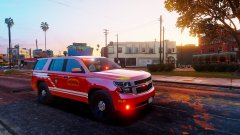
From the album: Red's LSPDFR chaos
-
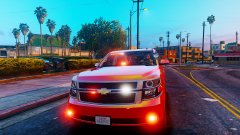
From the album: Red's LSPDFR chaos
-
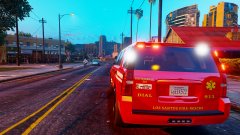
From the album: Red's LSPDFR chaos
-
We have the riot2 slot which is an RCV, so why not either take that vehicle and deck it out in ELS lights, or take the Brickade and do the same. The one thing to point out is that the current riot2 does have a functional water cannon. I think the better option might be to just add lights and make it ELS. Now, this might not be do-able,as I'm unsure if there's a model out there to use but I would love to see this vehicle in LSPDFR, especially since it has a water cannon.
-
As I'm sure you noticed, BetterEMS has reverted back to normal. As this is something the author coded in, your only option is just not to play until April 2nd. Closing, as this has passed. If you feel this topic has been closed in error, please report this post.
-
Your topic has been moved to GTA V Support, this is not LSPDFR related. Please post in the correct location in the future.
-
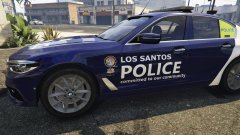 Really love the texture. Very sleek.
 -
 If realism is something you prefer, this is a plugin you need! It's really nice being able to have the weapons stored in your car like they are in real life. It also makes it more challenging if you find yourself in a shootout. You can't just switch weapons, you have to make it to your car, or just call in back up and hold out with the pistol.
- 135 comments
- 22 reviews
-
-

- 1
-
-
 Personally, I've noticed the colored light bars tend to hinder the lights - at least in the world of ELS. As nice as colored glass would look, I think it might ruin the actual rotator lights. Yes for both!
- 154 comments
- 46 reviews
-
This topic has been moved to the appropriate forum. Please post in the correct location in the future.
-
Number 2 might fix the ELS issue, might not. Let me know.
-
1) Do you have ScriptHookV? 2) Open Rage's settings and check "forced windowed mode". Your topic has been moved to GTA V Support, this is not LSPDFR related. Please post in the correct location in the future.
-
NVR comes with a dlcpack named NVR emissives. Go into this dlc and delete firetruk.ytd, sheriff.ytd, and pranger.ytd. You don't need these, and they are causing the issue. This topic has been moved to the appropriate forum. Please post in the correct location in the future.It already has! Head here and download it - http://www.dev-c.com/gtav/scripthookv/Your topic has been moved to GTA V Support, this is not LSPDFR related. Please post in the correct location in the future.

