


Reddington
Members
-
Joined
Everything posted by Reddington
-
From the album: Red's LSPDFR chaos
-
From the album: Red's LSPDFR chaos
-
From the album: Red's LSPDFR chaos
-
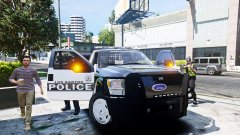
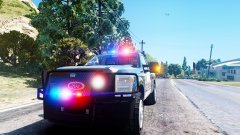
 I'm usually more of an LED guy, but after messing around with this pack, HELLO ROTATORS! The cars, especially the Silverado, are amazing.
- 154 comments
- 46 reviews
-
-

- 2
-
-
ELS is working just fine for me, it doesn't need an update to work. When you say "enable" and "disable" ELS, what are you doing exactly? Your topic has been moved to GTA V Support, this is not LSPDFR related. Please post in the correct location in the future.
-
-
Look in the dlcpacks. NVR installs "NVR emissives" dlc which contains pranger, sheriff, and firetruk.ytds which override the other patchdays. I've spoken with the author, and he says the emissives DLC only effects vanilla cars, so you can delete the modded cars .ytd from his dlc. This topic has been moved to the appropriate forum. Please post in the correct location in the future.
-
Your topic has been moved to GTA V Support, this is not LSPDFR related. Please post in the correct location in the future.
-
Do you have NaturalVision Remastered? Your topic has been moved to GTA V Support, this is not LSPDFR related. Please post in the correct location in the future.
-
From the album: Red's LSPDFR chaos
-
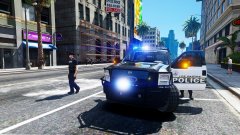
From the album: Red's LSPDFR chaos
-
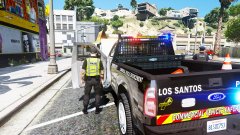
From the album: Red's LSPDFR chaos
-
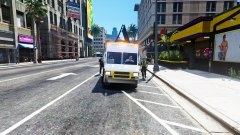
From the album: Red's LSPDFR chaos
-
-
This topic has been moved to the appropriate forum. Please post in the correct location in the future.
-
Are you using NVR? If so, go into the NVR dlc named "emissives", delete "firetruk", "riot", "pranger" and "sheriff". It'll work now.
-
You're welcome. :)
-
This topic has been moved to the appropriate forum. Please post in the correct location in the future.
-
The best way to start this off is with some April Fool's.
-
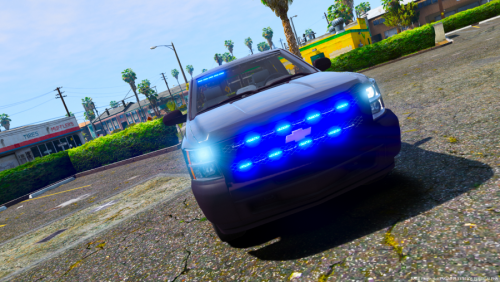 @RangerZ Not sure if you ever plan to fix this, but the Charger roof height needs to be increased, as suspects in the back clip through the roof.
- 17 comments
- 6 reviews
-
Your topic has been moved to GTA V Support, this is not LSPDFR related. Please post in the correct location in the future.
-
If it makes you feel any better, while Houston is singled out in this article, it's the entire country that mistreats the mentally ill. There are plenty of people who still don't understand or care about those with mental illness.
-
 I just recently did a clean install of this mod after reinstalling my game, and I'm finding that none of the ped or vehicle images are loading. Every single time it says there's none available. Is this a common thing right now?
- 1,742 comments
- 172 reviews
-
Computer+ is truly a must have plugin. Like many, I played with this mod when it was first released, and looking at where it is now and the features it has, it's amazing. I LOVE, LOVE, LOVE being able to write citations and arrest reports. Adds so much to the roleplay.
- 1,742 comments
- 172 reviews
-
 @Black Jesus Very small issue with the Taurus. The camera height is quite high, as if it's a large vehicle. I've tried all the other cars and they are fine. Replaced the Taurus's meta with a properly working vehicle, same thing. The camera height is higher than normal. I took a few second video if you're not sure what I'm talking about.
- 19 comments
- 15 reviews


