


Reddington
Members
-
Joined
Everything posted by Reddington
-
It's quite alright. The main reason we don't allow it is that we have no control over the transaction and can't verify anything. We just don't want any unnecessary or stupid situations to come up, :)
-
Moderator notice: We do not allow any monetary transactions or mentions of them. All requests that are fulfilled are done for free.
-
This topic has been moved to the appropriate forum. Please post in the correct location in the future.
-
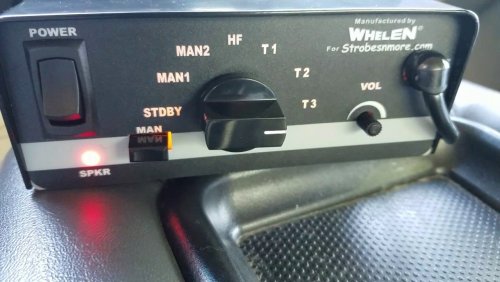 Would be much more helpful and beneficial if there was video of how it sounded in game.
- 18 comments
- 4 reviews
-
Right click the folder-->delete. Now you just rebuild it the same way you did the first time.
-
Since you said the last thing you installed was MVGA, unfortunately yes. That might be the best route to take.
-
Window tint can affect the light bar, blacking it out. No idea why, but it does.
-
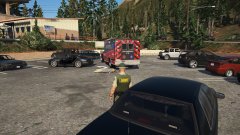
From the album: Red's LSPDFR chaos
No no, DON'T HIT CORONER! and now you're stuck? Are you fuckin serious? -
The troubling thing to me is that even with your mods folder disabled, you're still having issues. This implies the problem is either with your scripts folder, your .asi plugins, or another plugin in the main directory. Are you able to load into the game via GTA5.exe?
-
Did you install MVGA into the mods folder, or vanilla update folder?
-
Moderator notice: Since we already had an established thread for local PD/etc, I've merged your thread with it.
-
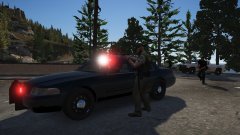
From the album: Red's LSPDFR chaos
-
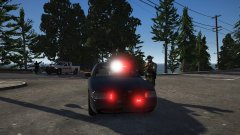
From the album: Red's LSPDFR chaos
-
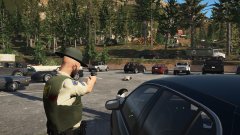
From the album: Red's LSPDFR chaos
-
Your topic has been moved to LCPDFR Support Requests. Please post in the correct location in the future.
-
Yes, it unfortunately is part of every update. However, if you follow the instructions in this topic, you won't have to worry about it.
-
Go into the mods folder and delete update.rpf. Yes, this will remove any mods you have in this folder. Next, go into the vanilla update.rpf and click "edit mode". You should be prompted to create this path in the mods folder. Now it's up to date.
-
Do that, please. Then your game should be good.
-
After the game updated, did you update the update.rpf in the mods folder?
-
This means that you've done something incorrectly when installing either the cars, or some metas. I'd start reverting all changes you've made regarding vehicles.
-
NVR installs a dlcpack named NVR_EMISSIVES. In this dlcpack is sheriff.ytd, pranger.ytd, and firetruk.ytd. Delete all three of them and your textures will be fine again for these vehicles.
-
Are you using a mods folder? If so, rename it to _mods Now try.
-
Your topic has been moved to GTA V Support, this is not LSPDFR related. Please post in the correct location in the future.
-
To verify what the issue is, rename your mods folder to _mods Then try starting and loading into the game. Your topic has been moved to GTA V Support, this is not LSPDFR related. Please post in the correct location in the future.
-
Your topic has been moved to GTA V Support, this is not LSPDFR related. Please post in the correct location in the future.


