




unitedOrange66
Community Team
-
Joined
Everything posted by unitedOrange66
-
Press "Y" on keyboard to accept a call. If you have default police vehicles, press "E" on keyboard to turn on lights and siren, then press "J" on keyboard to mute the siren, lights only.
-
Hello, By looking at your log file, there seems to be an error when LSPDFR was trying to initializing StopThePed plugin. Did you try to remove StopThePed then load LSPDFR and go on duty? Did you edit any files inside StopThePed folder? Such as pat down items etc. Inappropriate editing could cause the game to crash when go on duty.
-
In that case, as the error said "bad anti-virus," Make sure you are running RPH by right click on the .exe and run as administrator. If you have firewall or any anti-virus programs, make RPH as an exception.
-
Hello, The problem like that could caused by multiple factors: First, you installed high quality vehicle models. High quality car mods often requires a lot of memory especially when they're being spawned in game and driving around by the AIs. Second, check your graphic settings. Set everything to low to reduce any additional memory usage. Third, Eliminate some plugins, such as callouts and those out-dated ones. LSPDFR itself is a memory hunger plugin already, by adding more plugins and running those along with LSPDFR requires more memory than your pc could handle. Overall, try to reduce your graphic settings, stick with default or low quality vehicle models, and eliminate your plugins.
-
If you have a backup of your original files, you can simply replace the mods with original files.
-
Hello, Most of the time you can ignore that compatibility warning and your game will run without any issues. As long as you have police smart radio and traffic policer installed. Make sure you have the latest Albo1125.common.dll: If game still crashes, change the ELS controls back to the default then start the game again. Remember always right click on RPH.exe and run as administrator. Generally ELS keys shouldn't conflict with police smart radio keys.
-
Hello, Are you trying to create a vehicle model? Otherwise you can't really install this to the game, this isn't a mod to install. In case you didn't realize, you downloaded this from "resources" section, which means this is a vehicle part for vehicle modeling; if you are creating a vehicle model for GTA then you can use that.
-
Did you modified your mods folder? Did you install any mods recently? If so try to remove those mods and rename the _mods folder back to mods.
-
Can you explain in detail of "go to any mission as police officer; sometimes you can't control your character?" It's not possible to play single player missions while running LSPDFR. Did you install LSPDFR correctly? Double check if you have the updated version of ScriptHookV and RPH. When running LSPDFR, make sure to right click on RPH.exe and run as administrator.
-
Alright... First, remove all of your plugins expect LSPDFR and run the RPH.exe by right clicking on it, and run as administrator; this way is to determining if any of the plugins you installed are causing the crash. Second, I recommend you to install "Simple Trainer for GTA V," other trainers might work but may not work with LSPDFR and RPH. Third, After you updated your ScriptHookV, and make sure your RPH is updated as well. Search Rage Plugin Hook and download the last update.
-
The cop holster doesn't have an .ini file, but instead, there is a file you can open with notepad - you can then disable the animation.
-
Hello, As "A Stranger" mentioned above, you must give the permission to "patterns.tmp" "Exception type: System.UnauthorizedAccessException" "Exception message: Access to the path 'C:\Program Files (x86)\Steam\steamapps\common\Grand Theft Auto V\lspdfr\patterns.tmp' is denied." To fix this, go to C:\Program Files (x86)\Steam\steamapps\common\Grand Theft Auto V\lspdfr\patterns.tmp, and right click on patterns.tmp - properties - security - Permission to ALL application packages.
-
If you want to replace the default GTA V cop models, go to: mods- update - x64 - dlcpacks - patchday9ng - dlc.rpf - x64 - models - cdimages - patchday9ng.rpf - and click on edit mode then drop the new files in there. And there are also British EUP uniforms that you can download to replace the LSPD EUP uniforms.
-
You will need OpenIV to install vehicle mods. Search OpenIV and download it, then select GTA V. Click on edit mode, and install ASI plugins from ASI manager in OpenIV. Then go to mods - update - x64 - dlcpacks - pathday3ng(this depends on which car mods are you installing, refer to the author) - dlc.rpf - x64 - level - gta5 - vehicles.rpf
-
So... If you're using the LSPDFR arrest method, you will have to aim at the suspect and hold E until the suspect laid down on the ground. If you're using StopThePed, double press E when aiming at the suspect, or stop the suspect first then select the "Arrest" option in the menu.
-
Add these: Ambient.DisableEscapedSuspectEncounter = true Ambient.DisableAmbientGameCopSpawnBlock = true Change - AmbientSpawn.SpawnFrequency to 5000
-
Make sure you turned on all the notifications in GTA V settings menu. Settings - notification.
-
Well speaking of lags. From my experience since the first 0.4 released, it's all about your PC specs and your GTA V graphic settings. In addition to that, eliminate any out-dated callouts and plugins, and limit the numbers of callouts you're installing can really boost the performance. I usually get 50 FPS in the city and 60 in county. I run this in 4k resolution with an i9 . LSPDFR is a really memory hungry mod that requires a lot from your PC, especially with all the plugins.
-
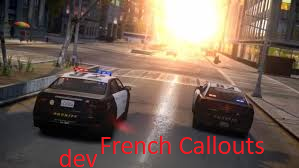 I've also noticed that it's a GTA IV screenshot.
 -
 Well usually when the suspect starts to flee, the pursuit is automatically called in; so once the pursuit is over, the call is ended automatically which causing the deputy to despawn.
- 1,021 comments
- 63 reviews
-
Just a quick suggestion for the Escaped Prisoner callout. So whenever we arrested or killed the prisoner, the deputy who was "driving" the transport van will disappear. Sometimes the prisoner has a automatic weapon and killed the deputy, but once the prisoner is arrested or killed, the dead deputy will disappear again. Which is unrealistic, because in that case we will have to call EMS. Therefore if you could code the deputy not to disappear after this call is finished: if he is alive he should make his way back to the transport van and drive away; instead of leaving it in the middle of the road. And if the deputy is killed then his body should remain where he got killed.
- 1,021 comments
- 63 reviews
-
-
-
 If we can have the detailed/complete dispatch audio for each callouts that would be great.
- 255 comments
- 16 reviews
-
We don't support crack version, sorry.




