unitedOrange66
Community Team
-
Joined
Everything posted by unitedOrange66
-
-
.thumb.jpg.00cbb288f98e6e56aca462aed6e6bca7.jpg) There's another similar "mod" - Stop AI from attacking the player when using a fire extinguisher. What's the difference between this one and the existing one?
There's another similar "mod" - Stop AI from attacking the player when using a fire extinguisher. What's the difference between this one and the existing one? -
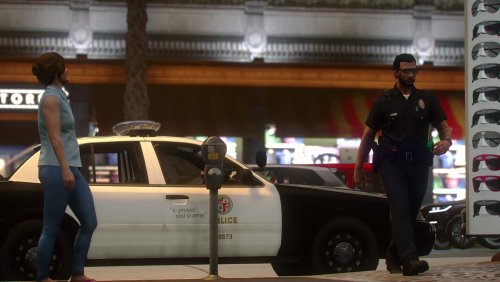 I think the radio should be on the left hand side, based on the animation. Other than that you did a great job on this.
- 11 comments
- 1 review
-
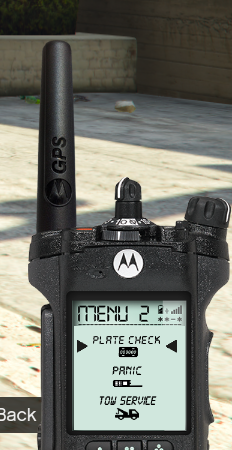 This isn't a GTA IV police smart radio as LCPDFR never had one. This is the earliest police radio skin for LSPDFR many years ago.
- 5 comments
- 2 reviews
-
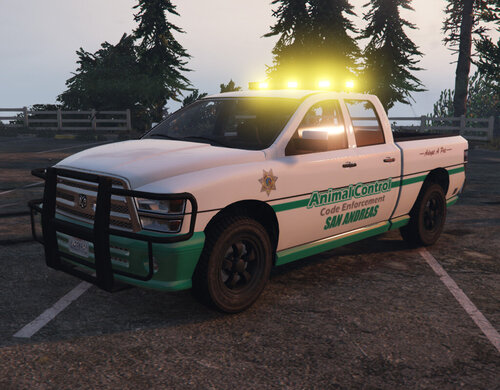 Been looking for this for a long time, very creative idea and amazing work on the vehicle.
- 5 comments
- 4 reviews
-
-

- 1
-
-
-
-
 Great update, but I don't see the point of this. Right now we have ultimate backup which features a better felony stop backup. Three years ago this would be a great plugin.
- 241 comments
- 18 reviews
-
-
 You are using "UnitedCallouts" banner picture, in your main "simple police helper" menu. Maybe you should consider giving credit for using other's picture.
- 69 comments
- 6 reviews
-
 I don't see the point of "making" this plugin, as all the functions of the traffic policer are still works. This is just taken a part of Albo's mod and re-uploaded on your own. We're expecting to see some improvements or new features based on the old plugin, since it's open source.
- 112 comments
- 21 reviews
-
- lspdfr plugin
- legacy
- lore
- non-lore
-
Tagged with:
-
-
It only works if you are actively in a pursuit.
-
So if I set that to "no," will I still be able to use STP when arrested someone at gun point during a pursuit?
-
Alrighty let me share mine as well: CPU: Intel i9 - 990k Operating system: Windows 10 Pro Motherboard: MSI MPG Z390 Gaming Edge AC LGA1151 GPU: MSI RTX 2060 8GB Gaming Z Cooler: Corsair Hydro Series H100i Pro RGB AIO Liquid CPU Cooler Storage: Samsung 970 EVO 1TB - M.2 NVMe Memory: Kingston HyperX Fury 16GB 3200MHz DDR4 CL18 Power Supply: EVGA SuperNOVA 650 G3, 80 Plus Gold 650W Monitor: LG 27-inch 4K UHD IPS FreeSync
-
Hello, I don't think there is a way to do that without removing STP or Ultimate Backup. I have that issue as well, pretty sure it's a bug.
-
Your PC specs does not matter in this case, even the best PCs might still having issues with game crashing. Try to update your DirectX and all the dependencies/requirements for LSPDFR.
-
Hello, I'd suggest this post:
-
Reshade and NaturalVision Remastered shouldn't causing any crashes when running it with LSPDFR and RPH. Make sure you installed it correctly and backup the original files.
-
Hi, Put a space between = and true, Ambient.DisableEscapedSuspectEncounter= true Also, what are the plugins you installed?
-
Hello, Within these four days period, did you install any mods, plugins, or scripts? Such as vehicle models, handling data, etc. If so remove them or restore the original files. And also, attach your RPH log file to the post if possible.
-
Hello, As long as you installed LSPDFR, RPH, and ScriptHookV. All the controls should be working. Make sure you go on duty first, otherwise none of the plugins will work. And make sure you press the correct keys.
-
 Just a quick suggestion: If you could change the wanted suspect audio to something like: "A wanted felon on the loose." or "A suspect is wanted for armored car robbery, etc." There are scripted lines made by Rockstar game in Police Scanner audio file in OpenIV.
- 200 comments
- 27 reviews
-
Where did you install these uniforms in OpenIV? Modifying agency file probably wouldn't help in your case. Make sure you install the uniforms correctly.
-
Is your GTA V updated as well?


.thumb.jpg.00cbb288f98e6e56aca462aed6e6bca7.jpg)