



unitedOrange66
Community Team
-
Joined
Everything posted by unitedOrange66
-
The reason why that happened is because your character's jaw is way too wide. If you have simple trainer installed, go to model spawning - cloth - mask, and change it from there.
-
Bump. 🙂 At the meanwhile I'll try to figure out if it's even possible to edit the speed of the progress bar. Any advice is appreciated.
-
As far as I'm aware no one is allowed to upload any game files here. And also, I agree with the comment above - there're tones of British "map" mods on GTA 5 mods website. Such as British trash bins, British road, bus stops, traffic signs, etc.
-
I believe you will have to edit the loadouts in the "Agency.xml" For example, if your new agency is "FBI" you have to create several loadouts for it - Patrol, detetive, and swat. The inventory is to determine what weapons will be included in the loadouts.
-
Oh well that error is probably an engine issue with Rockstar game itself. It have been there for decades now, and it never gets fixed. I have the problem too, sometimes out of nowhere the game just crashes to the desktop. I don't think the PLD is causing issues. Let me know if your game still crashes after removing PLD.
-
You can change the PLD and status display to anywhere you want by editing the X and Y values. Increase the Y values move down, decrease the X values move to the left. You will have to play around with it for a while, and predict how much value you should decrease or increase to match with your screen resolution.
-
Agreed with the comment above. Also you can press F4 and type "loadplugin LSPDFR" if it wasn't loaded while you're in game.
-
He meant to remove EUP and replace the original LSPD cop: S_M_Y_Cop with the British cop model. And replace the original prop with the hat model provided in the ped model. Then you can use simple trainer to spawn the ped, and go to "cloth" to customize your uniform.
-
Well I'm not sure why everyone is having this holsting animation problem. I only use cop holster plugin so I'm not aware of this. Maybe try to delete "Ambient.DisablePlayerHolsteringActions" form the .ini file, as it should set to the default setting.
-
Try the inventory.xml suggestion above. If you are using Ultimate backup, try to disable the realistic weapon system.
-
Try to remove the "Ambient.DisablePlayerHolsteringActions" from the .ini file and try again.
-
There's nothing wrong with the intimidate animation. You have to press "M" on your keyboard and switch the player animation to intimidate, then press enter. For the holster animation, I don't remember if STP has its own animation, not I'm aware of. As long as you disable the "cop holster" plugin, the LSPDFR holster animation should work for pistol and combat pistol.
-
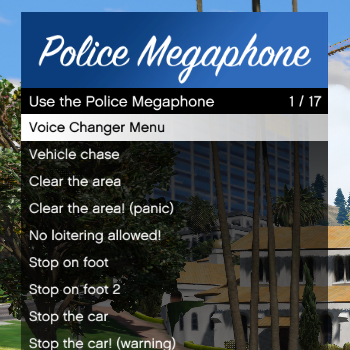 I have one suggestion: For felony traffic stop, could you add more traffic stop sounds for that. And also most importantly, during felony stop, it will be cool if we can keep the door open, then grab the mega phone from inside the vehicle(the wired radio object)and order the suspect to step out of the vehicle.
- 118 comments
- 17 reviews
-
-

- 1
-
-
Hello, I'm wondering if there is a way to increase the speed of the "take down" progress bar, in order for it to fill up faster. It will be quiet useful when the suspect is trying to run away. I saw "SteveTheGamer55" has a faster "take down" bar in his video when arresting the suspect. There must be a way to modify it. Thanks.
-
 You probably forgot to change the "SuperCallouts2.dll" to "SuperCallouts.dll"
- 1,021 comments
- 63 reviews
-
-
- 1
-
-
 There is an animation for that from GTA V game trailer. I'm not sure if it exists in the actual game.
- 403 comments
- 24 reviews
-
 "I would really love to be able to do that, but sadly due to the way ELS works it is impossible to have just the lights on with an NPC car. I can only set it as Lights and Sirens on, or nothing at all. I felt no sirens would be more realistic for a traffic stop. If it ever becomes possible to do this I won't hesitate to make it happen." You might be able to add an option in the .ini file for traffic stop AI to disable or enable their siren and lights. Similar to Ultimate backup code 2 siren and lights setting.
- 115 comments
- 10 reviews
-
-
- 1
-
-
The only suggestion I have is, if you could split the text into several lines when talking to suspects, instead of one huge paragraph.
- 115 comments
- 10 reviews
-
It will be cool if you could add ini. file in the next update, so we can decide which callouts we want to enable or disable.
- 115 comments
- 10 reviews
-
 Well...after installed your callout, all of the other callouts were glitched out...can't accept any callouts when pressing "Y."
 -
 As for the "carvariations" ymt. Do I have to replace it or is it optional? Because I only installed a few cars from this pack.
- 161 comments
- 24 reviews
-
I assume the police car mods you installed are add-ons, these cars won't spawn in traffic or backups. You'll have to replace the default police vehicles, you will need OpenIV to do that. The path (where the vehicles are installed) is different, depends on which car mods you downloaded. Follow the instruction in "Readme" and you should be able to replace the default vehicles.
-
Locate your lspdfr folder, right click on lspdfr.ini open it with notepad.
-
RagePluginHook.log
-
So for some reason, the in-game setting key and the RMenu key are not working, when I press them in-game after load LSPDFR, nothing happens. I made a custom.ini file and tried to change these keys to something else but still nothing happened after pressing them.

