




unitedOrange66
Community Team
-
Joined
Everything posted by unitedOrange66
-
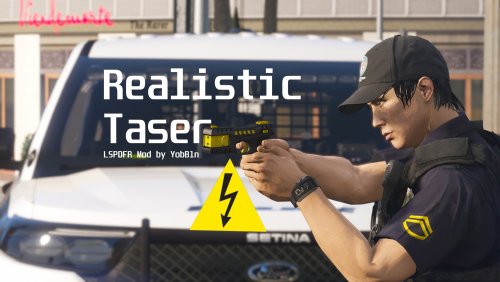 Have you considered adding a taser draw animation? Seems like "Cop Holster" have removed the taser animation in the lastest version.
 -
 Overall this plugin causes a significant performance decrease, in other words FPS drop, with minimum mods installed on a high-end gaming PC. I assume that has something to do with the original code written by the original author. But nevertheless, thank you for updating this plugin, at least it's playable for those who wanted to patrol as a security officer.
 -
 ^Nothing personal, just business. 🙃 Just a few quotes I can address, anything else I don't wanna argue against as I already wasted enough time in "text chatting." 1. That could be the case since I've added a lot of mods over the years, and upon arriving on scene, a few SWAT vehicles are responding as well. I thought about it but I refused to accept that as the sole cause, since in other scenarios such as high-speed pursuits or large shootout in public, many police vehicles were spawned with ELS on but no texture lost. 2. Indeed I hate the pre-sence and I'm grateful to have the option of playing the remaining SWAT callouts in this pack. I don't expect you to change anything nor I'll ask you to change anything, at all. Feedback can be thrown into the garbage or implemented as a feature, the choice is yours. And you're the boss of your own callout, whatever you do is up to you. 3. Please don't remind me that I have the option to not use your callout, I am aware of that and I'm not obsessed with your callout in anyway. Releasing a callout to public means responsibility, it is different from creating it for personal use. The artitude is the issue here all along, and that is your problem I'll not go further into that.
- 1,023 comments
- 63 reviews
-
Well there's no need to be "rude" here, I'm not forced to use your callout anyway, I'm expressing my thoughts here because I CARE about this callout since I've been using it since 2019, please don't make me change my opinion as I barely comment on any of the plugins on this site. How does meeting the FIB agents make sence and how does it make the players more aware of the callout details, if you change their meeting point to a completely different "zone" and far away from Davis? And what's your evidence in assuming people don't care about the details? Does your sample represent the average population or is your conclusion flawed? (clearly) The driving back and forth make that callout less enjoyable. It is true that I can disable these callouts as I already did. But do you think I have nothing to do and come here to "complain?" Do you think what I said above was a "complain" and therefore "dissatisfaction?" If that was the case I wouldn't bother to spent a couple of minutes out of my busy schedule to type out a paragraph. Besides my "tone" was flat and normal, there was no criticism. I wanted to support you by providing feedback and thoughts to make this callout "better," if possible; but if that's not what you need, I won't bother you anymore; and thanks for letting me know. As far as I know, with all these years in the modding community, every mod developer/plugin or script coder needs public support, and please note that not all of the feedback will be in your favor. With all that said, I will continue to use your callout and feature them in my videos on YouTube, consider that as a professional courtesy. I wish you all the best. (I will not comment here anymore)
- 1,023 comments
- 63 reviews
-
I understand that the author has been working hard to fix the performance issue with the mafia callouts, but unfortunately, I still got a huge FPS drop following texture lose when responding to "Davis gang violence" and "Casino Mafia activity." Even though I'm running LSPDFR in 4K on a high-end gaming PC. Also as for the Davis Gang Violence call, it doesn't make a lot of sense to drive across the city to meet the FIB agents, then drive back to Davis. I remember back to 2019, the "Casino Mafia" shootout was my favorite callout from this pack; the setup was simple, the callout was straight forward, and the shootout was fun and challenging. But since the update, I've been avoiding those callouts in the city when recording, because of the performance issue. 😧
- 1,023 comments
- 63 reviews
-
 Pedestrians are generally prohibited to walk or get on to any highways in any states in the United States. From a realistic standpoint, how is it possible that a pedestrian or pedestrians can be hit by a vehicle on a highway?
- 160 comments
- 20 reviews
-
 Does the "IntervalDuration" plus "IntervalDurationOnHighwayOnfoot" must equal to 50?
- 403 comments
- 24 reviews
-
That is cool. And it's more like a personal preference, some of us prefer to have the Dispatch update audio only, during pursuits. So the officers' quotes are irrelevant. 😉
- 403 comments
- 24 reviews
-
-

- 1
-
-
Just a quick suggestion: Perhaps you can add an option for customizing the voice selector hot key (Alt+Y) in the .ini settings in the next update. For some of us we manually change the officers' voice via Trainer. so this "mandatory" hot key feature is very unnecessary. Also, another tip, you could rename your plugin to something that reflects the purpose of the plugin, such as "RRFR;" instead of your name. It might look more professional, and it might be easier to identify different plugins in the plugin folder.
- 403 comments
- 24 reviews
-
 The error that was occuring in 2021: "System.Net.WebException: The remote name could not be resolved: 'gtav.keyedinsoftware.org'" is now occuring in the newer version of "ClearTheWayV." Shortly after loaded this plugin, the game will crash with that error above.
- 530 comments
- 42 reviews
-
Perhaps you have something running in the background that is causing conflicts with GTA V, such as overlay softwares. This cannot be an issue with LSPDFR modification itself, you might have something else conflicting with the game.
-
Unfortunately no one can predict that. It solely depends on the developer - Alex whenever he is able to update it. I'd suggest to check the ScriptHookV website more often.
-
"Mods - update - update.rpf - x64 - data."
-
LSPDFR and RPH are updated. What are you "downgrading" for?
-
"it used to work for some packs like Ripple's SAHP code 3 pack but now it doesn't." That's your answer. It only works for the cars that can be tuned.
-
Default cops cannot use EUP.
-
No.
-
^ No I didn't.
-
What about change this in lspdfr.ini: Ambient.DisableEscapedSuspectEncounter = True.
-
^^
-
RCA is an add-on map mod, if it was causing such issue, after uninstalling it the issue should went away. Did you install any other mods that actually replaces the original files? Such as radar/mini map mod?
-
You might have a corrupted game file. Did you replace any data or xml files recently?
-
In lspdfr.ini, find this line: "Chase.DisableTrafficDensityAdjustments" and change it to "Ture."
-
Decrease the values of "car.defaultlight.day.emissive.on x car.defaultlight.night.emissive.on x" in "Visualsettings.dat." This will decrease the brightness of all the extra lights on all vehicles.
-
No, it's not required. LSPDFR added the animation to put your hand on the holster via "M" menu.


