
ToastinYou
Members
-
Joined
-
Last visited
Everything posted by ToastinYou
-
 Set "ElsTrafCtrlOn" as false in ELS.ini, this fixes that issue but also removes the "AI Move out of my way at a Traffic Light" feature. http://prntscr.com/dph8ok
- 2,661 comments
- 234 reviews
-
-

- 1
-
-
Everything works.. but I don't see no menu at the bottom right. Can anyone help? The keybinds work with sirens and such.. I've tried pressing CTRL+B but no menu pops up. Any ideas?
- 2,661 comments
- 234 reviews
-
-
-
 I was going to criticize you on your English skills but I see you are from France
 -
Looking to gather a few PRE-ALPHA testers to help give feedback towards the newest update of Toasty Callouts. For more information please DM me or if you're interested, thank you! :)
-
Thank you everyone for the support over the time. I would just like to make a quick update. Toasty Callouts has been updated to the latest version of RPH so far. Although no new callouts have been implemented lots of things have been optimized, fixed, and improved-on. This being said, Toasty Callouts is still in its PRE-ALPHA stage, and will be for some time. Also, no, Toasty Callouts has not been released to the public as of yet, but it is getting "BETA" tested over the course of this week! I still have lots to work on, though, so please stay with me :)
-
Development of Toasty Callouts has not been stopped - I just have not released any new versions as I'm working on incorporating lots of features and don't want to space it out update to update, as it's hassle. Not sure when the next version of Toasty Callouts will be released, but it won't be anytime soon - so don't get your hopes up.. sorry <3
-
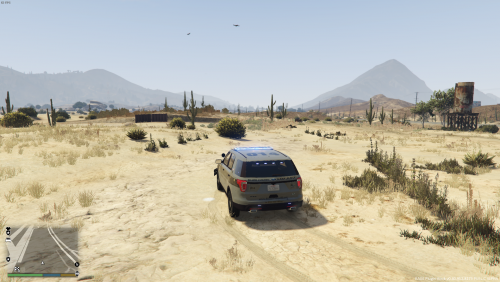 Most likely as it's just a very simple edit of two lines of code to make them less bright (regular police lights).
- 31 comments
- 17 reviews
-
Thanks @LtFlash
-
-
 There's a difference between a script and something being edited [from the game]..
- 31 comments
- 5 reviews
-
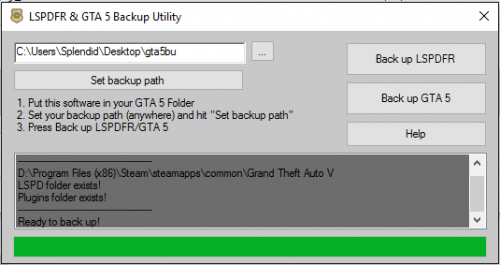 Great concept, neat to have around on my computer. Most likely will use it in the future just due to its ease of access :) Thank you!
- 4 comments
- 1 review
-
-
- 1
-
-
Or, I mean, you could just copy and paste.. But, nonetheless, seems like a neat novelty to have and try out.
- 4 comments
- 1 review
-
You should be able to do this.. for example, say the default texture name is: vehicle_texture_01 you could add a second one by doing: vehicle_texture_02 So then, you'll have vehicle_texture_01 and vehicle_texture_02. Then, you can go into your trainer and switch the livery. (Not sure if this works when the vehicle model doesn't have more than one livery by default, but you can try it!)
-
-
 MP related?
 -
-
-
-
-
-
Sorry for the terrible quality, and the picture doesn't really do it justice, but the yellow lights on some modded police cars are extremely overwhelming. Anyway you could edit those to make them less bright? Other than that, great mod!
- 31 comments
- 17 reviews
-
-
- 2
-
-
-
https://www.gta5-mods.com/scripts/simple-trainer-for-gtav