


A Stranger
Members
-
Joined
-
Last visited
Everything posted by A Stranger
-
It's the RagePluginHook.exe file in your Grand Theft Auto V folder.
-
Remove SuperEvents.
-
You are missing DarkApi for SearchWarrant;
-
Change the plugin timeout threshold from 10000 to 60000 in the RagePluginHook.ini file and change Main.PreloadAllModel in GTAV/LSPDFR -> LSPDFR.ini to false.
-
You can load LSPD:FR with two seperate methods: 1.: Load it in the RagePluginHook settings; Hold SHIFT after double clicking the RagePluginHook.exe. The settings window should pop up. Click on "Plugins" and checkmark "Load These Plugins on Startup" and checkmark LSPD First Response. Save & Launch. 2.: Load LSPD:FR ingame via the RagePluginHook console; Once you are successfully loaded into SinglePlayer with RagePluginHook press F4. Type: LoadPlugin LSPD First Response.dll and press Enter.
-
Go into the Rage Settings -> Game Settings -> Command Line Switches. Look for "Force Windowed mode." Check it. Then, reinstall DirectX & restart your Computer after. If you use some kind of visual mod, delete it. Also, remove your GPU driver (nVidia or Radeon) and do a clean reinstall. That usually works.
-
Bejo's Plugins. 🙂
-
Remove PeterUCallouts.
-
You need to install EUP Configs. https://www.lcpdfr.com/downloads/gta5mods/datafile/22400-lspdfr-eup-configurations/
-
Rename your LSPDFR folder in /Plugins to _LSPDFR.
-
Try to avoid Plugin by Albo. (Except Traffic Policer and PoliceSmartRadio) Agency and United are not working atm or just crashing. Avoid them.
-
Remove UnitedCallouts.
-
You have to update .NET 4.6.2 to .NET 4.7.2.
-
Rename your mods folder to _mods.
-
Remove RichsPoliceEnhancements.
-
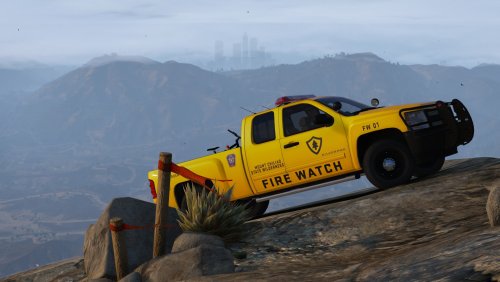 You have an error in your carcols file. If I'd know more about carcols, I could point it out to you, but I know that you shouldn't include all the vanilla sirens into it. 🙂 Found it. Seems to be your comments that messed it up. Once I removed the <!---siren-12---> comments, the error disappeared. If anyone wants to use it as an add-on, remove those.
- 5 comments
- 11 reviews
-
Wrong log. 🙂 Please send your RagePluginHook.log.
-
It's not highly recommended whatsoever.
-
Name and path of your GTA V folder?
-
What's the name and path of your GTA V folder? Also, you should not turn off your Antivirus (Especially Defender) ever.
-
And your issue is?
-
Not at all, since GTA V isn't the culprit here. You can just verify your files and clean your folder. Takes less time. Anyways, depending on your specs 15MB can cause it. It's high-poly already.
-
Please send your RagePluginHook.log.
-
Yep.
-
Please rename your mods folder to _mods. You should also send your entire RagePluginHook.log next time.


