A Stranger
Members
-
Joined
-
Last visited
Everything posted by A Stranger
-
There should be. As an example.
-
You sure you installed ELS correctly? it doesn't look like you did.
-
Send asiloader.log.
-
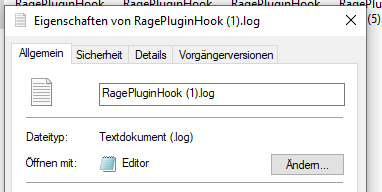
Right click on the file -> Properties. In there you can select the "standard app" to open it with.
-
All of them.
-
It's a LSPD:FR plugin, not a RPH plugin. Also, it's outdated, so remove it.
-
It happens. Delete your charatcer from GTAV/LSPDFR/Char.
-
In the same path, just not mods. If you replaced them via OpenIV, verify first.
-
Put the vanilla files back in.
-
Don't load LSPD:FR on startup. Load it once you are ingame. Also; you need to at least have Franklin story-wise.
-
That means whatever you put in your mods folder is crashing your game. Except from EUP, what did you last install?
-
The Loading LSPD:FR or the RagePluginHook loading screen?
-
The one in /Plugins. Send a new log with the renamed folders.
-
That's the whole point of it, to disable the mods folder. Let me know how it goes.
-
Try renaming mods to _mods and the LSPDFR folder in /Plugins to _LSPDFR.
-
Make sure commandline.txt is empty. If it is, open your LSPDFR.ini in GTAV/LSPDFR and add this: Networking.DisableServerCommunication = true
-
Send your RagePluginHook.log.
-
Don't load LSPD:FR on startup. Then try again.
-
Where exactly is it stuck loading?
-
You need Traffic Policer for Chill Callouts.
-
Don't drag the folder. Try creating the folder in /dlcpacks and then drag the dlc.rpf. If that doesn't work, make sure Edit Mode is on & you didn't run OpenIV as admin.
-
Update / remove StopThePed. While we are at it; remove in /Plugins/LSPDFR: ALPR Plus; ChillCallouts; ClearTheWayV.
-
Show me what's located inside of "C:\Program Files\Rockstar Games\GTA V".
-
Verify your game files & show us your GTA V folder. It is definitely a visual mod / DirectX issue.
-
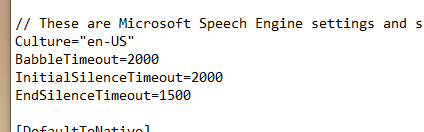
You are from Germany, so I assume your OS language is German. Make sure you change your language in the Grammar Police.ini file.