



SuperStumpje
Friends of LSPDFR
-
Joined
Everything posted by SuperStumpje
-
I'm assuming you're talking about the peds.ide, since peds don't really have an actual handling line. Anyway, just follow my instuctions from another topic:
-
-
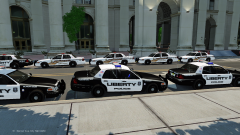 Hidden feature... I recall a conversation between Yard1 and (I think) LMS about adding more than 4 skins to a vehicle, so I suppose that could be it, judging by the amount of cars.
 -
 Nice! Think all it needs is a new windshield and hood (and whatever got hit too)
 -
Open the peds.ide file in *wherever you've installed GTA*/GTA 4/common/data and scroll down to fatcop. then, in the 4th column you'll see "move_m@fat,". Change that to "move_cop," (no " " obviously) and you're done!
-
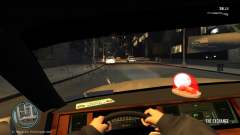
Looks like a normal day in LC. Out of curiosity, what are you driving? Love the dash light :)
-
AI driving is hardcoded into the game, so I don't think there's that much to change.
-
Did you save a car at your safehouse? (might want to check this out aswell: '?do=embed' frameborder='0' data-embedContent>> )
-
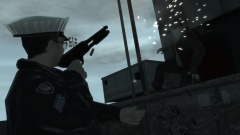 Because using 2 hands is too mainstream.
 -
The game isn't even out in most countries (if any) so it's hard to say, but the answer will most likely be no.
-
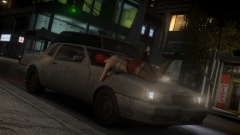 Judging by the state of the car, I'm guessing bad brakes. Not that it really matters for the girl, but accident investigation is still important, right? *silence*
 -
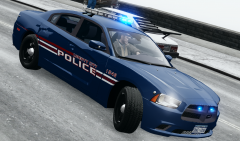 Nice! Definitely not something you'd want to see in your rear view mirror as a criminal :)
 -
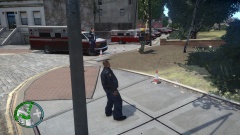 How the actual fuck did you manage to spawn 56 ambulances in a split second? Must've been a mess when they drove away, seeing as they can't really drive....
 -
Thinking of it, there should be an option in SNT saying something in the lines of "enter nearest car as passenger". I've seen it before, but I'm not too bothered to go look for it
-
Maybe a banner? I don't know. Think it's best to just keep it on "flag".
-
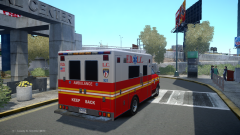 "Now FDLC can run peds over with style! Good!
 -
Seeing as you've got SNT, are your trainer keys off? (open trainer, go to options, 1st page right column, somewhere near the bottom I think)
-
-
-
I'm not sure, but I think the API key function isn't working yet.
-
You could try this tutorial, which is for the FH1200. https://www.youtube.com/watch?v=134MdbvN1_E Problem is, the other one is for another type of motorcycle so it's a bit different here and there.
-
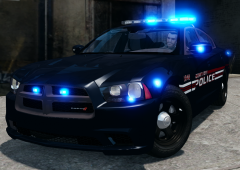 That's something you wouldn't want to see in your rear view mirror... Or maybe you would. Depends on who you are.
 -
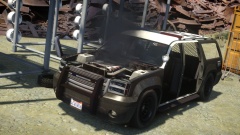 Nah, just needs some cleaning and then it'll be allright.
 -
Open your ELS.ini, scroll down to the bottom. The last line should be Lstg3LightsMoveTraf = off Pretty sure that if you change it to on, cars will move.
-
I know they've got cars out here that have some basic markings but lack stuff like lights and sirens. As far as I know they're used as runarounds for officers and not-so-important things.


