



SuperStumpje
Friends of LSPDFR
-
Joined
Everything posted by SuperStumpje
-
*sigh* When using ELS you need ELS enabled cars...
-
Just look around a bit for nice looking models. If you want it on another vehicle than it was originally made for, just change the name. So if a download contains fbi.wtd and fbi.wft, change the name to police.wtd and police.wft and install it.
-
That was amazing!
-
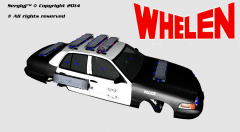 You probably didn't see my comment? But yes, it is pretty similar in lighting setup. not sure who's got more lights :)
 -
Makes me think of Richard Hammond's creation... '>
-
for the user guide you need a pdf reader, and as for the controls, J turns on the lights (press 3 times for the full christmas tree) and ctrl+m opens the menu. please note that, when on duty, this also calls an ambulance so don't use in the middle of the road.
-
The kernel mode stuff is caused by drivers and windows not updating simultaneously and thus causing issues. It will usually appear quite frequently for a while, then a bit less adn back to a lot, depending on updates from windows or nvidia and as far as I know there isn't really a way to solve it, except using an older version of the drivers. got no idea about the other BSoD issues.
-
Are you sure you took the visualsettings stuff from the ELS preset in the cryenb folder? If so, you might want to just grab a visualsettings file from ELS itself. Pretty sure that'll work.
-
Do you have a trainer installed? If so, make sure trainer keys are off.
-
Like I posted in the other topic, where did you get the game?
-
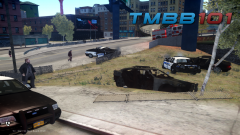 I had about 7 or 8 cars (most of which LCPD cruisers) explode after the suspect vehicle decided it didn't like life anymore, so yes, this is a pretty fortunate outcome!
 -
That's pretty weird. I've got no idea how that is even possible...
-
I'm sure it's in the manual, but allright. Go into your ELS folder, make a copy of the default_config file and rename it and edit what you want. Then go into the slotcontrol file, find the vehicle yo want the edited config for and change default_config into whatever you called the copy.
-
I really need to join soon. This looks like so much fun!
-
So, just to verify, you did install ELS-enabled vehicles, right?
-
I'm not using bravehearts script, but I think you'll be fine with just turning off the LCPDFR callouts (F7)
-
Nope, you need to remove 0.95 completely before installing 1.0
-
So that's what you're doing all the time. Suppose I could join in too if I'm on TS at the same time? (not that my pc is that good with Watch Dogs, but it's running ok for at least 1-1,5 hours)
-
Best thing to do is go into the handling/vehicles file you downloaded, copy the edited line and paste it over the original. For example, if a car replaces police2 you go into the handling.dat that came with the vehicle, copy the line from police2 and paste it over the police2 line in the handling.dat in your GTA folder.
-
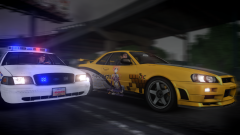 It did indeed come out pretty well! Looks nice!
 -
There's a known issue with some plugins since the latest LCPDFR update. You'll have to wait for plugin creators to release an update.
-
Yes. As I said, Steam doesn't like mods (could be the other way round, never asked lol). Anyway, to make life a little easier, I'd recommend to go into yuor GTA IV directory and look for GTAIV.exe (right under gtaEncoder, probably doesn't have .exe behind the name so you'll have to pay attention) . Then, right-click it, click properties, compatibility, and tick "run as administrator". Then do the same for LaunchGTAIV.exe and when you want to lanch the game, just double-click LaunchGTAIV.exe (or make a desktop shortcut) and you're done.
-
Since you're talking about Steam, are you starting it trough Steam or with LaunchGTAIV.exe in your GTA IV folder? Steam doesn't like mods so you need the second option. Make sure you launch it as administrator, otherwise GTA's gonna be a bitch about it.
-
Assuming it's a gtxd file thingy, it's supposed to go into pc > data > cdimages, not common > data > cdimages
-
Once got the police thingy (think it said it was both Dutch police and copyright agency thingy). Dropped it off at my local computer store and the guy there removed it. Whoever made the Dutch version of the virus made some spelling mistakes so it wasn't that hard to figure out it was fake.


