


OJdoesIt
Members
-
Joined
Everything posted by OJdoesIt
-
Would be suggested to have an extension: public static class EnumerableExtension { public static T PickRandom<T>(this IEnumerable<T> source) { return source.PickRandom(1).Single(); } public static IEnumerable<T> PickRandom<T>(this IEnumerable<T> source, int count) { return source.Shuffle().Take(count); } public static IEnumerable<T> Shuffle<T>(this IEnumerable<T> source) { return source.OrderBy(x => Guid.NewGuid()); } } //Then you can do something like Vector3[] spawnPoints = ... Vector3 point = spawnPoints.PickRandom();
-
.thumb.png.9d0943161b37f863c291d6d6664edefb.png) Default keys are CTRL and H. Make sure to view the INI file so you can change the keys.
Default keys are CTRL and H. Make sure to view the INI file so you can change the keys.- 368 comments
- 33 reviews
-
-

- 1
-
-
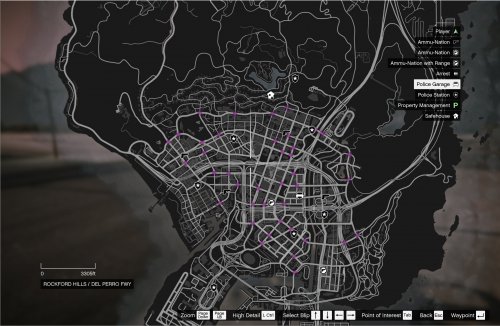 As long as LSPDFR doesn't delete the suspect vehicle, then this mod will blip the vehicle if it has a flag.
 -
If it's installed, then it's active, regardless of you using backup from it's menu. So it could still mess with this mod. Send me a log next time you try calling for the heli.
- 368 comments
- 33 reviews
-
-
- 1
-
-
The default keys are CTRL and D. Send me a log.
-
-
That's the Enable Persistence option. If true, the heli will roam around the map when dimissed. It will go to its target when it is requested again. Test it out and open the Start Menu map. I made it to where its blip only shows on the minimap if within range of the player, when roaming. So it may appear as if it's not roaming when you're testing it.
- 368 comments
- 33 reviews
-
I can't give a definite answer. We will just have to wait until a moderate approves it.
-
It'll be fixed it the next update, which should be released in a couple days.
-
What version of this plugin are you using?
-
-
 You can force one by entering cheat code ambientresponse. In any case, by default, it creates one every 5-10min. I haven't experienced and no has reported it.
- 93 comments
- 18 reviews
-
Number 1 and 2 are already implemented. The minimum distance is already set at 150m. Sometimes the game cannot find good spawn positions, so it will resort to a position near the player. The position is cleared, all units spawn correctly in the street with correct headings and all units don't spawn on top of each other. Due to lack of coding documentation, the AI sometimes get stuck and don't reverse their car to get out of being stuck. As this mod is very passive, it doesn't monitor the vehicles to try to fix them. I don't think I will add support for defining custom models as this specific plugin is of least priority of the plugins I've created, and it's designed to be passive and vanilla.
- 93 comments
- 18 reviews
-
The plugin does work. We're just trying to fix the multi-unit response. The plugin doesn't work at all for you?
- 93 comments
- 18 reviews
-
-
-
I have two more plugins I am currently working on. One of them is being finalized. I will then do a quick update on the callouts to have them work for 0.4.6 with no bugs/crashes. Once I get the time, I will recode the callouts to have them better than ever. Be on the lookout for my next released plugin though 😉
- 368 comments
- 33 reviews
-
-
- 1
-
-
So I checked the code and it will always spawn a minimum of 2 units. It may be that the vehicles are being created, but only one vehicle is actually driving past you while the remaining vehicles are getting stuck. You can verify this by checking the log. It will indicate the type of response, the number of vehicles to create, and the number of vehicles actually created. Did you load it within LSPDFR?
- 93 comments
- 18 reviews
-
But I believe there's like a MultiUnitMax, or something like that. I'm not at my computer so I'm unsure of the exact key.
- 93 comments
- 18 reviews
-
-
I'll consider to extending it to off duty. I'll verify the multi-unit response. I know I've had 2 unit responses before. What INI values do you have for the Multi category?
- 93 comments
- 18 reviews
-
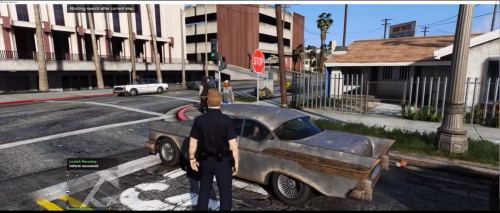 I'll look into resolving this. I'll keep it a small percentage of having the owner still driving it, as suggested.
- 25 comments
- 10 reviews
-
-
- 1
-
-
I will do a quick update just to get it working with 0.4.6 without bugs/crashes. Then if I have the energy, I'll rework the callout pack from scratch.
- 368 comments
- 33 reviews
-
Nope. I'll test it out right now. Update: I tested the Player and Traffic Stop targets and they work fine. I'm thinking that a plugin may be deleting the original traffic stop ped and recreates it, thus the heli returning. @John Dartu
- 368 comments
- 33 reviews
-
That will not be added. I can probably do something where you're a passenger. Yes it doesn't spawn upon startup. When the hello crashes, you can toggle the persistence option and it'll remove the heli. You can then request a new heli. I will look into adding the distance option. When it returns 10-8, what target option was selected? Currently being developed. Things are looking very promising.
- 368 comments
- 33 reviews

.thumb.png.9d0943161b37f863c291d6d6664edefb.png)
