


OJdoesIt
Members
-
Joined
Everything posted by OJdoesIt
-
-
-
-
 I have that suggestion partially coded. Just need to finish it. I would suggest try the callout without any other scripts to see if there's a difference.
- 53 comments
- 14 reviews
-
-

- 1
-
-
You have video of a real-life sting operation you have in mind so I can look at it for reference? This is funny because some people are complaining of a drivers running straight through the checkpoint. Also, there is a 10% chance of a driver fleeing and a pursuit initializing.
- 53 comments
- 14 reviews
-
-
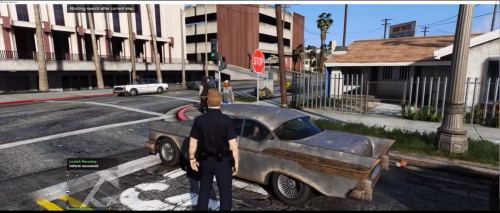
This callout pack are based upon certain calls/scenarios that do not occur often. They bring another level of immersion, having Youtubers in mind to display some unique content for their viewers. First Scenario: DUI Checkpoint in Strawberry. Note: You need to use Callout Manager to activate these calls. You will not get them randomly while on patrol. You may receive an error (red subtitles) when trying to activate a call. This means you are within the spawn radius of the call and you need to drive away and activate again. Make sure to put OJScenarios.dll and OJScenarios.ini into \Plugins\LSPDFR folder. Take a look at the INI at least once to make sure you are satisfied with the settings. If you have a scenario and/or location suggestion, post a comment down below. Join the LSPDFR Fans Discord: https://discord.gg/hxmvtHE
- 53 comments
- 14 reviews
-
-
- 20
-
-
-
 No because nothing is added to the INI and 2.0.1 is just a minor update of 2.0.0.
- 110 comments
- 33 reviews
-
.thumb.png.9d0943161b37f863c291d6d6664edefb.png) Sometimes there's difficulty in finding a suspect outside of a pursuit/pullover. There is not universal method or memory that holds the suspect handles.
Sometimes there's difficulty in finding a suspect outside of a pursuit/pullover. There is not universal method or memory that holds the suspect handles.- 369 comments
- 33 reviews
-
-
 Have you tried the latest version? None of the other callouts should affect this mod.
- 242 comments
- 18 reviews
-
It all depends because each callout is different. So it may work for some, but not others.
- 242 comments
- 18 reviews
-
Known issue. That's why I disabled the menu during callouts in a previous version. I updated it to re-enable by request. Users will use the menu in callouts at their own risk. What area/city are you using it?
- 242 comments
- 18 reviews
-
.thumb.png.e2108197eebd2a115a71434e78afdd67.png) I suggest removing all plugins besides CalloutManager, OJManhunt, and HeliOrbitPlugin and test everything.
I suggest removing all plugins besides CalloutManager, OJManhunt, and HeliOrbitPlugin and test everything.- 31 comments
- 15 reviews
-
Yes, it is working. Thanks.
-
-
I have to further look into the issue. Hopefully I'm not overlooking my code. I'll provide an update when I fix it.
- 242 comments
- 18 reviews
-
-
Can I get any type of update on this problem? I need the capability to edit my mod.
-
-
From how you showed the code, you are spawning the vehicles before setting the coordinates of your Vector3 variables.
-
Paste a snippet of the spawning code.
-
-
Any update.

.thumb.png.9d0943161b37f863c291d6d6664edefb.png)
.thumb.png.e2108197eebd2a115a71434e78afdd67.png)