


OJdoesIt
Members
-
Joined
Everything posted by OJdoesIt
-
-
 Try testing because I changed some things as compared to the video (assuming that's what you based your comment from).
- 242 comments
- 18 reviews
-
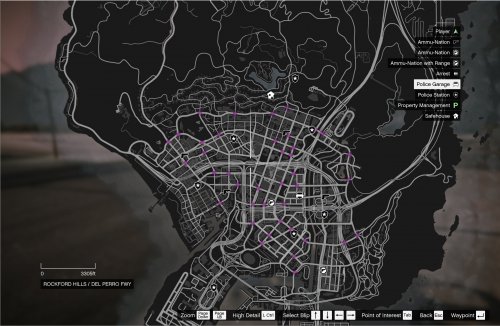 This mod creates ALPR-enabled traffic cameras around the city of Los Santos. If the traffic camera has a hit, it will notify you just as ALPR+ does. The notification will indicate the cross streets, the direction the vehicle is traveling, the flags, the vehicle model, color, and plates. You will only get hits from nearby traffic cameras. View the INI to edit the range. Make sure to put ALPR_TrafficCameras.dll and ALPR_TrafficCameras.ini and ALPR_TrafficCameras.pdb into \Plugins\LSPDFR folder. Make sure to have the latest version of RageNativeUI installed. Take a look at the INI at least once to make sure you are satisfied with the settings. Special Thanks: @DiamondTKG @NorthKing LSPDFR Developer Discord
 -
This mod adds enhanced functionality by allowing you to conduct a full felony (high-risk) stop. Showcase by @DiamondTKG Much thanks to @DiamondTKG for testing and showcasing the mod. Make sure to SUBSCRIBE to her channel for great LSPDFR content. Make sure to put FelonyStop.dll and FelonyStop.ini and FelonyStop.pdb into \Plugins\LSPDFR folder. Take a look at the INI at least once to make sure you are satisfied with the settings. Make sure to have the latest version of RageNativeUI installed. Note: There may be some compatibility issues with Stop The Ped. When requesting a prisoner transport during the felony stop and having RecruitNearestCopForTransport=yes in STP's INI, it may cause a crash. This does not occur every time though. Special Thanks: @DiamondTKG @NorthKing LSPDFR Developers Discord
- 242 comments
- 18 reviews
-
-

- 30
-
-
 It's been an ongoing issue. Should be resolved in next update (unknown ETA).
- 110 comments
- 33 reviews
-
-
- 1
-
-
You have an outdated RPH. You need at least v0.56 You need to update HeliOrbitPlugin to the latest, v1.3.3
- 110 comments
- 33 reviews
-
You attached the ped to the Pursuit, therefore LSPDFR will be controlling the ped as well. Try doing ped.Tasks.Clear() and then set the shoot/fight task.
-
-
-
-
 Add NotifyPlayer=false under [Main] in your INI. As such: // Ambient Emergency Response INI // Season to taste! [Main] NotifyPlayer=true // Minimum time to create a new emergency response MinimumSpawnTime=300000 // Maximum time to create a new emergency response MaximumSpawnTime=600000
- 93 comments
- 18 reviews
-
-
Probably use the Shut Down Roads function. (Not sure what mod that is) I think if the chase is through LSPDFR, then LSPDFR will take control of any cop peds and put them in pursuit.
- 93 comments
- 18 reviews
-
-
Remove all non-callout plugins. Then test. If all is working, then add a few scripts back and test again. That is, of course, if you want to spend the time figuring it out.
- 110 comments
- 33 reviews
-
-
- 1
-
-
-
-
.thumb.png.9d0943161b37f863c291d6d6664edefb.png) Hard to pinpoint since crash was detected within LSPDFR, rather than Heli Orbit.
Hard to pinpoint since crash was detected within LSPDFR, rather than Heli Orbit.- 368 comments
- 33 reviews
-
I have to do some troubleshooting to determine this crash because several people get it, but it doesn't pinpoint within my code, only in LSPDFR code. So just bear with me until next update.
- 110 comments
- 33 reviews
-
-
STill can't pinpoint. As last resort, if you want to get it working, I suggest removing all plugins besides lspdfr and heli orbit and testing if it works. Then add other plugins one by one. All you have to do is remove the .dll file of each plugin. Then add them back in and do ReloadPlugins command in the console.
- 368 comments
- 33 reviews
-
I would suggest you to remove all .dll files from /plugins/LSPDFR and test again. Send the log if the crash happens again.
- 110 comments
- 33 reviews
-
-
- 1
-
-
I can't pinpoint your crash. The log doesn't show a proper crash anywhere. What plugin/scripts (exclude callouts) do you have?
- 110 comments
- 33 reviews
-
-


.thumb.png.9d0943161b37f863c291d6d6664edefb.png)
