
RyWilson
Members
-
Joined
-
Last visited
Everything posted by RyWilson
-
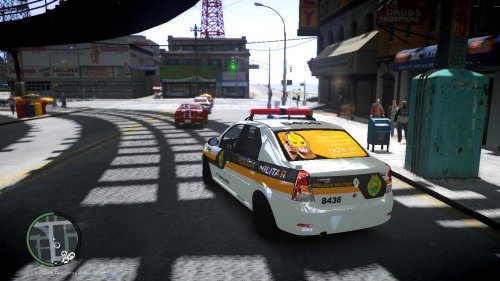 hey thanks for making this. it looks like a billboard :D i like it!
 -
-
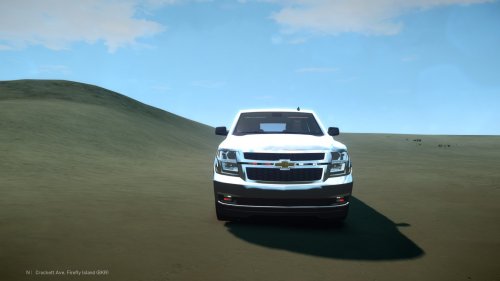 looks really nice. can't wait to see how those red lights look :) thanks for making this for us!!
 -
-
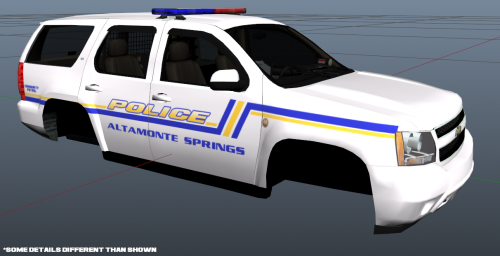 sweet!!! i wasn't sure if you were going to release this to the public. i really like that lightbar. THANKS :D
- 10 comments
- 2 reviews
-
-

- 1
-
-
GREAT!! congrats on finding the problem. i'm also glad that it wasnt the mod. thanks for posting Quiggles and thanks for letting me help you try to figure it out.
-
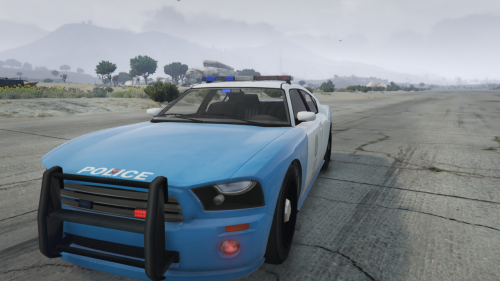 very nice. i also love that baby blue color. can you link the vehicles you used please :)
 -
there are actually quite a few posts in the forum and other forums about no sound. i started with just googling lcpdfr no sound and went from there. but none of the threads i've ever seen has had an actual solution to it. but i'd actually love to hear it was a setup issue because we have been trying to fix this for a while now and nothing. people have tried everything from re-installations of game and mod, restoring computer, trying to update sound cards, etc and still nothing :( ill post some of those links later from the places i've been and maybe you can just check the post and see what has happened and what they tried to resolve it.
-
this is actually a great skin. probably would have more downloads if it had the model link included. so i found it and here it is :P fits like a glove! http://www.gta4-mods.com/vehicles/2010-dodge-charger-rx2700-f26347
- 1 comment
- 1 review
-
-
-
hmm until we figure this out maybe try version .95 and see if it works for you.
-
omg I can't believe it. This is going be one of those problems caused by something stupid. So it crashes on backup even with no other mods installed ?
-
im looking around. Also go into lcpdfr folder and check the lcpdfr notepad and check to make sure it says PreloadAllModels=true also r u using els? If so are your cars also els? Also u could try turning off world events. I'd try one at a time to see. These r random fixes for the same issue. Who knows if any will work lol
-
dam. I'll look around the internet and see if I can find something :P can't promise anything though
-
hmm ok try the vhd police helper mod. It's comes with built in command for back up. Make sure u back up your game first in case it messes u up. Lemme know if it helps or not. I will try look at it logs when I get off work
-
thanks for posting this bub. i had no idea on how to change that. thanks alot!!
-
hello there are VERY few of these made and the ones that do are kinda messed up. this one has a board but i couldnt figure out how to control the arrow. it flashes the whole time. but i wanted to post the link just in case you were interested :P http://www.gtainside.com/gta4/cars/34315-ford-f150-epm-els/ i also think the one you was looking at earlier is the same way. the pictures seem to make you think the arrow actually works but it was just catching the arrow in the right spot for the pic. hope this helps. sorry couldnt do more :(
-
i do appreciate you taking the time to clarify your decision to close my thread. second, at no time did i say that i "understood why my post was closed" because i still dont. however, being that i have no powers here i will have to accept your decision. but, in closing i will post just a few links of other topics that have "no discussion value" that remain open. now i hope i have at least made you understand where i am coming from. because these are no different whatsoever from what i posted earlier. as a matter of fact, they are extremely simliar and damn near identical. these posts are interesting to those who find it interesting and none or all "provoke conversation" depending on who reads them. all im saying is that if the rule is goin to be enforced, please make sure it goes around the world and dont just stop on a few doorsteps. thanks for your time and i'll make sure i stay away from this section of the forum in the future and stick to the "status update" instead
-
okay so over the past few days i've noticed that admin has taken it upon themselves to close topics at random for no reason in a section that, for all intensive purposes, is marked General Discussion An off-topic forum for ALL forms of conversation. so instead of making us feel stupid about posting in the wrong spot, which we are NOT doing, i would like clarification on the "new" rules. If this new "status update" feature has somehow morphed into its own entertainment facility, then i think at the very least we should be told more specifically now what can and can't be posted here. If you take a look at the topics in here they vary greatly. from others posting videos to start light conversation to wrestling threads to smelling farts. All topics which have remained open with no problem. Now I have no problem abiding by rules at all. but this random closing of topics without reason is silly. if someone doesn't want to read a post then they won't go there. that is the whole point of this forum in the first place. those who wanna read will..those who won't wont..i dont think we need mods closing threads without a reason or without specific clarifications. it's ridiculous that you have to sit in front of your computer for twenty minutes trying to decide if you will get a warning for posting something. this part of the forum is supposed to be for fun...and im not having any lately.
-
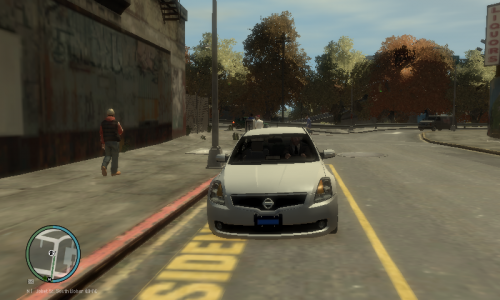 how did you know i just put in louisiana cars last night :D im giving five stars cuz i love all blue lights and its got that louisiana plate. yes sir!!
- 6 comments
- 1 review
-
-
I will have two of what she is having!! have a good day everybody
-
haha alright man you let me know if you get that sucker runnin.
-
thats pretty cool. i was watching Can'tSpeakEnglishGaming video the other day and he had a shootout with Trevor. thats kinda crazy but he is a friggin maniac and we are cops :o