




CouthInk4
Members
-
Joined
-
Last visited
Everything posted by CouthInk4
-
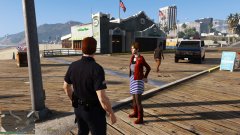
From the album: CouthInk4's LSPDFR Gallery
Can't be bothered dealing with the suspect.. Waiting for a PT unit to show -
From the album: CouthInk4's LSPDFR Gallery
-
 @Beren Since you haven't updated for a while, you're most likely busy although when you get the chance can you create some skins for this pack. The 2016 charger and FPIS is the two that needs doing.. i believe the others (other charger and CVPI confirmed) already use templates already in the pack. It would be greatly appreicated.
- 111 comments
- 23 reviews
-
 Player Location Display saved your image.. I was about to remove it and PM you regarding uploading IRL images to the gallery. Your game looks freakin realistic.
 -
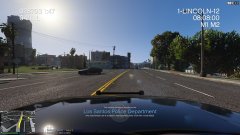
From the album: CouthInk4's LSPDFR Gallery
Rolling Code 2 to a suspects Apartment after he caused an MVA on the Freeway -
the only topic of yours i can see that has been "taken down" is a clan ad from 2015. Which clan ads are against our Guidelines and should only be linked to on your profile/signature.
-
I don't know where you got that idea from. LSPDFR related media (whether it be YouTube or Twitch) is accepted. If it's a general "subscribe to my channel" that has nothing to do with LSPDFR and what not then that's is against our Guidelines. I see nothing wrong with this topic since it's about LSPDFR media.
-
You were suspended from uploading. If the suspension goes in the MM/DD/YY format then you won't be able to upload until May 3rd. However if it's DD/MM/YY then you should be fine.
-
I think i've used that car before.. I vaguely remember it (i use a lot of different cars.. and haven't played GTA since January) However i've never had this problem. try these settings and see if it works. car.brakelight.day.emissive.on 700.00 car.brakelight.night.emissive.on 550.00 car.brakelight.day.emissive.off 0.00 car.brakelight.night.emissive.off 0.000 Keep in mind that myself and Albo are using a graphics enhancer, so lights will be enhanced.. I've never tried it on a stock standard GTA V so these settings might not work. However if your PC can handle it.. You could always use a graphics mod like VisualV or MVGA
-
Your topic has been moved to GTA V Support, this is not LSPDFR related. Please post in the correct location in the future.
-
This topic has been moved to the appropriate forum. Please post in the correct location in the future.
-
I'm not sure what your issue is then. What i've asked is all i know on how to bypass/fix this error. if it hasn't fixed it then i'm at a complete loss. Search around the forums, maybe someone else has had the same issue and got theirs fixed
-
It might be. Something is blocking your RagePluginHook. try it without that mod.
-
it'll either be "car.brakelight." "car.middlebrakelight." "car.extralight." if it's attached to the lightbar (as in bugs made it so it's also part of the lightbar) it'll be "car.defaultlight." Just play around with the settings.. I can't say for certain which one of those it is as i'm not entirely sure how bugs made the car nor have i used the vehicle. But i'm 90% certain it's one of those settings. Just about trial and error.
-
and the name of your GTA folder? Is it GTA V, GTA 5 or Grand Theft Auto V
-
I mean your Grand Theft Auto V installed location. (more importantly the install path)
-
Can you upload a screenshot of your directory?
-
I don't understand. Can you provide a screenshot of what it's saying
-
New version of RadianceV? I have a feeling that it maybe a value in your visualsettings.dat file.
-
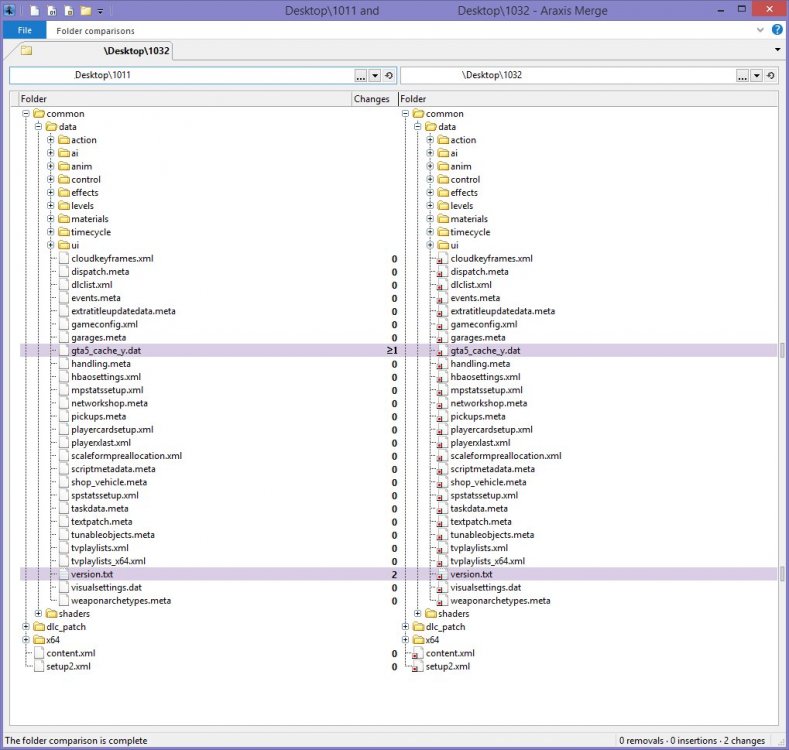
That is why. You need to update your mods folder. Did you create a mods folder for 1011? (the update before this update) If so you only have to edit two files in order for it to work add the two highlighted files to mods\update.rpf
-
Have you re-downloaded the car (did you re-download it and notice this error) or is it the same file you've always used? If it's the same file you've always used then the issue may be your visualsettings. Do you have a graphics/visual mod installed?
-
This topic has been moved to the appropriate forum. Please post in the correct location in the future.
-
Do you have your postFX in your settings up on very high? Not having it set up on high/very high does sometimes cause lightbars to go weird.
-
Please don't bump your topics. Are you running RagePluginHook as Administrator? Is your GTA folder called "Grand Theft Auto V"?
-
Are you using a mods folder?


