




CouthInk4
Members
-
Joined
-
Last visited
Everything posted by CouthInk4
-
Remove all mods, including LSPDFR then verify the game again. Then retry the game (unmodded) if it works then you can slowly reinstall your mods again (one by one to see what works and what doesn't)
-
Try it. If it doesn't launch then it's a Grand Theft Auto V issue So you may need to either do a reinstall or verify the game (if you're on Steam). If it does then it's a mods issue so you'll have to remove all your mods and start from scratch
-
Can you launch the game normally? (Without RagePluginHook)
-
Are you using a mods folder by any chance?
-
Are you using any mods other than LSPDFR/it's plugins?
-
Hello. The information you have given us is not engough to help you, Please do the following. Give a detailed description of your problem and what solutions you have tried to resolve it Attach any RPH logs (if copy + pasting, please put the log in the a spoiler tag) Attach screenshots of your directory/game folder Read the pinned the posts in the Support section (this pinned topics include fix guides, setup guides and whatever else to make your game run)
-
Exactly why did you post this? I mean there's really no discussion to be had and it certainly isn't LSPDFR media.
-
Your topic has been moved to GTA V Support, this is not LSPDFR related. Please post in the correct location in the future.
-
Your topic has been moved to GTA V Support, this is not LSPDFR related. Please post in the correct location in the future.
-
This is just turning into a massive argument. Closing this topic to prevent that. If you feel this topic has been closed in error, please report this post.
-
This topic has been moved to the appropriate forum. Please post in the correct location in the future.
-
This topic has been moved to the appropriate forum. Please post in the correct location in the future.
-
This topic has been moved to the appropriate forum. Please post in the correct location in the future.
-
Your topic has been moved to GTA V Support, this is not LSPDFR related. Please post in the correct location in the future.
-
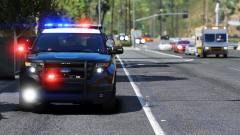 Damn these graphics. It's getting me questioning what's real and what's GTA. It's made my job of "removing real life images" a lot harder
 -
Create your own topic. Trying to get support in someone else's support topic is against our Community Guidelines as it's considered topic hijacking.
-
Your topic has been moved to GTA V Support, this is not LSPDFR related. Please post in the correct location in the future.
-
LSPDFR and RPH works perfectly fine with the latest version of Grand Theft Auto V
-
Your topic has been moved to GTA V Support, this is not LSPDFR related. Please post in the correct location in the future.
-
Unfortunately for Australia there are no older Police cars. with America they don't really care on mileage (especially in small departments) so having older cars would be no issue although here there is a strict rule if it goes over a certain mileage it has to be taken off patrol and sent away (they later auction it off). so the only vehicles in service are modern vehicles. The only old vehicle i have actually seen is a RBT/Police information bus. which rarely gets used so it might still be under the mileage.
-
Your topic has been moved to GTA V Support, this is not LSPDFR related. Please post in the correct location in the future.
-
This topic has been moved to the appropriate forum. Please post in the correct location in the future.
-
This topic has been moved to the appropriate forum. Please post in the correct location in the future.
-
You already have a topic regarding this that you created 4 hours ago. You've been warned many times in the past to not double post. In future stick to one post otherwise you will be sanctioned for it. If you feel this topic has been closed in error, please report this post.
-
Your topic has been moved to GTA V Support, this is not LSPDFR related. Please post in the correct location in the future.


