




CouthInk4
Members
-
Joined
-
Last visited
Everything posted by CouthInk4
-
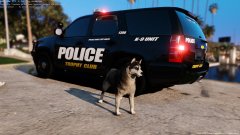 Trophy Club Police? Please tell me that's a fictional town..
 -
Your topic has been moved to GTA V Support, this is not LSPDFR related. Please post in the correct location in the future.
-
Have you updated Grand Theft Auto V? Have you installed RagePluginHook to the Grand Theft Auto V directory?
-
Your thread has been moved to LCPDFR Support Requests as it isn't a LSPDFR Support Request.
-
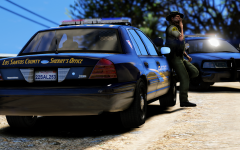 What vehicle mod is that?
 -
What your asking can be done via the backup.xml file.
-
Go to Grand Theft Auto in your Steam library - Right click and go to properties - go to local files - click verify integrity of game files. From there it'll scan your folder and update your game to the latest version.
-
Your topic has been moved to GTA V Support, this is not LSPDFR related. Please post in the correct location in the future.
-
Use the search bar on the right hand side of the forum? Doing that will bring up what you're looking for (if what your looking for is available)
-
There's hardly any LAPD vehicles unfortunately. There is a couple in WIP and a pack released (linked above) but that's it. Which is a shame because more LAPD vehicles is much needed and wanted
-
Your topic has been moved to GTA V Support, this is not LSPDFR related. Please post in the correct location in the future.
-
We don't do ETA or Release dates. It'll be released when it's ready to be released.
-
LSPDFR is still under development. Rather than making announcements, The development team prefer to work. 0.4 is still under development and is still being worked on. Keep in mind the Development team is of 1-2 people. So it does take time for things to get done. Rest assured that it hasn't been abandoned and it's still being greatly worked on :)
-
The only person who can do that is the author. Nobody here is going to convert it since that's essentially theft.
-
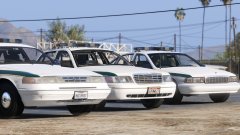 Damn. Oh well. Take your time, The pack looks :D it'll be definitley going into my Sheriff slots.
 -
@RobertTM by coming days you mean minutes right?
-
The only things that break are scripts. Which happens to every game. Plus updates only come every couple of months, it's not a weekly thing. So waiting 3-5 days for scripts to be updated isn't bad. If you're not using a mods folder then there is really no need to reinstall everything/fix everything since it's just scripts that break
-
Well the YouTuber is wrong, there is no new GTA V update coming. Modding and the game itself is completely fine on the latest update. It's alot easier if you have two GTA V folders (one for vanilla and the other for modding) that way GTA can update without you having to mess around re-adding your mods because your mods folder is broken. When i had a mods folder it was a PITA.. but now i don't use one everything is fine, GTA update, i wait until scripts and all that are updates and yet every other mod is fine :D The down side of having two directories is if you want to play non-modded/online you have to switch the folder names over (since you need it to be Grand Theft Auto V).
-
Windows 10 helped. but you'll still experience crashes if you're using car mods and what not. GTA IV was a crappy PC port. Also, Where did you hear this infomation from? I've checked Twitter, Facebook and RGSC and nothing about an update?
-
GTA IV is unstable in itself, so adding LCPDFR + mods +plugins will most likely result in crashes, So beware. LCPDFR is quite fun though.
-
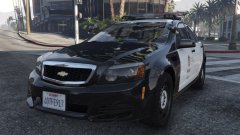 Sweet! We need more LAPD/LSPD mods (assuming it's ELS)
 -
 Oh lord that is sexy
 -
@AndrewZommer I have merged your Media topics together into this thread (your original thread). Don't create multiple topics for your videos.. Instead post them into this thread. It doesn't spam the Media section that way.
-
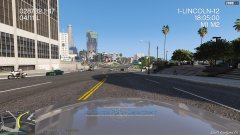
From the album: CouthInk4's LSPDFR Gallery
Sunny day in Los Santos -
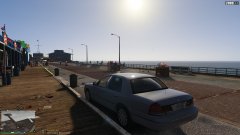
From the album: CouthInk4's LSPDFR Gallery
Del Perro pier


