




CouthInk4
Members
-
Joined
-
Last visited
Everything posted by CouthInk4
-
Welcome to the forums
-
BxBugs (original author of the tahoe) was planning on converting it to V. not sure if he still is or not.
-
It was removed as it was converted to GTA V from IV without permission from the original author.
-
You can't. Rockstar will force you to go online in order to verify your game. You can't use it until you do. This is why i encourage people to buy the steam version as the retail version becomes a lot harder to mod. i've owned both the retail and steam version and i've never had an issue with the steam version, had issues with the retail version however
-
You can only play offline for a limited time, after a while you'll need to do a session so it can verify the activation. it's Rockstar's anti-pirate thing kicking in.
-
If you didn't do a backup via RPH then you'll have to wait. The error you'll be getting is a ScripthookV error as it's using a version for 1032 and not the version you're using. A new version hasn't been released yet so you'll have to wait until a new version is released
-
No. unless you created a backup via RPH you can't revert. You'll have to wait until ScripthookV is update
-
Your thread has been moved to LCPDFR Support Requests as it isn't a LSPDFR Support Request.
-
Have you updated the game to the latest version (which was released a day or two ago?) if so your mods will not work until ScripthookV is updated
-
if you're on Steam then use RPH backup feature (useless right now since you can only backup 1032). that way you don't have to wait for a scripthook/update and you can continue using the older version.
-
Considering there are countless topics regarding the whole OpenIV and Take Two ordeal. there's no need for this topic to be open. If you feel this topic has been closed in error, please report this post.
-
User admitted over the PM system that they do not have a legal copy of the game. Closing topic. This topic has been closed because you are asking for support regarding pirated software. We are unable to provide support to pirates, or people using cracks. If you feel this topic has been closed in error, please report this post.
-
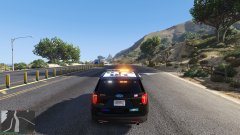
From the album: CouthInk4's LSPDFR Gallery
slowly catching up -
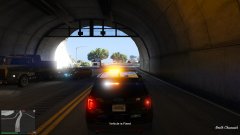
From the album: CouthInk4's LSPDFR Gallery
shit, i'm now blind -
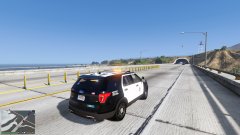
From the album: CouthInk4's LSPDFR Gallery
slow pursuit vehicle, but does look pretty -
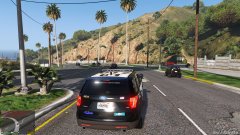
From the album: CouthInk4's LSPDFR Gallery
-
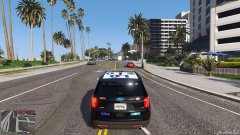
From the album: CouthInk4's LSPDFR Gallery
-
you're using a version of RagePluginHook designed for GTA V version 944. you will need to update your game to the latest version 1032. Keep in mind, updating to 1032 will break modding until RagePluginHook and other plugins are updated due to the latest GTA V update breaking modding.
-
the LA Pack is somewhat accurate. regarding the CVPI, FPIS and 13 Explorer. there is also an accurate 16 FPIU released on gta5-mods (POLICESCO model). but i do agree, more LAPD packs should be released. We had heaps in GTA IV.. which wasn't realistic since LC is NY.. so LAPD didn't fit... now we have LS/LA there's no LAPD packs.. in fact there are more NYPD vehicles for V than there are LAPD
-
both models is locked. The only person who could do that is the authors. Anybody else doing it would be violating our Mod theft guidelines.
-
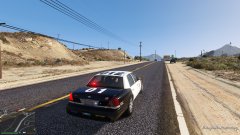
From the album: CouthInk4's LSPDFR Gallery
-
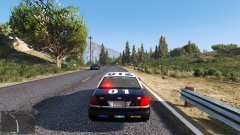
From the album: CouthInk4's LSPDFR Gallery
LSPD statewide pursuit which also involved both the LSSD and FIB -
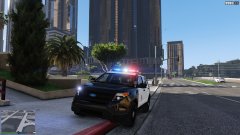
From the album: CouthInk4's LSPDFR Gallery
LSPD Ford Explorer.. This will cause a lot of problems i feel. especially with the nickname "Ford Exploder" -
.png.40d748124801b92d07a25ee767692f70.png) I quite like this.
I quite like this. -
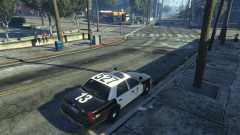 You should probably put some hubcaps on them. LAPD CVPI use hubcaps on pretty much all of their vics


.png.40d748124801b92d07a25ee767692f70.png)
