




CouthInk4
Members
-
Joined
-
Last visited
Everything posted by CouthInk4
-
For some reason it wouldn't work, i re-binded that key to a different option and it worked :D Problem is now solved. This thread can be L&A
-
I don't know if it's what you want, but i have found something similar http://gtapolicemods.com/downloads.php?do=file&id=458 just install that truck with sparkIV, export it's texture to your desktop, replace that truck with the non-els one and replace it's texture with the one you exported
-
I did read the instructions, i can turn the sirens on by the keyboard controls. i just can't use the left analog stick to activate the siren, all it does is honks the horn.
-
This has been asked a couple times before but it hasn't really been answered. I never use my keyboard in game, because i find it extremely uncomfortable and confusing, so i use an XBOX 360 controller. I have installed ELS7 and everything is setup just right but i can't use the default siren button on my controller (which is pressing the left analog stick in) it just doesn't work. even pressing it's default control on the keyboard it does nothing. but it works with T and Y (which is what ELS7 was programmed to do). My question is, is there anyway to keybind the siren to be used with the controller? (Like how ELS6 was, where you could turn your ELS on and still use your default siren with the left analog stick on the controller)
-
My keybindings were already changed. instead of it being the usual J,K,L mine is 1,2,3. they just screw up whenever an ENB is installed. it's like they just refuse to work. Even changing them still doesn't work. because i also tried them ad their default J,K,L and i still had to mash it.
-
Hey, I'm currently using ELS V6 because i just can't get V7 to work in my game. My problem is, if i have an ENB installed, i have to mash the "primary lights" button about 6-7 times before it turns on (have to repeat to turn it off). It only happens when i have an ENB installed, if i don't have one installed it works perfectly fine. Does anyone know a solution to this?
-
That's what i meant by "different style" UK, Australia and a lot of other places use Alpha, Bravo, Charlie etc whereas America uses Adam, Boy, Charles etc.
-
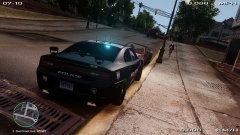
From the album: CouthInk4's LCPDFR Gallery
Loving this graphics :o this looks so.. AMAZEBALLS! -
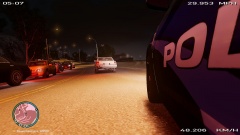
From the album: CouthInk4's LCPDFR Gallery
This just looked cool to me so i snapped it:) -
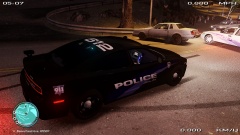
From the album: CouthInk4's LCPDFR Gallery
Dodge Charger vs A bunch of rusted junk on wheels.. Who would win? Spoilers... It was the Charger xD Never try to outrun me.. Especially if i'm driving a 2011 Charger -
Yup, they use that stye of phonetic alphabet. the only people (that i know of) that uses a different style is America and Canada
-
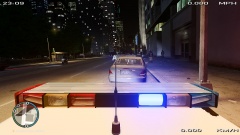
From the album: CouthInk4's LCPDFR Gallery
Preforming a traffic stop.. i love the lights :O -
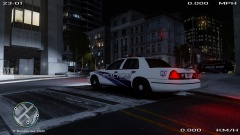
From the album: CouthInk4's LCPDFR Gallery
Doing a graveyard shift, didn't lag at all.. I'm having better FPS on the Steam version of GTA 4 than i did on the disc/retail version o.O -
depends on what ENB i'm using. if it's a nice pretty one then i like doing patrols early morning, late afternoon and the occasional night shift. but then it all depends on lag, i mainly patrol afternoon because i get the least amount of lag then.
-
That very awkward moment when it's 1am where i live... And it's the 2nd of April xD
-
I was browsing YouTube and i came across this video. It's a parody to SouthLAnd, and to be honest.. it looks really professional and realistic (other than a few minor inaccuracies)
-
Australia Day.. an excuse to get shitfaced on alcohol, eat all you want and party until late.. This is why i love Australia! We party whenever we have an excuse. I wouldn't want to be anywhere in the world than Australia :D Proud Aussie typing right here!
-
Australian police cars definitly! Even though these are for promotional use and not General Duties.. But i have to say this is a pretty cool police car
-
Vapid Police Interceptor - http://www.gta4-mods.com/vehicles/gta-v-vapid-police-interceptor-els-v7-optimiz-f25544 Vapid Stanier- http://www.gta4-mods.com/vehicles/gta-v-police-cruiser-els-v7-optimized-f25524 That is all i could find, I think as of right now they're the only ELS cars avaliable
-
I'm not sure if it works for TLAD. But for TBoGT.. There is a different police model. Like how you would normally go into SparkIV and go to componentpeds etc it's a bit different for EFLC. if you change the cop ped for IV, it doesn't change the peds for EFLC. you have to go into the EFLC section of SparkIV, go to componentpeds and switch the police model So instead of opening up SparkIV and going to componentpeds, you have to find the EFLC section (which comes just before or right after the GTA4 section)
-
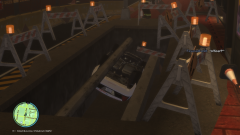 My question is.. How the hell did he get like that? the only way to get like it is if the poles were removed then put back. If that happened in real life.. I would love to read the incident report xD
 -
Maybe you could go to an optometrist? Sit down and discuss with them and say "look, i want to be a police officer and the thing that is holding me back is my eye sight. Is there anything i can do to improve it?" They can sit down with you and help you out, i did that when i had to go to physiotherapy for my back (the back and eye is different but still.. it can be helped, especially with the technology today)
-
it's meant to represent realism yes.. But don't forget it's just a game. Most people don't want to sit around for 10-20 minutes writing notes for the MDC with little to no reward. Most people would get bored with it. If people wanted to do everything exact then they'll go out and join the police force. LCPD:FR is a mod for a game, it's meant to be played for fun with a bit of realism. it'll be a feature that will get people really bored really quick
-
I'm pretty sure 0.95 is less demanding. 1.0 was completely re-worked and a lot more stuff added, so this will definitely be more heavy than 0.95. For stability and resource friendly.. 0.95 is your best option
-
Nicolai there is a big difference in the speed of your Chargers and the real ones xD Yours just wants to take off and fly... I swear you Chargers secretly want to be an airplane


