




CouthInk4
Members
-
Joined
-
Last visited
Everything posted by CouthInk4
-
the diagnostic tool only helps figure out the problem, it has no impact on the game. remove all of your LCPDFR files for your gta 4 directory then follow this method - '?do=embed' frameborder='0' data-embedContent>>
-
depends on what the shirt looks like. but most of the time (of what i have seen) POLICE is mainly written on black shirts, i have hardly seen them on white
-
if your on the lowest settings and still lag then your computer can't handle GTA 4, Can you tell us your PC Specs (HDD, RAM, graphics card, processor etc) 1. remove the auto installer, since people do have problems with the auto installer, try the manual way here - '?do=embed' frameborder='0' data-embedContent>> 2. remove your ELS files from your directory and follow this guide - 3. for ELS lights to work, you need ELS.. so without it any ELS compatible vehicles are useless. A texture isn't the problem that is causing it, it's the ELS not being installed correctly
-
That error is caused when the computer can't read a file on this disc, i used to get that all the time on my GTA 4 copy (before i got a steam version). Take your disc and try wiping it over with a cloth, use some CD cleaner, it always used to work with me. if you still have that error then you'll need to get a new GTA 4. And like Ineseri said, you don't have to worry about discs.. plus GTA 4 is 50USD but the complete edition (which comes with TBoGT and TLAD) is on;y 30US don't ask how that works. but it's cheaper xD
-
Might want to take a partner with you aswell.. when i take a partner and get shot at he is already shooting at the suspects. All my partners have save my ass more times than i can count, they're really useful in 1.0 unlike 0.95. they have their guns already aimed at the driver as soon as your partner gets out of his cruiser... so he doesn't miss.
-
Delete your LCPDFR ASI LOADER folder, since you no longer need it. you only needed to choose 1 of it's contents (dsound or xlive) you already have dsound. so you can remove the folder now.
-
That's the one xD
-
hmm, maybe delete your dsound file, your scripts folder and all your asi mods from the GTA 4 directory and re-put them back in. maybe something might happen and it works again. i seriously have no idea why your scripts aren't responding since you have an asi loader :/
-
if you still have your mods left over, then you do have to re-download it. but delete your existing GTA 4 folder first, so there is no trace of mods left over. when it re-downloads and installs.. copy and paste your fresh copy of GTA 4 to your documents or desktop so you have a backup just in case something goes wrong (then you don't have to re-download it ever again)
-
I like the little easter egg/joke that's in the helicopters interior.i can't remember exactly what it was but it was something about warnings and it's not their fault if you die or something.. i was laughing when i discovered it xD
-
if you're using lcpd:fr 1.0 then you don't need the name plate reader since an ALPR/ANPR system is integrated within LCPD:FR. it is normal to experience crashes, it does depend on what your system is like. some can play forever, and other can only play for a short time.. i can only play for 20-30 minutes before i crash. your problem could be your enb.. your computer might not be able to run it and it force-crashes your game so it can save it;s hardware. or it could also be GTA 4 being itself.
-
does he have an ASI loader? either xlive or dsound
-
remove GTA 4 from your pc. go to computer - local disk - program files (either that or program filesx86.. whatever has your programs) - Steam - Steamapps - Common. delete GTA 4. then re-install it via steam and you'll have a fresh copy. also save you doing it again, when it finishes downloading and install, copy and paste your gta 4 directory to your documents or desktop (as a backup)
-
Are you sure you're doing it right? Is your game a legal copy? Is your game patched up to 1.0.7.0?
-
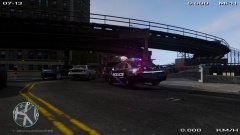
From the album: CouthInk4's LCPDFR Gallery
Sunny day in Liberty City, conducting a traffic stop on a suspected drunk driver -
the 97 Hollywood shootout reminds me of the bank heist in GTA V with all 3 of them in heavy Armour Kevlar with miniguns. It should be possible, it'll might be fun actually:)
-
What didn't work? Disabling hotkeys or pressing E? If you can't disable the hotkeys in game. then go to where GTA is installed, look for the trainer.ini, look for "BeyBindingsDisabled" change the 0 to 1 so it looks like this - "KeyBindingsDisabled=1"
-
You could try changing the handling line, the Harley Davidson might need a certain handling line to be able to operate properly. open up your handling.dat file, find the bike that you modded and replace it's handling line with this! 344.0 0.1 85 0.0 0.0 -0.15 0.0 4 0.15 1.0 310.0 0.6 0.65 0.6 33.0 1.4 1.5 15.0 0.13 0.45 4.5 3.5 3.5 0.20 -0.10 0.0 0.5 0.5 1.0 0.8 1.5 0.0 25000 440010 1 0
-
That's meant to happen. in V7 and V8 it goes through 3 light stages, activating certain lights at certain stages. if you don't like it, there is an option in the ELS.ini to activate light stage 3 straight away (so you don't have to go to LSTG1-LSTG2 then LSTG3). (only available with ELS V8 though). you might want to read through the User manual that comes with ELS V8 so you can learn about the new system.. both ELS V7 and V8 have been changed since V6
-
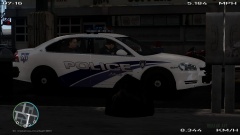
From the album: CouthInk4's LCPDFR Gallery
Transporting a prisoner back to Broker Precinct for charging. 2 actives warrants and was found with stolen credit cards after searching him -
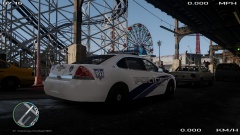
From the album: CouthInk4's LCPDFR Gallery
Just another snap. It was a beautiful day in Broker :D -
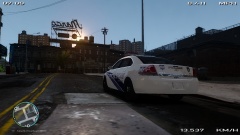
From the album: CouthInk4's LCPDFR Gallery
It's a nice sunny day in Broker.. good day for patrolling, not alot of shooting.. which is the first for Broker. -
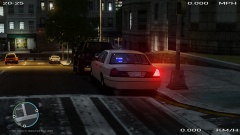
From the album: CouthInk4's LCPDFR Gallery
the LCPD have been cracking down on street crimes and traffic crimes lately, As part of Operation Traffic Control a small team of officers were put in plain clothes, given an unmarked crown vic were told to "blend" in so they can catch some offenders -
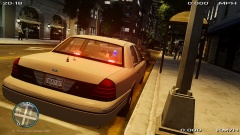
From the album: CouthInk4's LCPDFR Gallery
the LCPD have been cracking down on street crimes and traffic crimes lately, As part of Operation Traffic Control a small team of officers were put in plain clothes, given an unmarked crown vic were told to "blend" in so they can catch some offenders -
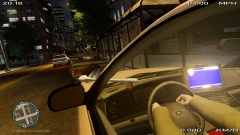
From the album: CouthInk4's LCPDFR Gallery
Just conducting with a traffic stop.. had this cinematic view so i decided to take a snap:)


