


Sgt.Kanyo
Members
-
Joined
-
Last visited
Everything posted by Sgt.Kanyo
-
Your problem is that your coronas are smaller in game. Probably you are using a timecyc mod that reduces the coronas size. Coronas are also known as sprites. Imagine them like a new mesh in front of the car that supports transparency. This is what coronas are: '> I reduced my coronas too in game, so they look small like that for me as well. They don't light up the actual headlight / taillight mesh.
-
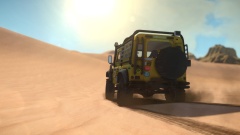 Damn that's a nice pic. Is that Route 66?
 -
Dust can only cause overheating issues, but like I said it's not an overheating problem. I kept checking the temperature and it was fine. Also I clean my computer like every 2 months or so, so there's not really a lot in there. Well not as much to cause any heat issues. Also I've cleaned it like 5 times this week, so pretty sure it's not that.
-
Yeah I'll definately let you guys know what the problem was once I fix the problem. Also the graphical bugs only started a week ago like I mentioned. On vista I only had the computer crashes. I've changed OS like 7 months ago. I haven't been doing anything when those crashes appeared, only uploading to YT or downloading a huge file or just watching a movie online. Sometimes those crashes even happened while watching a movie without using my internet. Back then we though it could be a wifi card failing, and it still might be, but tbh that's not a priority right now.
-
Oh yes I forgot to mention, that I've been monitoring my computer with nvidia's system tool, used for checking temperatures, and I've been also checking it with another program called Speedfan, however like I said the GPU is the hottest with 85 °C (max is 92 °C / 100 °C according to other people), and I think when my CPU once got up to 80 °C, however that only happened once, and I think I might have moved the fan at that time. Now my CPU keeps getting max 70 °C, but it's usually at like 60 °C under load. So it's not overheating. Another thing I forgot to mention is some people said these windows kernel driver errors could be related to the graphics card not getting enough juice from the power supply. According to asus' calculator I should need 650W PS and I only have a 550W, however it's been working almost without any faults (apart from the random crashes). Also since the new card I got is a beast, I'll probably have to get a better PS. The asus site recommends a 750W PS for the new card (it's still not in though). Thanks for all the reply, and I believe I'm going to have the same issue as Sgt.Jackson did. Probably one of the RAMs is failing and the video card as well.
-
![[WIP] Pierce Arrow XT BFRS Edition](//s3-gallery.int-cdn.lcpdfrusercontent.com/gallery/album_2718/sml_gallery_138650_2718_844590.png) Oh damn, for a second I thought it was gonna be LAFD. The model looks pretty nice.
Oh damn, for a second I thought it was gonna be LAFD. The model looks pretty nice. -
If you really want to help, please read this through very carefully, that's the only way you'd be able to help. This might not be the right forum to ask, however I'm getting desperate in fixing my computer related issues. I'm like 70% sure it's a hardware problem, but I don't want to exclude software problem (like a driver issue). What you need to know first is I've been having crashing issues for almost a year now, which started back on my Vista 32 bit, and now still continues on a fresh Win 7 64 bit. What I've had here is, whenever I uploaded to YT or downloaded something large my computer froze. This means screen and sound as well (almost like a BSoD, but without the blue screen itself). Sometimes I had these crashes when I watched a movie or played a game as well. Things since then escalated a lot: What I have since like a week now is a computer that crashes like 3 times a day like I mentioned above, I also get BSoDs now (however these are quite rare), and what I have most of the time is "windows kernel mode driver stopped responding and has successfully recovered" problem where the screen freezes for 7 seconds, it goes black, and then you get that message in windows. What I also have are really weird graphical bugs (only in GTA so far), and random game crashes in every single game I have. In one of the game I even have a logger that says why the game crashes, and it said it was because of the d3d11.dll. Motherboard: My motherboard is quite old now (about 4 years old), so it's possible that it's failing, however if it was that I'm guessing that the whole computer wouldn't even start. So it's most likely not that. Harddrive: It's quite old, but it's definately not capable of causing such weird anomalies. Video Driver: Now these crashes started on a very normal day. I haven't installed any new drivers, or DLed anything or updated anything (other then something I might not know of, like a Windows Update). At first I thought it was the video driver, so I reinstalled it over and over again without any results. I even tried removing nvidia 3d vision, since people said that can cause crashes similar to mine, I also tried using an older driver version from the DVD or from Window's offical site (that windows downloads itself). Since I even removed the driver components from the computer myself, and then reinstalled the video driver, I've ruled out that it's causing the crashes. RAM: We tested the computer without one of the RAMs, and when we did take out one specific one, the crashing stopped. I tested my computer for max. an hour and it didn't have any freezes. After that I put back the RAM and I was able to play for like a day, but then the crashing started again. There's a chance that this fucker might be the one responsible for my crashes, but that wouldn't really explain the graphical bug (imo). Also when I check in windows I have 8 GBs of RAM (I got two 4 GB DDR3 RAMs), so they should be working fine. I haven't run a memtest yet, and I really don't wish to, since it takes like 12 hours and leaving my computer on. So once again, this MAY be a failing part. Video Card: I've just received a new video card, so I'll take out the old one and put the new one in and see if it stops the crashing. I'll get back to you on that. And it's highly likely that it's the video card that's failing, but we'll see that soon. Virus: Tested my computer with multiple anti-viruses and none of them found any viruses or possible viruses on my computer, so I'm ruling out these as well. (AVG, Malware Bytes Anti Rootkit, Malware Bytes Anti malware, Microsoft Security Essentials)
-
If you mean contacting him about the low camera and other bugs, I already told him, but I don't think he cares about it.
-
Sorry I don't do non-emergency vehicles. I'd have to be doing handlings all day long, and testing these cars.
-
Just checked it out, what that does is replace the amber lamppost models with the white lamppost models. What I'd like to do is decrease their intensity, so my eyes don't burn out lol. But anyway thanks for sharing.
-
Found another suburban. This one doesn't have steel rims, if that's what you were looking for: http://gtapolicemods.com/downloads.php?do=file&id=2109
-
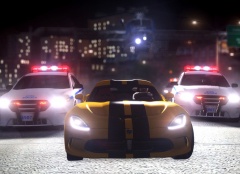 What has modding gotten to? Everywhere I see, not just mods not being released unlocked, not being released at all. Anyway really nice pic, but the heli shouldn't be so low lol
 -
Well an easy way to compare how low it is, is to see the camera. I tried playing with bugz online, but his cars' camera was so low, it was unplayable for me.
-
Good point, thanks for telling, I did try his CVPIs and the camera was really low. This is the handling I used on them: 1777.0 0.33 85 0.0 0.1 -0.15 0.0 4 0.129 10.0 260 0.45 0.6 0.7 33.0 1.55 0.9 14.0 0.11 0.48 3.4 2.0 2.0 0.1 -0.07 0.0 0.5 2.0 1.0 2.2 1.5 0.0 25000 400010 0 0 optimized for BxBugs123's Crown Victoria I've updated the first post with it, and also updated the CVPI handlings. EDIT: Just notice Crawford's post. I've made a handling for a 70 Chevelle that smokey made. You could try and edit that (center of mass mainly): http://www.gta4-mods.com/vehicles/1970-chevrolet-chevelle-ss-454-f7963
-
I changed all the numbers to my own in lamppost.ide and I even changed the traffic lights colors in traffic.ide, but there were no changes. I'm guessing those lights that you can actually change, can be changed in the enbseries.ini as well.
-
I'd like to know this too, because the method there doesn't work.
-
The closest one to what he requested is the Suburban I linked to him. That is a suburban, it has lights at the back and the front, and very similar lights on the side just like on the last picture. Once again, he requested a Suburban with a nice light setup, not a Tahoe with lights that look like NYPD's. He showed us those pics as "inspiration", in case someone would make that. Those pictures are just ideas. Besides only the 1st and 3rd pictures are NYPD tahoes.
-
He never said he wants an NYPD Tahoe. He never even said Tahoe. He said he needs an unmarked Suburban with lights that are kind of well hidden. The pictures he showed are just for "inspiration". Why don't people read on lcpdfr? (don't take it as offense, but everyone always misses what I or others write)
-
Have you seen this one? http://gtapolicemods.com/downloads.php?do=file&id=1581 Or if you really want a suburban and not a tahoe, this is what I used back then: http://gtapolicemods.com/downloads.php?do=file&id=819 And yes Mr.Wayne... it does come in black.
-
It's russian, don't expect a lot from it lol
-
Yeah that handling was made for that vehicle, don't know why I named it F-350.
-
Yeah there are quite a lot of them, but keep searching on gta4-mods.com for weapons you want in your game and try them out if they meet your requirements.
-
I don't know that might be because either the weapon was converted badly or by changing the animation, the hand position gets moved as well. I guess you'll have to keep trying them.
-
The only thing that changes with the animation is the rate of fire afaik. So if you want a higher rate of fire increase it in the weaponsinfo.xml. Damage should be the same as what you give in the weaponsinfo.xml file.
-
Thanks I don't have anything I need from there now, but if I find sth that'll catch my eye, I'll send a PM.

![[WIP] Pierce Arrow XT BFRS Edition](http://s3-gallery.int-cdn.lcpdfrusercontent.com/gallery/album_2718/sml_gallery_138650_2718_844590.png)
