


Sgt.Kanyo
Members
-
Joined
-
Last visited
Everything posted by Sgt.Kanyo
-
The problem is, the material you use on them is lower (newer) in the material hierarchy then the glass' material. What you need to do is, find the material you use on the windows that are in front of the lights, copy that material (make a new one), give it the exact same name, now apply those materials to the glass meshes and you're done. Now you'll be able to see the lights in game.
-
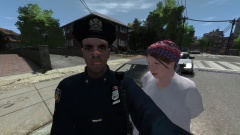 The woman's face is priceless. It's like she's saying "You're joking right?".
 -
Could you tell us what mods you installed? If it's only lcpdfr you have, I suggest creating a topic in the lcpdfr support request here: https://www.lcpdfr.com/forum/20-support-requests/ If you have multiple mods installed, I suggest uninstalling the game, and deleting your old gta folder (in case there's any more mods left), and then do a clean install, and then install your mods back 1 by 1. Also the bug when your radar, person and vehicles are invisible on start-up is a problem I have too. What I do is press Esc and then I alt tab out, and then alt tab back in. This always fixes the game for me, and now everything is visible once again. For me it's important to press Esc and go to the pause screen or whatever you call it, because if I don't then usually I can't alt tab back in.
-
What you need to do is link them to the boot, not attach them. If you attach certain lightemissive material meshes, they will be always on, and not flashing. If you want it to flash, you need to link an extra part to the trunk. Let's say you want 2 lights to alternate (wig-wag) between each other. For that you should take extra_7 and extra_9 dummies, and link them to the boot dummy. Now whenever you switch the secondary lights on, it'll start to alternate between the 2 lights and you can also open the trunk, and the lights will stay attached to it. You shouldn't attach any other lights that's not supposed to be attached to the trunk, because if you do, and you open the trunk, their position will move.
-
Yes I'd like the ai cars to have this effect. I can turn on my own "parking lights" with K + Numpad 9 in Simple Native Trainer. Also a temporary solution would be to edit visualsettings.dat's line that says: car.indicator.emissive.off and turning it's value to the same number as: car.indicator.emissive.on This way the indicator lights will always be on. The only problem with this is that, the lights would be on at daytime and also on parked cars. It sure does make a hell of a nice effect at night though.
-
What I'd like to see is a script that turns on every single car's front indicators to a fully on steady burn position to imitate the parking lights in the US. These lights should come on with the headlights. If it's not possible to turn only the front indicators on, that's fine, as long as the indicators are on at night, it shouldn't be a problem.
-
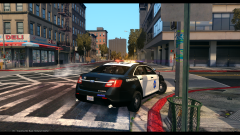 Nice! Back then I was thinking of doing SFPD cars, but I discarded that thought.
 -
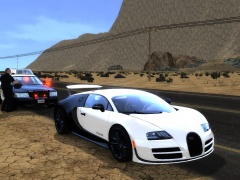 Yeah, if you engage handling mode, the car will get lowered, and the spoiler will rise up, even at lower speeds.
 -
From the album: CHP
Based on: -
This is actually very good. I think you nailed the yelp tone, but the wail tone might need a tiny bit of work.
- 20 comments
- 2 reviews
-
-

- 1
-
-
-
 @Troy Yeah, at least for me. Everything works. I think it depends on which patch you are on, since it's not connected to lcpdfr.
- 97 comments
- 29 reviews
-
-
- 1
-
-
I've only been able to test 2 callouts so far. Homeless people harassing LTA people, which was really nothing much. I only asked for the IDs of 2 homeless people in the area whom had red arrows on top of them. The other call was a bit buggy. It was the burning car call. When I arrived on scene, all I saw was a car that had a lot of sparks coming out of it. I tried to extinguish it with the policehelper extinguiser, then I called for a tow truck to take it away, but that just resulted in lcpdfr getting an error and saying I needed to reload my game. What am I supposed to do on these calls, other then what I did. Also how do I clear a call?
-
I've received only 2 callouts so far, including homeless people harassing LTA people, which was really nothing much. I only asked for the ids of 2 homeless people in the area whom had red arrows on top of them. The other call was a bit buggy. It was the burning car call. When I arrived on scene, all I saw was a car that had a lot of sparks coming out of it. I tried to extinguish it with the policehelper extinguiser, then I called for a tow truck to take it away, but that just resulted in lcpdfr getting an error and saying I needed to reload my game. What am I supposed to do on these calls other then what I did.
- 97 comments
- 29 reviews
-
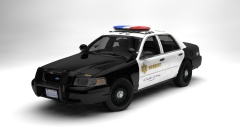 If you guys want it, I can add it. I've already made it, I just didn't add it to the car, because my friends liked it without it.
 -
Thanks, but now that we installed cable internet, I haven't had a crash since. We installed it like 5 days ago, so I'm pretty sure now, that was the problem. I haven't tried uploading to YT, but I did a lot of DLing, and like I mentioned at least once my computer crashed every day, but now I didn't have one. So yeah, the problem was probably hardware failure. My guess is, the wifi card wasn't compatible with my motherboard.
-
Here you go :D '?do=embed' frameborder='0' data-embedContent>>
-
Ah sure, why not, but all of the handlings are on the front page, so if you do a ctrl + f there and look for the car / handling, you'll find it.
-
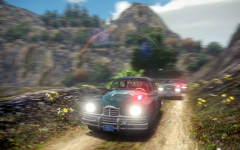 Mafia 3 :D
 -
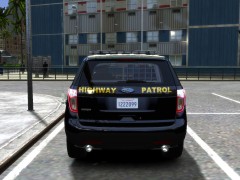 This was just an experimental paintjob I made for, UndercoverChicken's Police Interceptor Utility. It doesn't have the correct lighting nor equipment, however, I'm working on one as we speak, but I still have a bug which I want to fix, before I release it first. Stay tuned.
 -
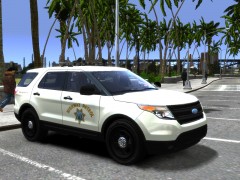 If I remember well, I used my own one. I took out some of the palm trees from Gostown Paradise, and replaced the normal trees with them. If I still have them, I might be able to upload it for you, if you need it.
 -
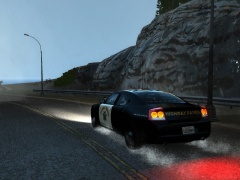 Well they don't have that kind of setup, besides I'm liking these more lol
 -
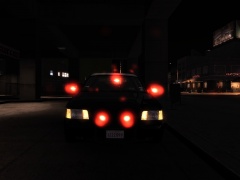
From the album: CHP
-
From the album: CHP
-
Yeah I'm pretty sure it's emerglights that contains the lightbar's glasses, probably the one that looks very close to the whelen edge. If I remember well it should be on the left bottom part of the texture. Try to change the red and blue colors to amber, but remember to use a transparency value lower then 255 for it, otherwise it won't be see through. The emerglights_emis part will be an easy one, you just have to make all the red and blue lights amber.

