


Sgt.Kanyo
Members
-
Joined
-
Last visited
Everything posted by Sgt.Kanyo
-
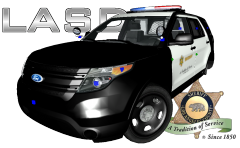 Nice, but the LASD PIU is different to the LAPD PIU. The model seems to be missing the front leds and license plate: '' target='_blank'>> Also the car number is missing from the front (usually SDxxxx (where the 4 Xs are numbers)) and the Arjent's stands should be white.
 -
That's actually kinksta's E350 and I've already made a handling for it: 2008 Ford E-350: =============== 2503 0.38 80 0.0 0.1 -0.2 0.0 4 0.096 1.0 237 0.3 0.55 0.5 33.0 1.5 0.9 11 0.09 0.48 2.5 1.3 1.3 0.1 -0.08 0.0 0.5 2.0 1.0 2.2 2.5 0.0 22000 440010 0 2 optimized for kinksta's Ford E-350 Sorry there's no info on it yet. I suggest trying the 2011 Charger handlings on it, until this car gets tested irl.
-
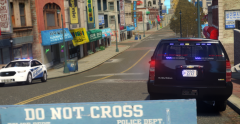 I'm loving those road textures
 -
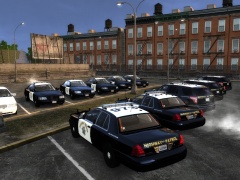
From the album: CHP
-
-
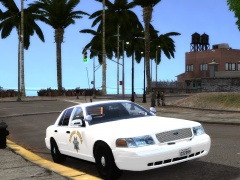
From the album: CHP
-
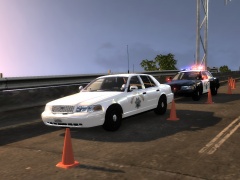 No, like Pengi said, they use it for commercial enforcement and for accidents. In the mountains they like to use the SUVs like the Expedition / Durango or whatever they have.
 -
@CG I'm pretty sure that mirror was knocked off or the led module died on them and they must have replaced it with the wrong lights / modules. I'm calling human error. Also there are lots of SMPVs, but this is the most common and what Pengi linked (from what I can see in pictures and videos). There's one with the cuda traffic advisor (double stacked), there's 1 with a light setup similar to the normal slicktops, there's the one I have right now, there's a marked version that has the chp camaro's lightbar on top, there's a 2008 charger with the fs vision on top, there's a 2008 charger with the liberty on top, there's a charger with a slicktop setup and there's the Ford PIU slicktop. Also crown vics have even more variety with or without rambar, with or without mirror lights etc. The charger with the Whelen Liberty is hard to find so here it is: https://38.media.tumblr.com/d110c238ea0047e689d98631c6d89503/tumblr_n66yh7AVsH1ssnoqao1_500.jpg Everything else you can find on flickr.
-
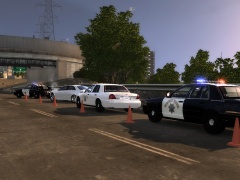 They actually have their own cones which has CHP written on it. They use both, they use flares usually in the dark. '> '> Sometimes you can see the standard california cones too (all orange).
 -
I like the black n whites more as well. I especially like the black n white's led slicktop's pattern. I've seen numerous SMPVs with different lighting. The one I made with an 8 module led traffic advisor at the back has a similar pattern to what the CHP chargers have, while the very first white chp car you linked with the black grill and black rear panel and a 7 module led traffic advisor has the same pattern as the slicktops with lights switching to full steady burn at the front in park. This is what I based mine off of: '> '> '> I'm guessing they are changing all of these of the Ford PIU SMPVs: '>
-
Just an FYI for everyone, the CHP SMPV (Specially Marked Police Vehicle) is sometimes referred to as the CHP polarbear :D
-
From the album: CHP
-
From the album: CHP
-
-
![[WIP]2008 F 450 Fire Rescue V2.0](//s3-gallery.int-cdn.lcpdfrusercontent.com/gallery/album_722/sml_gallery_3386_722_289991.jpg) Looks good, but the indicators should still have a similar texture to the headlights, while when it lights up, it should be amber like it is right now. I suggest adding a lightbar on top of the cab as well.
Looks good, but the indicators should still have a similar texture to the headlights, while when it lights up, it should be amber like it is right now. I suggest adding a lightbar on top of the cab as well. -
Or if you have SNT, all you need to do is press "k" and "numpad 9" buttons at the same time.
-
![[WIP]2008 F 350 AmbulanceV1.0](//s3-gallery.int-cdn.lcpdfrusercontent.com/gallery/album_722/sml_gallery_3386_722_442495.jpg) The same as what XBR said, and also if I were you, I'd add all the amber lights to either the indicator, or the headlights. Preferrably the indicator maybe, so you can recreate it's parking light. Also I think that's a Ford F-450 not an F-350. EDIT: Here you can see how the lights work:
The same as what XBR said, and also if I were you, I'd add all the amber lights to either the indicator, or the headlights. Preferrably the indicator maybe, so you can recreate it's parking light. Also I think that's a Ford F-450 not an F-350. EDIT: Here you can see how the lights work: -
To quote a famous a greek phylosopher Cr1tiKaLiuss "I guess I'll go fuck myself". Well at least I'll get the game after finals, so I won't have to worry about my grades ... or more like blaming it on this game.
-
Okay check back shortly, I'll have it ready in a few minutes. EDIT: Okay handling released on the front page. It seems the handling was optimized, but needed an update.
-
Chevy Avalanche handling will be coming up soon. As for the Marauder handling, I suggest trying my marauder handling on it, and if it rolls too much or even rolls over or has any bug, let me know, and I'll optimize it for that model. Also about the GTA V cars, as I've said before they are not really real cars, so I don't really plan on making handlings for it, however you are welcome to use the crown vic handling on the stanier / the 2012 charger handling on the buffalo etc. If it rolls over, just lower the center of mass on the Z axis and it should be fixed. Reference: '?do=embed' frameborder='0' data-embedContent>> EDIT: Avalanche handling released on the first page
-
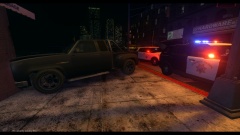 Nice, but the CHP PIUs don't have wig-wags in the headlights.
 -
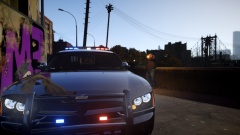 I've never made an LASD Charger. I think it's Cj24's, but nice pic nevertheless.
 -
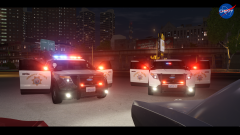 Nice. Will it include the CHP Camaro?
 -
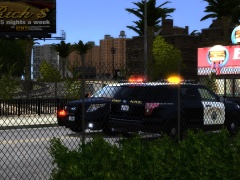
From the album: CHP
Based on: -
I don't know what you mean by traffic stop mode. If you switch to C-03 the front will be in forward reds position one (so only red lights at the front, with all on steady burn, which is what they use mostly for traffic stops), and that's in park. Like here: '> '> If you are worried about the back, on all the led CHP cars, you can control the front and the back separately. Irl you can switch only the front on or only the back or both in whatever lighting pattern you want. Like I mentioned before, giving a different pattern to the back with the current light setup is not possible. What I can do is make another PIU that features the traffic stop mode only, but not 1 that features all lighting modes.
- 33 comments
- 12 reviews




![[WIP]2008 F 450 Fire Rescue V2.0](http://s3-gallery.int-cdn.lcpdfrusercontent.com/gallery/album_722/sml_gallery_3386_722_289991.jpg)
![[WIP]2008 F 350 AmbulanceV1.0](http://s3-gallery.int-cdn.lcpdfrusercontent.com/gallery/album_722/sml_gallery_3386_722_442495.jpg)
