


Sgt.Kanyo
Members
-
Joined
-
Last visited
Everything posted by Sgt.Kanyo
-
It's different to almost every car mod. If you give us the link to the mod, we might be able to help. It all depends on the mapping of the lightbar. Usually emerglights.png contains the lightbar glasses' color, and emerglights_emis.png contains the actual els lights, which light up.
-
Have you tried importing a DEV vehicle and see if that works properly? Try to import a DEV vehicle, then export it, see if the issue is still there. (note: some DEV vehicles are messy (one of the 2006 impala for example)) If the problem isn't there, try to make some changes, like make a new material, apply that, see if it works etc. Also never delete materials, that'll mess everything up.
-
This is not a k9 fan, however it is a K-9 cage for the Tahoe. '?do=embed' frameborder='0' data-embedContent>> BxBugs123 does have a K-9 window fan, however I'm pretty sure he wouldn't just give it away, although you could try asking him: http://gtapolicemods.com/downloads.php?do=file&id=2610 He uses it on this car for example.
-
If you didn't make any backups, you'll have to reinstall your game, however if you did, you need to take whatever car you replaced. Let's say you replaced "police", which is the vapid "Police Cruiser" in game, and you'll need to install the original police.wft and police.wtd just like you'd install a normal car mod.
-
You can find the handling line in the ReadMe file. In case you missed it, here it is: 1696.0 0.33 85 0.0 0.15 -0.7 1.0 4 0.16 1.0 225 0.45 0.56 0.6 32.0 1.6 1.3 10.0 0.12 0.5 2.7 1.8 1.8 0.1 -0.07 -0.015 0.56 1.0 1.0 2.2 1.5 0.0 25000 400010 00000010 0
-
Here's an unlocked, non-converted Silverado: '?do=embed' frameborder='0' data-embedContent>> Unfortunately I can't download from that site, but I know quite a few people who can, so if you can't either, you could try and ask them.
-
Never thought it's been so long. Time indeed just flies. Happy Birthday LCPD:FR!
-
If you have a backup copy of your EFLC, the game tends to use the TBOGT and TLAD folder from the original copy. So if you made a copy of your whole game, and modded that, I suggest trying to mod the game that has the original folder name, and also is in the original installed folder.
-
Yeah, you can either make a brand new texture, which includes all the lights used on both lightbars / decklights, and then remap the lightbar / decklight meshes in zmod, or alternatively, you can rename 1 of the textures to like emerglights2 and emerglight_emissive2 and use those on the car. You'll have to rename the material itself as well, however this will increase the size of your .wtd. I suggest the mapping part since it's very easy, and personally I enjoy mapping the most in zmod.
-
Thanks guys once again. Sorry I kind of missed this post before :)
-
Talk about favorite songs, I can't stop listening to this: Only knew it for like 1 or 2 weeks and I've already listened to it like 100 to 200 times on listenonrepeat lol From 0:33 till 4:45 that song is just heaven for me.
-
It's not the worst thing, but I really don't like how I have to park up the suspect's butthole when I want to initiate a traffic stop.
-
Yeah I've already tried booting into safe mode and doing a virus scan, with exactly that software. It's definately not the RAM, since we changed that first, now I'm running on new ones. We also tried moving the rams to different slots, didn't work. I do have a UPS, and that's our next guess that the problem lies somewhere on the motherboard, so if I still crash even after switching to cable internet, we're gonna have to replace that. I know about windows updates, however what this one did was install 89 updates after I exited windows, and it had the same crash, I had before when I'm uploading to YT or whatever. Every time windows installs an update you can see the little cyan colored circle working, however when it reached 40/89, everything froze. Numlock didn't work, mouse didn't work, and I bet if there were any sounds, that'd have gotten frozen as well. I waited at least 10 mins for the computer to get back, but it just didn't. Also thanks for your ideas.
-
Yeah it's a 2.2 tonne SUV, so it's not really a race car, but compared to the crown vic, this should corner just as fast. Maybe what makes it feel a little less agile is the fact that it also has more power, so the acceleration / cornering ratio isn't that good.
-
Anyone knows if it's possible to add more then 1 enviroment light to a specific extra? If not, it'd be nice if this feature would be added in the next ELS.
-
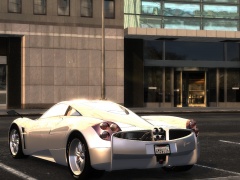 Honestly I don't like the shape of it either, but it really does have presence and it looks very classy. It's pretty much like the Veyron, ugly, but classy :D
 -
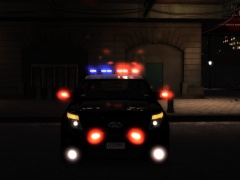
From the album: CHP
With takedown lights + spotlights: -
-
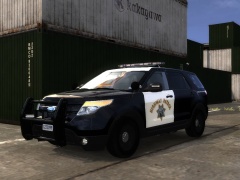
From the album: CHP
Wail tone: Yelp tone: Front diffusors upgraded to 2012+, modelled door sills. What's left is fixing some minor bugs and making the windows breakable. Gifs fail to animate, so if you want to check them out, you'll have to click on the images. -
![[WIP] 2012 Chevrolet Express 3500 V2.0](//s3-gallery.int-cdn.lcpdfrusercontent.com/gallery/album_722/sml_gallery_3386_722_193084.jpg) Looks really nice. Any chance for those coming unlocked?
Looks really nice. Any chance for those coming unlocked? -
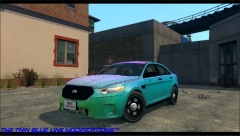 Looks pretty nice, but isn't that rear wheel sticking out a bit? '> Also may I ask whose convert / model is that?
 -
-
From the album: Random
-
-



![[WIP] 2012 Chevrolet Express 3500 V2.0](http://s3-gallery.int-cdn.lcpdfrusercontent.com/gallery/album_722/sml_gallery_3386_722_193084.jpg)


