Sgt.Kanyo
Members
-
Joined
-
Last visited
Everything posted by Sgt.Kanyo
-
-
Sorry for the bump, but I've just installed windows on a different HDD, and it seems it crashed when it was updating itself after you try to turn off your computer. When it says stuff like Installing updates 1/89. Apparently I had 89 updates to install (since I've just installed it), and the computer just hang at 40/89. Same crashing, numlock is frozen, reset button doesn't work, nothing. I haven't ruled out another possible cause, which is: Also I'll be turning to cable internet, instead of wireless, so we'll see if that'll fix it. Like I said I usually crashed when I kept uploading or DLing stuff.
-
Thanks a lot, I did make a 2012 Ford Police Interceptor Utility handling, but I'm not sure if it works perfectly with bugs' car. Have you tried that one? If I remember well he uses the same or similar setup in zmod as policefanatic. Try this one please: 2232.0 0.36 85 0.0 0.05 -0.28 0.7 4 0.17 4.0 196 0.45 0.55 0.5 35.0 1.8 0.95 10.0 0.05 0.47 3.0 2.0 2.0 0.1 -0.08 -0.015 0.46 2.0 1.0 2.2 2.5 0.0 25000 400010 00000010 0 and let me know if it works. (if the car doesn't roll or it has similar bugs, let me know)
-
You need to use lights(vehglass) material on the vehicle glass that covers the tail light, and also you need to make sure the vehglass material is lower in the material section then the materials you use for the tail lights (usually lightsemissive). If it's not, you need to go to faces mode, select the covering glass parts, detach them, create a new lights(vehglass) material (you can just copy it), apply it to the glass covers, then attach them back to the taillight. Also make sure that the tail lights are higher in the hierarchy then any other glass materials that covers them.
-
Some ENBs change the shaders folder as well, which can disable stuff like shadows, so I assume they might just disable the bloom as well. When you reinstalled the game, have you deleted the whole folder (what was left), or did you just press uninstall? I suggest trying out different timecyc.dat mods, and place them in TBOGT/pc/data folder and also try to keep messing with your visualsettings.dat as well in TBOGT/common/data folder. Also do you have more then 1 copy of the game on your HDD? If you have more then one copy, EFLC tends to use always the TBOGT and TLAD folder from the original game location.
-
It's gotta be this: Still getting goosebumps lol
-
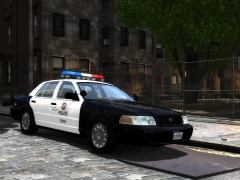
From the album: LAPD
New update has been released, switching the halogen traffic advisor to a more commonly used led one, with improved hubcap materials/textures and working takedown lights. -
-
It uses the original schaeftt crown vic's template, although at some places it might be a bit misplaced. It's f5544's mapping.
- 27 comments
- 10 reviews
-
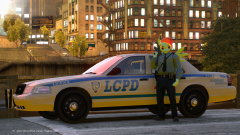 This ain't ComicCon
 -
According to smokey it's not related to materials at all and I can confirm that. I have a bunch of materials that are named the same, which is actually necessary sometimes. Whatever you do, don't delete any materials. If you need new ones, just leave the old one and make a copy of it. Deleting a material can result in mapping getting messed up or some materials not working properly.
-
A friend of mine had the same problem, when he made a backup copy of his EFLC. His game, for some reason, always kept using the TBOGT files from the original unmodded game. If you have a backup copy of your EFLC try to change the vehicles.img in that folder in TBOGT/pc/models/cdimages.
-
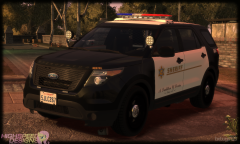 Yes, but there's no LASD Police Interceptor Utilitys like that. Not at this moment at least.
 -
If an RC20 error appears, what I usually do is go back to an older save which didn't have that. If you had that since the first convert, I suggest selecting all the lights and stuff you added to the car, export them, and only those (for example delete everything else) and then import the dev car again in a new scene, and then import your stuff back. That should save you a lot of time trying to move them into position, and it should also get rid of your RC20 error. RC20 error seems to be a cock-up of zmodeler, there's no real way of fixing it. Also I can confirm the charger does have that exact same weird looking bonnet in my OpenIV too, and my charger works fine in game (with proper looking bonnet).
-
I believe your problem lays in visualsettings.dat. As far as I know ENB doesn't control the intensity of the actual light. Find this line in visualsettings.dat: car.taillight.intensity 3.00 and try to increase it, if it's a low number. If you want to increase the coronas (those glare dot looking things) you need to adjust that in the timecyc.dat.
-
What's with people talking about caps lately? I think there's another detail that you are missing here, the grill: '' target='_blank'>> Also if you look at the caps on the picture you'll see it's completely different from any caps you guys just showed.
-
-
-
-
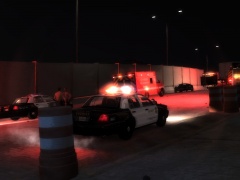
From the album: LASD
-
-
-
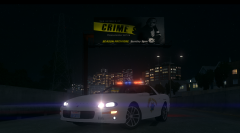 Once again looks really nice, let me know if you need any help in making the pattern. Also it seems your high beams lights are on, so I suggest making those off, also your parking lights are not all the way up like the real one's. You should light up the part where the indicator is as well like here: 2:20
 -
-