Sgt.Kanyo
Members
-
Joined
-
Last visited
Everything posted by Sgt.Kanyo
-
And when he takes off his glasses:
-
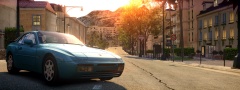 Holy shit. I'm speechless.
 -
Goddamnit. Already?? I lolled xD. Now some revenge: Based on:
-
Whose car is that? And yes like matt1008 said, it could be (actually I can't even think of anything else right now) the car mod itself. Perhaps the collision is set up badly. You'll need zmodeler to fix that. You'll have to check all the meshes ending in [COL] and see if it's near your left front door. If anything is sticking out, that'll be the faulty collision mesh.
-
Alright so the game is simple, everyone posts a maximum number of 5 images and if you laugh at any one of them in this thread, except your own, you'll have to write down you lost. Only real laughing counts as losing, so if you just smile or make a nose laugh you're still in the game. Your objective is to make more and more people laugh. ==============================================================================================================================
-
I'm not a moderator / developer
-
DSF model seems to be more accurate. Also the model was made by Schaefft, not Bugs.
-
Boom! Back to one! Oh ah... I mean 9...
-
That's a lot of cars, so I believe that's the problem. You've added too many new handling lines.
-
Well if you did everything right it should be working. I have multiple added handling lines. I'll give you an example: DUKES 1665.0 0.28 85 0.0 0.08 -0.2 0.0 3 0.26 3.0 215.0 0.5 0.55 0.6 35.0 1.5 1.0 16 0.2 0.49 2.0 1.0 1.0 0.1 -0.07 0.03 0.58 2.0 1.0 1.5 2.5 0.0 17000 440010 0 0 E63AMG 1730.0 0.33 85 0.0 0.05 -0.37 0.0 4 0.36 10.0 200 0.5 0.60 0.7 33.0 1.7 1.2 14.0 0.2 0.49 3.2 2.8 2.8 0.09 -0.08 -0.012 0.53 2.0 1.0 1.5 2.5 0.0 25000 440010 0 0 EMPEROR 1900 0.35 85 0.0 0.1 -0.22 0.0 3 0.10 1.0 230 0.25 0.65 0.4 33.0 1.45 0.8 13 0.071 0.49 2.0 0.8 0.8 0.1 -0.08 0.01 0.5 1.0 1.0 1.5 2.5 0.0 25000 440010 0 0 Not sure if alphabetical order counts, but thanks to my OCD I always do it like that. As you can see the Dukes and Emperor handling lines are already in the game, and what I did was add the E63AMG handling there. This is what the car's line (schafter2) looks like in the vehicles.ide file: schafter2, schafter2, car, E63AMG, CAVCADE, VEH@STD, VEH@STD_LO4_LO4,100, 999, 0.28, 0.28, 0, 1, 1.0 ,0, ext_gang+ext_requi+ext_strong What I did here was tell the game that the handling it should use, is called E63AMG, and that it should use the CAVCADE's (Cavalcade) ingame name (which changes the sound of the car). Even though the vehicles.ide is used in TBoGT, I still added the handling line in the normal handling.dat (which contains the gta iv cars only). That's how I do it all the time, and it works perfectly. I've only experienced crashing after using numerous added handling lines (I think like more then 7) and if I remember well I crashed more when there was more then 1 new handling lines after each other. So if you have 2 new handling lines, make sure there's a vanilla vehicle's name in between them. I hope this helped.
-
How about this? http://gtapolicemods.com/downloads.php?do=file&id=517 or this (you'll have to add a blank or a colored texture for the paintjob to make the slicktop into unmarked police car) http://www.gta4-mods.com/textures/2013-ford-police-interceptor-alaska-state-tro-f21897
-
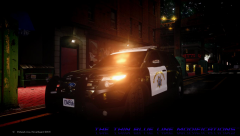 I think you're missing something from the rambar (not sure what it is, but it's that light grey thingy next to the megaphone) '' target='_blank'>> and I think also you're missing a gps antenna (or that round shaped small black thing) from the rear left part of the roof: '' target='_blank'>> and last, all the CHP Ford PIU's have amber indicators at the front: '' target='_blank'>>
 -
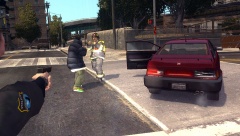 Arresting a firefighter? What are you; CHP? :D '>Alright will do, but most of the stuff similar to this are so random, you can't recreate them, I was lucky with this one lol.Well the only thing I'd do different is I'd delete the spaces between the lines, so it would look like: POLICE *insert a lot of numbers here* POLICE2 *insert a lot of numbers here* POLPAT *insert a lot of numbers here* but this really shouldn't be a problem. So when you use the vanilla handling, everything works? @tz71 No not really, since the one it came with is pretty much what I wanted to achieve there. Those ambulances are really not for high speed manouvers. You could try lowering the center of mass of the given handling, that should stabilize it a bit more. Like -0.1 on the Z axis.Yeah, that asshole just didn't wanna get in my car, even when I opened the door for him, so I had to ki- I mean take him to an alley where he was mysteriously killed.. by something.I'm using this one: http://www.gta4-mods.com/script/laser-and-flashlights-for-all-weapons-f15388 It's a bit buggy (like sometimes it can appear without weapons, which you can turn off ofcourse), but otherwise it's the best one there is.
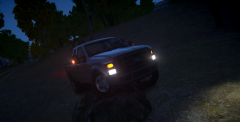 Ooh that sounds nice. Remember to try and remove the extended cab part like here: http://njtoaz.smugmug.com/Police/California/i-65TxtSz/0/L/CHP%20Ford%20F250-L.jpg Also if you need any help in gathering info about it, let me know.Thanks, I thought it'd be BPM's or kinksta's. I'll write BPM on the first page, if it's some1 else's please let me know and I'll correct it.Yeah I'm using Sam's SAHP ped with edited textures: '?do=embed' frameborder='0' data-embedContent>>Goddamn dealer still kept dealing drugs after arrest.
 Well I might release it, but it has no lights on it. Would you still want it like that?All my pictures about government police vehicles or the FBI
From the album: FBI