.png.22897c42e5e93c7e0d52995e3c33fb92.png)
Dippa
Members
-
Joined
Everything posted by Dippa
-
-
-
-
-
-
-
-
-
-
-
-
-
-
-
-
-
Do you have any mods in the game? If so remove all...if game start put each back one at a time and run game before installing the next one to find out which mod is causing problems. If you do not have mods you need to post logs and give information about your game otherwise nobody will be able to help you.
-
-
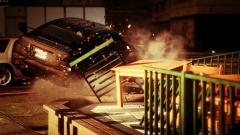 Carrythxd, those armored cars...How do I get one of those? I be in battles with people using those and I want one for myself.
 -
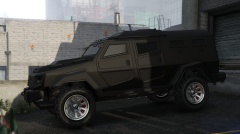 Carrythxd how was you able to get that....did you just take it from the police and take it to your garage to mod it? Looks really nice.
 -
 The officer down call-out is not from this mod, it's from LukeD call-out mod. The "R" is used once you get the call-out to back-up an officer and you pull up to the primary officers vehicle, you get out of your vehicle and walk to the placement arrow and press "R" when you are ready to proceed with walking the primary officer up to the stop vehicle. If you don't get the call-outs, try reducing some of your high poly car mods (if you have them) AND some of your scripts. If you don't have any car mods, then reduce the running scripts you have installed (both plugins and in script folder of GTA) and then run the game and WAIT for the calls. Chances are a lot of memory is being used and the call-out mod has to "wait until it can fight to get its turn" sort of speak. Also make sure you have the files in the plugin folder of LCPDFR and not the scripts folder of GTA. Hope any of this helps, if not maybe Finkone have better solutions for you. -Dippa
- 132 comments
- 23 reviews
-
-

- 1
-
-
Congratz on another awesome release. The community should be proud to have another dedicated scripter like Fin. I know I am.....Great job.
- 129 comments
- 12 reviews
-
-
-
LukeD, you did a great job fixing the tow-truck guy getting caught in the door. I'm afraid we have a new problem now with the ambulance that comes to pick up the dead or hurt ped. So far I get 2 ambulances that come whenever I call for them, one with no blip on the radar, and the one with the green blip on the radar. Both come driving in as crazy as they can running over everything in the area, but only the one with the green blip takes the ped to the ambulance. Then they vanish and both wreaked ambulances are there....sirens blasting. Just a heads up.
.thumb.png.69333a247b9117caac821eda3fa59672.png)