.png.22897c42e5e93c7e0d52995e3c33fb92.png)
Dippa
Members
-
Joined
Everything posted by Dippa
-
-
 You haved to post your RageHook Log here and then post the link http://pastebin.com/Ai23a6Cn Then Post Three screen shots.....1) of your Directory...2) of your Plugins folder.....3) of your LSPDFR within your PLUGIN folder .....and then maybe I can help if it's a installation issue. Post the screen shots on here then post the link http://imgur.com
- 3,646 comments
- 306 reviews
-
take a screen shot of your GTAV directory, plugin folder AND the LSPDFR folder inside of the Plugin folder and post them here http://imgur.com
- 3,646 comments
- 306 reviews
-
-

- 1
-
-
No problem, just trying to help out The evil Genius, Albo1125, so he can focus on making more mindbending mods Hell I like spending time hanging out on his page so I can learn myself lol (in my transport officer voice......Laterrrrrrrrrrrrrrrrrrrr)
- 3,646 comments
- 306 reviews
-
-
- 1
-
-
Ok.. problems I see. You have Police radio in both plugin folder AND LSPDFR folder. It should only be in the LSPDFR Folder. Also... the Albo1125.Common.dll file goes in your GTAV MAIN directory not your plugin folder. Please also note it would help if on the screen shot you show the path atwhich folder you have things i the top so it can be seen which path you put each plugin. Traffic Policer AND assorted callouts AND Arrest Manger will not work until you have the Albo1125.Common.ddl moved into the GTAV MAIN Directory. You also want to remove "speed Radar" as Traffic Policer already has a speed radar in it and it will conflict with it. NOW......the following plugins need to be MOVED into the LSPDFR folder within PLUGIN Folder... "POLICE RADIO", "MoreControlIV" "Traffic Policer" and "Crazy callouts". POLICE Radio folder should also be INSIDE the LSPDER folder within PLUGIN FOLDER. Hope this all makes sense, if not let me know. One other thing....in your MAIN GTAV directory I see you have that Policescanner folder. That has to go into the lspdfr folder over top of your mods folder. Delete the "vehicle search" plugin files you have in your MAIN DIRECTORY also. WHEW...... make these changes and see what happens....
- 3,646 comments
- 306 reviews
-
-
- 1
-
-
-
Try this...remove "Strays Callout" plugin AND "Speed Radar" and see what happens. Strayscallouts is updated but a speed radar is already in Traffic Policer so it could be conflicting. Give it a try.
- 3,646 comments
- 306 reviews
-
-
- 1
-
-
Thanks bro. can you post your Ragehook log using a spoiler...And do you have Arrest Manager in also?
- 3,646 comments
- 306 reviews
-
No bro, I havn't changed anything at all unless it was in the ini file. I get a notice telling me of new updates when i log on the game normally so not sure where or how that error came up. I think knowing how to do so could be the issue for some like myself
- 3,646 comments
- 306 reviews
-
Ok @Albo1125 I took Traffic Policer out and left your other mods and the lag and stuttering issue was gone bro, so I can confirm the lag issue is Traffic Policer! lol Been testing and doing all kind of things to figure this out but I found it! lol I did pullovers took calls everything for close to 2HOURS smooth az a baby's bottom.
- 3,646 comments
- 306 reviews
-
No not yet, I'm still waiting for a response from the logs I left so not sure of the plan just yet.
- 3,646 comments
- 306 reviews
-
-
- 1
-
-
New version of the mod or ragehook or LSPDFR? try removing any other mod plugins and then run it and see if it works. If it does, one of the other plugins is conflicting with @Albo1125 mods. Take a screen shot of yout game folder and plugin also and logs.
- 3,646 comments
- 306 reviews
-
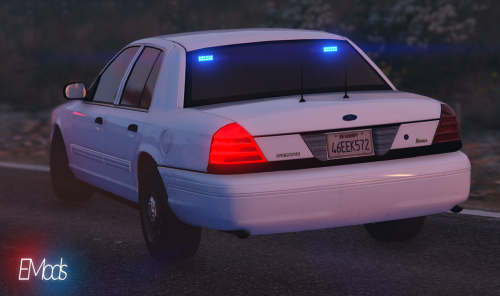
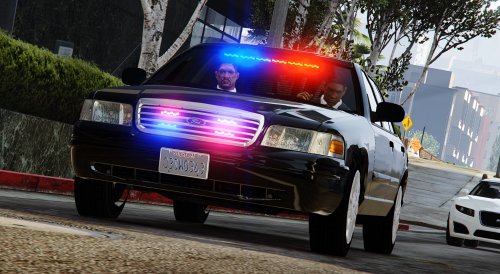 Very nice undercover "christmas tree" cvpi bro. I Love all of them and will now be using in game. Did I forget to mention i Love these?
- 208 comments
- 59 reviews
-
Ok heres the log of the last play when lag started. i also used rockstar video maker to record video's but i don't know what type of file i need to make it to play it. RagePluginHook.log
- 3,646 comments
- 306 reviews
-
-
- 1
-
-
Ok, Will do. Also another issue I come across is when I have Arrest Manager in no other mods will load when I force duty. It will give this message: INIT [2/25/2016 11:29:46 AM.395] LSPD First Response: Folder is C:\Program Files (x86)\Steam\steamapps\common\Grand Theft Auto V\plugins\lspdfr [2/25/2016 11:29:46 AM.398] ForceDuty: Exception has been thrown by the target of an invocation. [2/25/2016 11:29:46 AM.438] [TRACE] Thread Ambient #1 initialized [2/25/2016 11:29:46 AM.483] [TRACE] Thread ArrestManager #1 initialized and stop right there not loading any other mods. To fix it I would install a fresh Arrest manger.dll file and everything will load fine for like 5 log-ins then the same thing will happen OR if I change something in the game. Just a FYI ;) I will play the game for a few and stop when the lag starts and pass the logs over to you.
- 3,646 comments
- 306 reviews
-
Ok, I know for sure whatever versions of all of your mods that used the RageNativeUI. 1.2 I didn't experience the lag. I do remember I downgraded to whichever one of your mods was 6.0.0.2 ( I think that's Traffic Police) and no lag. When I upgraded to 6.0.0.3, RageNativeUI. 1.3 and above the lag and stuttering issue starts after like 15 mintues of play. Hope this makes sense...
- 3,646 comments
- 306 reviews
-
Ok these are all of my logs, sorry I did not post before guys... asiloader.log RagePluginHook.log ScriptHookV.log ScriptHookVDotNet.log
- 3,646 comments
- 306 reviews
-
-
- 1
-
-
-
Yes @alexguirre when i downgraded to RAGENativeUI 1.2 with likewise Arrest Manager and Traffic Policer the issue was gone. I know it’s more things in the updated versions so perhaps that is where the pull is coming from? I am not sure yet as I still have not figured out the problem yet. I did do a test run with only @Albo1125 mods and the issue persists so it is something going on. I did notice too when the lag was strong it would just suddenly stop when dispatch was coming over the radio but once a unit responded on audio it started back and would continue only stopping for like 10 seconds at a time. When I pull a vehicle over it starts again. **NOTE** When the pullover is happening its straight lag, but when a callout is taking place and after the suspect is arrested it is stuttering going on. Both you and @albo1125 are geniuses so I know one of you will come up with the answer to solve this mystery.
- 3,646 comments
- 306 reviews
-
-
- 3
-
-
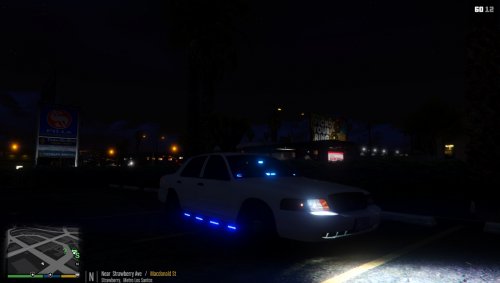 The Model is great and one of the firstchristmas tree unmarked vicz I'm came across to date. Love the light setup and everyone should have it in my opinion. Great job for your first christmas tree introduction for GTAV.
- 40 comments
- 14 reviews
-
-
- 1
-
-
Gump you did a great job on this. I been waiting and hoping to find a "chistmas tree" crown vic for GTAV like I have on IV but no luck. At;east we are going in the right direction.
- 40 comments
- 14 reviews
-
-
- 1
-
-
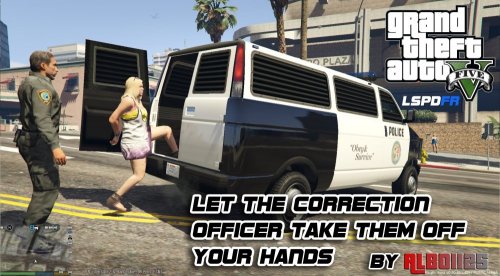 I have to say I albo you are a very talented individual bro! Your mods make the playing experience that much more realistic. I try to figure out how I ever played LSPDFR without your mods before? Simply amazing work bro, keep staying on that grind! +AAAAA
- 1,915 comments
- 242 reviews
-
-
- 1
-
-
Kal74, thanks for the response bro, Yes I use my mods folder to install everything. You have a hella lot of plugin running with no issues so I'm not sure whats going on on my end. i do have modded police cars and sirens, all loaded using my mods folder with openiv. I'm not using the EUP really but because it was auto installed I don't know what all files I needed to revert back. Your using almost everything I am and more and no issues...wow.. I don't know what it is but when I downgrade to all of Albo1125 mods that use RageNativeUI 1.2 no issues. Hell I don't know bro. I do know i LOVE all of ALbo1125 mods and don't even want to play the game if I can't use them SMH.
- 3,646 comments
- 306 reviews
-
Kal74 what other mods/ plugins are you using? Maybe it's a conflict with another plugin or something, but this was happening to me before the LSPDFR update I just never said anything, instead I just downgraded and the problem was solved. But I love the new things on the updated Albo1125 mods so I really need to continue with the upgraded. And I'm sure its hard to figure out if a lot of ppl are not complaining about this same issue however if it's 2 or 200 the issue is still happening with the same possible solution whatever that may be. snapshot of the plugins I'm using...
- 3,646 comments
- 306 reviews
-
Yes I've having the same issue even before the LSPDFR update. When I was using the RageNativeUI 1.2 no lag, but when I use 1.3 it stutters and lags real bad after about 15mins. I downgraded just to check. The thing is I'm not sure which of albo1125 beautiful mods is doing it but I do know when I downgrade I change the RageNativeUI also and the lag is gone. It really lags bad when I pull over a vehicle or during a callout. I'm running GTX 970 4g I7- 4790k 4.40GHZ 16GB ram so I know it's not my PC.
- 3,646 comments
- 306 reviews
-
-
- 1
-
.thumb.png.69333a247b9117caac821eda3fa59672.png)