.png.22897c42e5e93c7e0d52995e3c33fb92.png)
Dippa
Members
-
Joined
Everything posted by Dippa
-
 Bro, no need to keep letting the group know the same thing with the stuttering over and over again....trust me I know and have made it a point to make Albo and other well aware of this issue and being as not many people are having this issue it’s hard for him to pin-point what the problem is. When I read your first complaint about the stutter, man I feel you because I've been talking about it for a while now. I do however watch when it was happening, it seemed to stop after the Ragehook .37 update happened, and I've mentioned this on here. I'm starting to think it may have something to do with OUR hardware, even though we have pretty beefy set-ups. I'm also noticing the people mentioning the issue have the GTX 970 Graphics card and the I7 4790 processor like I do. With that said, so far the stuttering has subsided for me after removing “safe chaser” and a few other resource heavy Plugins (and trust me any plugins that perform the best need resources). I feel this is strange being as my card had 4 GB to itself and I too have 16 GB of ram on my gaming pc and yet still get occasional memory error crashes. We (meaning the community along with Albo) will figure it out eventually… because trust me, I know it’s frustrating when you have mods like Albo’s, that make the game so much more enjoyable, because I feel it also lol. I was having and still CAN have the same lag issue as you when I use certain plugins along with Arrest Manager and Traffic Policer. We hear you bro trust me and looking for a resolution lol
- 3,646 comments
- 306 reviews
-
-

- 2
-
-
Albo I think I might have found a small bug with the follow feature. It looks that the ped will not follow if they're in the drunk or drugged animation. Is this standard or no? Edit: after continuous testing it looks as the peds will not follow at all when asked to step out of the vehicle during a traffic stop bro. Just a fyi.
- 3,646 comments
- 306 reviews
-
-
-
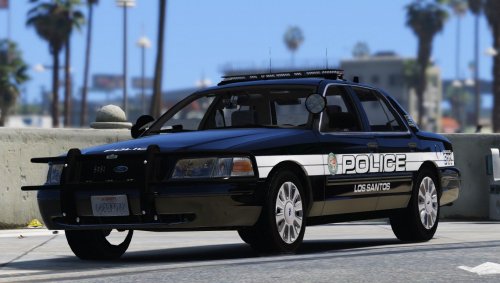
.thumb.png.51baaeb139dc5d77c38ef43af920797b.png) Make sure you have the matching vehicles in your game for his textures. 1) Extract the textures from the WinRAR onto your desktop. 2) Open your “OpenIV” and find your vehicles you want to swap. In this case the Cvpi- (PimDSLR, Virzza or BxBugs123 models), Explorer- (Thehurk model), and Charger- (BxBugs123 model) 3) The paths to finding these should be (unless you changed any models to another slot): Mods/update/x64/dlcpacks/patchday3ng/dlc.rpf/x64/levels/gta5/vehicles.rpf The above path is where you will find police2 and police3 slots to either replace vehicles or add getinmybelly0627 textures for the 2014 charger. 4) For the cvpi models you can use pathways: Mods/update/x64/dlcpacks/pathcday5ng/dlc.rpf/x64/levels/gta5/vehicles.rpf…(for Sheriff replacement cvpi models) Mods/x64e.rpf/levels/gta5/vehicles.rpf…(for Police replacement cvpi models) 5) The Path for the Explorer (fbi2) can be found at: Mods/x64e.rpf/levels/gta5/vehicles.rpf…(for Fbi2 replacement models (trucks)
Make sure you have the matching vehicles in your game for his textures. 1) Extract the textures from the WinRAR onto your desktop. 2) Open your “OpenIV” and find your vehicles you want to swap. In this case the Cvpi- (PimDSLR, Virzza or BxBugs123 models), Explorer- (Thehurk model), and Charger- (BxBugs123 model) 3) The paths to finding these should be (unless you changed any models to another slot): Mods/update/x64/dlcpacks/patchday3ng/dlc.rpf/x64/levels/gta5/vehicles.rpf The above path is where you will find police2 and police3 slots to either replace vehicles or add getinmybelly0627 textures for the 2014 charger. 4) For the cvpi models you can use pathways: Mods/update/x64/dlcpacks/pathcday5ng/dlc.rpf/x64/levels/gta5/vehicles.rpf…(for Sheriff replacement cvpi models) Mods/x64e.rpf/levels/gta5/vehicles.rpf…(for Police replacement cvpi models) 5) The Path for the Explorer (fbi2) can be found at: Mods/x64e.rpf/levels/gta5/vehicles.rpf…(for Fbi2 replacement models (trucks)- 9 comments
- 7 reviews
-
Could you make one for BxBugs123 Impala? 2014 CHEVROLET IMPALA LSPD/LSSD V1.4RX This is the only unit I'm missing one for. Thanks again bro! You knocked it out the ball park man.
- 9 comments
- 7 reviews
-
-
- 1
-
-
-
Remove Safe chaser, Allthings, and EntitiyPersistance. Also StraysCallout. Once you do this run the game and see what happens. It may be a few more you need to remove, but lets see what happens..
- 3,646 comments
- 306 reviews
-
-
- 1
-
-
can you show me a screen shot with all of the plugins you are using both in the plugin and plugin/LSPDFR. I have an idea of which mod is confliting with Traffic Policer causing the lag but I'm not sure until I take a look at what plugin you are running. Also a list of any other mods you are running...like buildings, road textures, ENB, etc...
- 3,646 comments
- 306 reviews
-
-
- 1
-
-
-
 All I'm going to say is ...just keep doing your thing with these releases bro. Outstanding..
- 126 comments
- 41 reviews
-
Santa!! you're here early!! ...( sings....jingle bells jingle bells...as I right off in this) Love it!
- 126 comments
- 41 reviews
-
Yes, speed checker mod WILL conflict with this mod. Traffic Policer already has a speed checker inside of it, so you should only use one or the other ( keep Traffic Policer in) <--- The smart move
- 3,646 comments
- 306 reviews
-
-
- 1
-
-
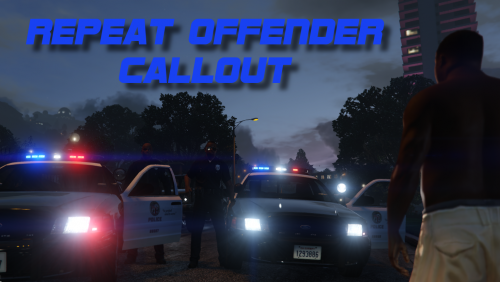 Wow, from what I see you have ALL>EVERYTHING>THE Whole kitten..well you get the point..in one folder. I don't see how LSPDFR is working for you at all. Put these in the folder as follows: Plugin folder ...LSPD First Response.dll & LSPD First Reponse.pdb, LMS.Common.dll, Spotlight.dll, SpotlightConfig.ini, Ped Search (both files), Vehicle search (both files), Cop Holster (both files), Emergency Strobes (both files), Foot Pursuit (both files), DashCamV Now put these files in the LSPDFR folder thats INSIDE of the plugins folder. LSPDFR folder ... Traffic Policer (both files), Wilderness (both files), Police Radio (both files), Law callouts (both files), Secondary Callouts (both files), Repeat Offender (both files), High Priority.dll, PursuitOnTheFly (all three files), NewHeliPursuit (both Files), Safe Chaser (both files), CustomBackup (ini,dll, custombackp folder) note *The Autox3 files (all three) and the RageNative.dll goes inyour MAIN GTAV DIRECTORY* Follow these instruction and see if your game will work. Also make sure you have RAGEHOOK .37 or above. Try this and see what happens....
- 102 comments
- 35 reviews
-
-
- 2
-
-
-
-
So you're saying it was a mimic spelling issue in the ini ( TrafficStopMimickKey=NumPad9 ) vs ( TrafficStopMimicKey )?
- 3,646 comments
- 306 reviews
-
-
-
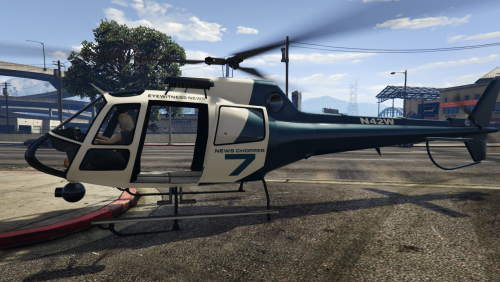 Albo from now on all i'm going to say whenever you drop another mod is "BAM"! Because it just seems like you hit the modding community with mods like floyd Mayweather hit opponents in the boxing ring. Swift,hard, and stuns you everytime. Simply amazing bro.
- 59 comments
- 18 reviews
-
-
- 3
-
-
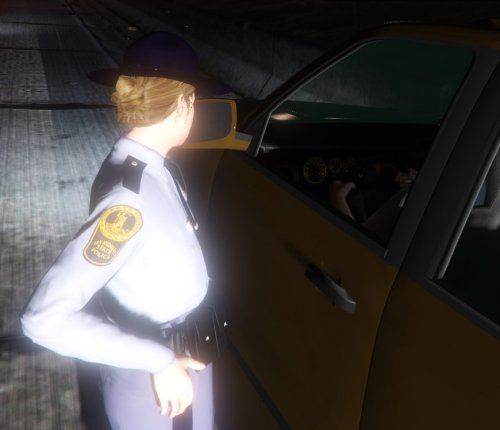 Great job on these! I just need to wait for some skins and they will be going in my game! If you ever feel like making Maryland State Troopers it would be much appreciated also!
- 7 comments
- 5 reviews
-
-
If you have Traffic Policer installed take it out and see if it still stutters and lag.
-
use a trainer to make self radio your default station and then enable mobile radio with the trainer as well. Then the police scanner will always play in or out your car.
-
 you have it in the wrong place in your game. The files go in the LSPDFR folder INSIDE your plugin folder. "Place "SaferChasesRPH.dll" and "SaferChases.ini" inside the \Grand Theft Auto V\Plugins\LSPDFR\ folder " <---- directions at the top of the page
- 176 comments
- 46 reviews
.thumb.png.69333a247b9117caac821eda3fa59672.png)
.thumb.png.51baaeb139dc5d77c38ef43af920797b.png)