




Iconography
Members
-
Joined
-
Last visited
Everything posted by Iconography
-
 Ah, thanks!
 -
 Liberty's finest.
 -
It's amazing how much time you spend on the "User Interface" of your news channels. It looks exactly like an actual news channel. Rain adds a nice effect, too. Mind if I ask, how do you get the civilians to act like zombies? Which, if any, zombie mods do you use?
-
It isn't easy to tell the AI how to drive. What I mean, is right now when you call for backup the script uses the game's internal script for creating a backup unit and sending it to you. The problem is the developers would have to find a way to tell it exactly how to drive, where to spawn, what speed to drive at, and how to try and target the suspect's car. Jack's idea might be more practical, in that there might be an internal script saying where a roadblock should form, and then that can be hooked and used to create an on-demand roadblock. It is hard to say what would work and what wouldn't work. I know roadblocks have been experimented with but there are still a lot of problems that have to be worked out before they are made usable.
-
You're welcome. @Thread I find it interesting to reflect upon JetlinerX's original post, and Sam's follow up thread, and then to compare those to how the game has progressed already. It has been a little over a year since the thread was created and it is already amazing clear how much more advanced the mod has become. A year ago it was deemed sort of impossible to have the fire department do anything of any use (besides cause mayhem ), but the developers found a way to make it work. Sam also made a notion that bomb threats probably wouldn't happen, and now even those are being worked on. It is pretty amazing what can happen in a year. Good work, guys.
-
I personally find it hard to believe that this is a serious response, with no offense intended. James was Director of the Department of Public Relations on GPM and is now on the public relations team for LCPD:FR. He is clearly defending some people since there are members who do not even want to think about necrophilia since it would disgust them. It is true that 'Hot Coffee' is not a mod but the user base of LCPD:FR would plummet if necrophilia was incorporated, that is part of his point. Edit: Back on topic now? Let's ditch the whole necrophilia topic before a fight starts somehow.
-
All you have to do is copy the contents of the zip file to your desktop and run the exe file...
-
 Change the vehicles .ide file. View my tutorial on the GTA IV discussion page.
 -
I apologize Gnat for this one, misunderstood your post. Thought you meant he was pressing the wrong button, thus causing motion blur. @Matteen Make sure you run the EXE file in the patch, NOT the msi file. Extract the files from the patch you downloaded (just copy them to your desktop, all of them). Then find the EXE file and run it. Make sure you download the patch in your own language. And, please, do not make a post with only my .gif signature in it! If you want to say something, say it. Do not copy a picture I made and make a post with no text.
-
IE is just IE. You can never predict what IE will do next...
-
 Front end looks like a slice of cheese.
 -
 5* pic :thumbsup:
 -
Read my post above yours :ninja:
-
Just press p again... You turned on the motion blur... Just change the "definition" key map in gta to something other than p.
-
Any chance of getting staff links back? Love the themes, by the way.
-
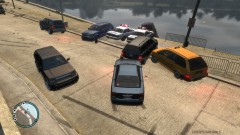
From the album: Psychology of Liberty City
Just goes to show why following the leader is never a fun game to play in cars. Or during a pursuit. -
View this: http://www.lcpdfr.com/cops/forum/topic/2481-video-tutorial-installing-lcpdfr-and-dealing-with-any-errors/ Thanks Harper "FileAccess access"... Really sounds like your GTA folder might be read only (since you already tried running as admin).
-
Simple Native Trainer. Link.
-
It means Hard Drive Disk. Google is your friend, so in the future please use google rather than posting on a seemingly dead thread.
-
You better, or the ninjas will get you. @Thread Added a line or two about multiplayer as well, since Olanov mentioned it.
-
You could have combined those posts into one And yeah there will always be people who won't read... But this might take care of some of the support questions.
-
Some vehicle modifications are inherently unstable. A stock version of GTA IV should never crash with an SMPA60 error, there is no need for it to. Some vehicle modifications are just not optimized (for lack of a better word?) and don't seem to work all the time.
-
This explanation is based around single player car mods only, with only a couple exceptions. TABLE OF CONTENTS I. INTRODUCTION II. ISSUES REGARDING REPLACING VEHICLES III. ISSUES REGARDING ELS V7 IV. ADDENDUM 1 - MULTIPLAYER V. ADDENDUM 2 - SAVING WHILST ON DUTY Introduction First, this guide will not cover the cause of every single SMPA60 error. This error is far more complicated than we once thought (even LMS doesn't know everything about it). As such, it is impossible to cover every cause and respective resolution. This guide will not cover errors caused when LCPDFR 1.0 is installed, as we do not know what is happening there. You will know when you experience an SMPA60 error because you will receive an error message like this: image from gtaforums The way the game is set up, whenever you save the game and there is a vehicle at a safe house, it writes more than just the name of the car to the save game file. It also seems to record the car components, extras, model and skin details, et cetera. No one, except for the developers of GTA, knows exactly how the game writes the data. Issues with Replacing Vehicles So let's get to the problem. Many players like to download modded cars and then use them in GTA IV. There is nothing wrong with this. Some LCPDFR users also like to download new police cars and use those as well. Naturally, many people also like to save vehicles at their safe house for future use. Unfortunately, this is the main source of the problem. From here on I will use these two cars for an example: A Crown Vic (already in game) and a Dodge Charger (car you want to replace the Crown Vic with). So lets say that someone has a Crown Victoria in their game. They eventually get bored of it, just like many people do, so they decide to replace it with a Dodge Charger instead. When they replace the Crown Victoria's .wtd and .wft files (the model and texture files) with those of the Dodge Charger, they overwrite the Crown Vic data files. This happens every time you import a car mod. However, now that the Crown Vic is replaced, upon loading the game GTA tries to take the data it saved from the last save game and then apply it to the Dodge Charger. This simply does not work. The game becomes scrambled, it has no idea what to load, where to put things, or what to do. It then faults, crashes to the desktop (also known as a CTD), and outputs an SMPA60 error code. The best way to avoid this, naturally, is to never save cars at your safe house. But that is completely impractical. Thus, the next best thing to do is to ALWAYS check what you have saved before you replace a car. Another good practice is to SAVE the old car mod data (in my previous example, the Crown Victoria) in a backup folder before replacing it just in case the game faults and you need to re-import it. Should you have a car saved, and you wish to replace it, you MUST remove it from the safe house and THEN save the game. Failure to do so will cause your game to CTD when loading the game with replaced car data. Issues Regarding ELS v7 It has been brought to my attention (thanks, DarthWound) that ELS v7 may cause an SMPA60 error. This seems to be related to allowing AI vehicles to use ELS. The best course of action is to disable AI ELS if this problem affects you, however you can also change the ClearRandAiExtras setting in the ELS config file. This will stop ELS from removing the lights on AI vehicles that randomly stay on when the car first spawns (think ELS v6 and earlier). To disable AI ELS, change this line in the ini file: AI_ELS_SP = OFF Addendum I As Olanov stated a few comments down, it is also likely that one will get an SMPA60 error while in a multiplayer game, if players are using different vehicle mods. In this case the only thing for you to do is to completely remove your mods from the game before you play multiplayer. The best alternative is to have two vehicles.img. One for SP and one for MP. Addendum II Some say that saving your game while an officer will cause an SMPA60 as well. I have never seen this happen, but it does make sense. I will note that if the game starts to load and IMMEDIATELY CTD's with an SMPA60, meaning it crashes in the loading screen, you should try to remember if you saved as a cop. If you did, your savegame file is GONE for good. If, however, you can start to play the game and it crashes during play, then follow the above steps, since it is probably caused by cars.
-
Actually. You can take a chopper there (go to Higgins helitours and "commandeer" a helicopter :P). It technically is a vehicle place. There a forklifts (LOL) as well as a moped or other motorcycle that spawns in a corner near the south end.
-
Enjoy the mod. Remember to always try .91 if .95 beta acts up.


