




Iconography
Members
-
Joined
-
Last visited
Everything posted by Iconography
-
^ Failure to comply to above statement will result in a game crash and / or a corrupt savegame.
-
If what I am seeing in the trailer looks anything like how the game will look while playing, I think I'm going to shit my pants. Unless it's just doctored up footage to make it look cool, and hide IV like graphics....
-
Try viewing this and see if it sheds some light on possible solutions: http://www.lcpdfr.com/cops/forum/topic/2481-video-tutorial-installing-lcpdfr-and-dealing-with-any-errors/ Make sure that you are running both the game and the LCPDFR installer as an administrator (right click --> run as admin)
-
-
-
I really do not want to sound harsh but it all boils down to this: This really isn't the kind of place for tutorials like that. I'm not trying to be mean here but a simple Google search will yield at least 5 different tutorials on how to install cars. It seems completely pointless to make another tutorial when there's already 5 or 10 or 20 out there already. All you need to do is search. It takes the same effort to search on here than it does on Google. Edit: I guess I just don't see a reason, that is all. If the moderators and administrators are fine with it then of course, go ahead and make one. I, in my humble opinion, do not see a dire need at the moment.
-
Depends on the motherboard. Some have multiple PCI-e slots. Anyways this is way off topic now....
-
Please make your own thread so we can help you better.
-
It is also uses 150W of power, has a double wide PCI-e x16 form factor, is meant for servers and has no listed price (I have heard $15,000 per unit, and an 80GB drive is about $3,000). You sure you actually use one of these?
-
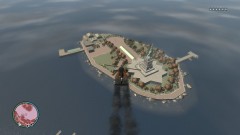
From the album: Psychology of Liberty City
At approximately 08:50 Saturday morning a loud explosion rocked the sky. Civilians looked to see a helicopter careening towards Happiness Island after its engines were blown out, perhaps by an RPG. A news helicopter happened to be nearby and managed to snap this shot. Casualties: Unknown. -
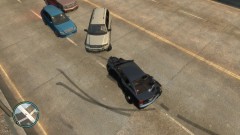
From the album: Psychology of Liberty City
....Can I get a new take-home cruiser now? -
Resetting your Player Model in SNT back to a cop fixes the problem without having to go back to a PD.
-
Well it's good to hear something fixed it. Looks like this can finally be closed and put to rest then.
-
Nothing on there appears beyond the norm. Whatever the problem is, it does not appear to be logging in that file. The developers would have more knowledge of this than me.
-
[WARN - 9:55:18 PM] [backupManager] Tick: Disposed object still in list is common, and DispatchUnitSetup looks normal from here. Delete your log file (or move it somewhere else) and try to duplicate the bug. That will help isolate related debug lines, if any appear.
-
If it avoids double posting then please edit rather than posting again. If someone has made a reply, then no need to edit again. Post after them. Where's the link to your pastebin snippet / log snippet / attachment?
-
Please edit your posts from now on rather than double posting. Try to use Pastebin, and ONLY select sections of the log that might be pertinent to the situation at hand.
-
Strange I have never seen this problem, have had this problem, or have heard of this problem until now. LCPDFR.log show anything? Think Jay wanted you to post a copy of it anyways.
-
Just going to jump in on this one. I thought the same thing, "why bother talking about suggestions if there's a feature freeze?" Well I still don't have a perfect answer to that, but so many people have been continuing the threads that I haven't even bothered trying to convince people to do anything different. I suppose it helps to clarify some suggestions while preventing brand new ones.
-
I heard an original tester leaked it to a friend and the friend cracked the systems. I don't know an actual answer and it doesn't really matter what happened (at this point). It isn't a coincidence because it was only leaked due to the fact that it was advanced to Beta, and a beta tester (I believe, don't hold me to this) then leaked it. And the last countdown timer was for the beta release. Not sure if that helps but let's just let it stay in the past now, we're moving on from that point in time now.
-
Happens with every countdown timer now... And was your "source code leak" post just a massive troll because I spent ten minutes looking through the hub and nothing mentioned it. Thx bai.
-
I just hope the Developers don't have a fiasco on their hands like last time I'll never forget the mayhem caused by the last countdown timer.... I believe that they know what they're doing, but I really hope I'm right.
-
@DominikCHP Those motorcycles look awesome.
-
Seeing how this is almost a month old now, The.Hardstyle.Bro, I have a feeling it was probably solved :happy:
-
And this is always the heart of the matter. Some people would love to have a key that would instantly blow up the enemy vehicle. And some would not. It's all about demand, and as James also said before, realism. The most realistic features are generally the ones that get selected to be incorporated. The "just for fun ones" are the ones that might get left out more frequently than the realistic ones. Thus, the roadblock would generally have a higher chance of being selected when compared to a Noose Stockade hurdling towards an unsuspecting suspect (thinking about this does make me laugh, though).


