




CrossFire
Members
-
Joined
-
Last visited
Everything posted by CrossFire
-
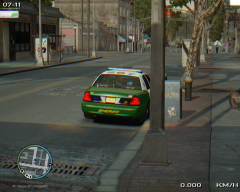 Your edges need some SERIOUS work (Notice how they are rainbow-like.). I would try editing the enbeffect to resolve this issue.
 -
Who? Happy Birthday Sam!
-
-
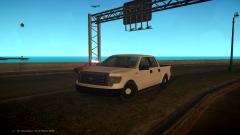 Use the rims that come with the vehicle. Those PI rims make it look bad. Also, for some odd reason your game looks like SA.
 -
-
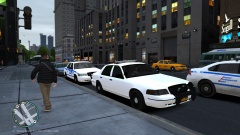 Liberty City went all Connecticut on us.
 -
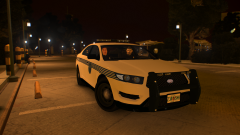
From the album: CrossFire's Pics V2
Car by Yard, Skin by Michael Wiggleham. -
If you don't mind me asking, what sites did you find it on?
-
If you've tried different ENBs and the problem continues, it must be the cars not having L1s or L2s. Unfortunately you cannot fix/control the problem unless you make your own cars.
-
If there is a Dodge Avenger model in the GTA Community, I doubt a police modder would have it, considering it's generally not a police car. Your best bet is to probably buy a model from TurboSquid or some 3D model site, and you can convert it, or you can get someone to convert it for you. Link to car on TurboSquid
-
I think the issue you're having with the emissives disappearing is an issue with the cars not having L1s or L2s. I may be wrong though. If what I said above is indeed wrong, if you do try to edit the [bLOOM] section of the ENBSeries.ini, as Sixium says you should try, only try to edit the 'radius1' and 'radius2' section. 'BloomQuality' obviously edits the quality of the bloom, and 'contrast' obviously edits the contrast of the bloom, which i'm pretty sure you're not looking to do. Just in case you don't know: 'radius1' comes from the inside of a bright object. 'radius2' comes from the outside of a bright object. I think you would have better luck editing this one.
-
-
-
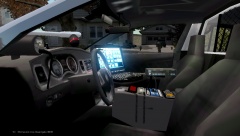 The radar position is interesting. I would put it on the dashboard, it would be more realistic.
 -
I wouldn't think his username was intended to be that acronym. It's probably his initials, or just a random name that he got the idea to use. Like ineseri, that was his captcha when he was joining, so he used it.
-
'?do=embed' frameborder='0' data-embedContent>>
-
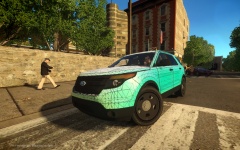 The A-pillars are supposed to be black.
 -
If you're taking them to a police station to be processed and set for trial, you need to read their miranda rights. If you don't, anything the person says in interrogation is inadmissible in court.
-
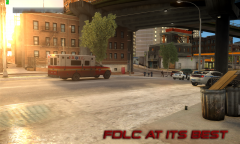 Dat 2 FPS.
 -
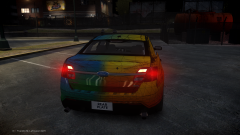 It's not Humster3D, I believe he bought the headlights from TurboSquid.
 -
-
'?do=embed' frameborder='0' data-embedContent>> That is the exact same car, but with alloy rims.
-
What do you expect us to say? We're sorry? We don't think it should happen? We don't have to respond to all posts that involve bullying or racism. How is it the 'first sign of racism' when we don't post? Just because we don't post, that doesn't automatically mean we are racist, it just means that we don't have an opinion on the matter or we don't want to share our opinion.
-
Well, it was stated above that in a majority of the states you have to be a US Citizen, and to do that, you have to come to America, fill out an application to become citizen, take a test, if you pass the test, you still have to wait 5 years to fully become a US citizen, but I think if you get married to a US citizen, they shorten the waiting period to 2 years.
-
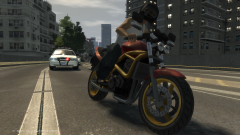
From the album: CrossFire's Pics V2
One of my older Pictures, didn't really like it, but hey, i'll let the community decide if it's good or not!


