




CrossFire
Members
-
Joined
-
Last visited
Everything posted by CrossFire
-
Well if people like modding, and if they have the time, they can do it. I've been working on every request he's made, but I've been limited on time due to the scary *shudders* real life. I can try, no promises though.
-
Not my actual car obviously, but I am 100% sure (Unless my mom wrecks it haha) that I will be getting this for my 16th birthday! 2013 Tahoe LTZ in white.
-
It works if you take out the '.ivaud' part of the file you're trying to replace.
-
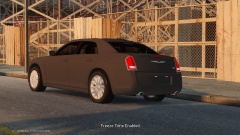 How was supposed to know that you knew how to fix it? ELS V8 just came out and I know a lot of people who don't know how to fix the corona's issue. I was just telling you, if you didn't know already, how to fix it. And apparently you do know how to fix it.
 -
How was I supposed to know you were aware of this?
-
You need to move your headlight dummies to the actual headlight, so the front wig-wags are in a realistic position and not in a place they could never be. (Or at least I think those are front wig-wags.)
-
I agree with bugs about The Chicago Code. I also think SouthLAnd shouldn't have been canceled because a lot of people watched it and liked it. And even though it ran for a long time, I think Dexter shouldn't have been canceled.
-
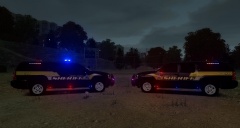 Nice! Who's Freedom are you using?
 -
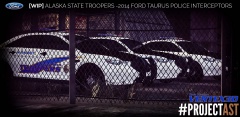 If you're referring to my comment, I assume he's going for realism due to the name of the 'project'.
 -
Okay, I get it, jesus. I'm sorry.
-
I don't know where you got the idea that the AST use 21TR's on their interceptors, but they don't. They use Whelen Liberty DUO's.
-
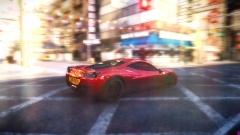 Are those not the same thing?
 -
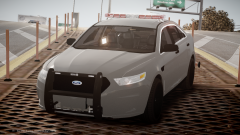 You have the wrong module in the middle. It shouldn't be a takedown module, but a LED module. And you have the wrong takedowns in the middle, it shouldn't be a 3 module takedown, but a one module takedown. Seen here:
 -
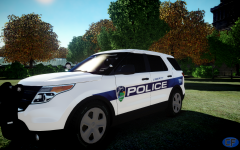
From the album: CrossFire's Pics V2
A completed project by Wiggleham/Michael V. To be released soon. -
Old song, but still love it! Another old song, still really good. Sorta new.
-
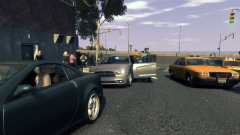
From the album: CrossFire's Pics V2
Car is by me, will not be released due to lack of permissions. -
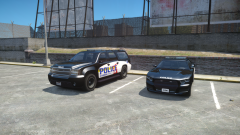 EM4 <3 Looks nice!
 -
True. The person below me prefers cats over dogs.
-
Congrats to Luke, Will, and Super! Just know to avoid Sam when he's mad!
-
I am aware that one of these threads were started before, but since it's been over a year surely we've all updated our wallpapers! Remember when posting to follow the Community Guidelines! So no pornographic pictures or anything that would violate the CG's! I'm going to start with my iMac wallpapers, I have two that transition every time I log in: Wallpaper 1: And Wallpaper 2: And my one Windows Wallpaper (Please don't point out the Windows Classic, it's a long story.):
-
PC: CPU - Intel Core i7-2600 3.40Ghz RAM - 8GB DDR3 RAM HDD - 1.35TB Hard Drive GPU - AMD Radeon 5700 1GB (Most likely haha) - Unknown PSU, Case, and CPU Cooler (It's a Best Buy computer, shut up.) My recently Purchased iMac: CPU - 3.4GHz quad-core Intel Core i5 - Turbo Boost up to 3.8GHz RAM - 8GB (two 4GB) memory HDD - 1TB hard drive1 GPU - NVIDIA GeForce GTX 775M with 2GB video memory Displays: - Default 27" iMac screen - Apple 27" Thunderbolt Display (Got the iMac yesterday, pretty good, but gaming on it is a no-no haha)
-
-
-
I've had the same issue. You have to go into your Catalyst Control Center, 3D Application Settings and hit 'Default settings', that should fix it.
-
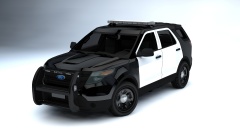 Decided to bring your Sedan setup to the utility I see! Looks very good.


