




CrossFire
Members
-
Joined
-
Last visited
Everything posted by CrossFire
-
Then change the handling...
-
You do know you can rename a file to the slot you want it to be in? So you can rename polpatriot to pstockade, but you'd have to edit the vehicles.ide.
-
If you tried to put peds in a vehicle slot, you crashed because GTA isn't programmed to do that. You probably could put a car in the heli slot, but you would have to change the vehicles.ide and handling.dat, and some other files I cannot recall the name of.
-
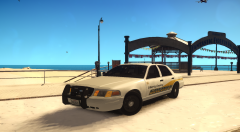 Very nice! Why does your game look so much like GTA SA?
 -
It is a very well put together livery. Is it an existing livery? Or did you come up with the design on your own?
- 9 comments
- 3 reviews
-
-
Well, I just typed an entire thing on how to enable the corona flashers. But LCPDFR decided to check my browser. To enable Corona flashers, what you do it go to the folder called "ELS" in your directory, and look for the ELS config you are using. So let's say you're using "Default_Config", you would open "defualt_Config", and look for: [ CORONAS ] Headlights = off, 0 Taillights = off, 2 IndicatorsF = off, 0 IndicatorsB = off, 0 Reverselights = off, 0 And to get headlight wig-wags, change "Headlight = off" to "Headlight = on". You can do that for the headlights, taillights, reverse lights, and front and back indicators. The 0 represents the pattern you want, there is a video of all of the patterns, found here.
-
Let's just hope you saved it lol. I had this error for a little while, but it just went away, never knew what caused it. Try restarting your computer.
-
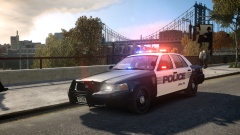 Oh, okay. Thanks for the response.
 -
LOL That would have been helpful to know.
-
Well, they have evidence to back their story up.
-
Well, I don't know. Did you put in the ELS Preset from CryENB?
-
I'm not sure what the issue is. Did you change it while in-game? Did it tell you you couldn't save it in your directory so you saved it somewhere else?
-
I hate to be 'that guy', but if you're using a new ENB, is there any chance of a release of your old custom ENB? I really liked it, and my specs do not cooperate with ENBSeries Version .163. But they work fine with ENBSeries .82, which I assume your old ENB was based around.
-
Woah. It should've worked. Did you make sure to edit "car.defaultlight.emissive.on"?
-
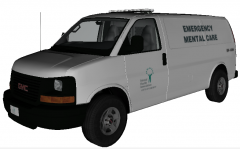 How do you disable dummies?
 -
Where are all the dummies?
-
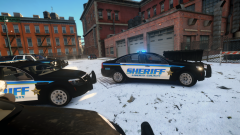 Yes, these cars do belong to Priority Roleplay. Thanks!
 -
From the album: CrossFire's Pics V2
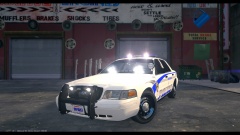
Today, at around 7AM, an LCSO Deputy responded to reports of screaming coming from a house. Upon arriving, the deputy also heard the screaming and entered the residence. He found a couple fighting over who should have custody of the son. -
 You don't want your models to be as realistic as possible?
 -
No problem! It should work, if it doesn't, you can reply to my post, or PM Me!
-
Yes, set it to 250. That's the best settings for CryENB in my opinion.
-
Refer to the tutorial I made on how to do this: https://www.lcpdfr.com/page/tutorials/index.action/_/script-data-file-modification-tutorials/how-to-make-your-els-lights-brighter-r61 But set your settings at 250! Not 100!
-
Wow. Poor Officer (And Taurus). I hope he's recovers well. ):
-


