




CrossFire
Members
-
Joined
-
Last visited
Everything posted by CrossFire
-
 Y..Y...You took these pictures in EFLC?
 -
I know this was created in 2013, but nothing this year has been weirder than >this.
-
And here I am, thinking no one's ever going to leave the site. Your mods were all good, and I enjoyed beta testing them! Good luck.
-
Maybe there is an activation fee?
-
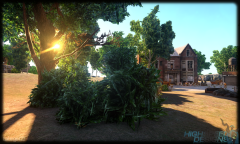 Paper-thin vegetation: #YouCouldn'tDoBetterRockstar?
 -
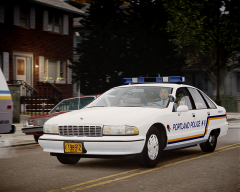 Except in the rain haha But really, nice livery, although I do agree with Crizby, not a fan of the actual design.
 -
 Very nice Cj, not enough of these around. Also, you put the starting credits for the CVPI.
- 9 comments
- 6 reviews
-

From the album: CrossFire's Pics V2
Merry Christmas everyone! -
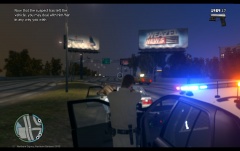 What's with the blur?
 -
-
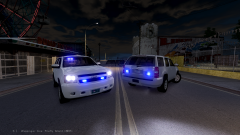 If you want a full PPV, you need to lower the vehicle, take off the foglights and trailer hitch, and get the black interior textures from Bugs' Suburban.
 -
Get the IV complete edition, that includes all DLC's for IV.
-
Just curious, how much is that costing you?
-
I would say you could run most modern games at at least high settings. GTA IV? No problem.
-
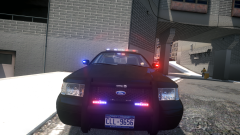 #MindBLOWN
 -
Yeah dude!! Gotta start early!!
-
From the album: CrossFire's Pics V2
I still have to change the emissives on the Liberty, because the current textures are terrible, add a console, and get a skin. -
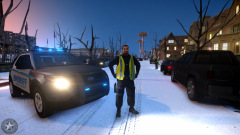
From the album: CrossFire's Pics V2
At approximately 5:10PM, The Liberty County 911 Center received an anonymous call stated there was a dead body at 343 Stillwater Ave., a LCSO Deputy was dispatched to the location, and discovered a body there. Currently, the LCSO has not made a comment on the identity of the body. -
There's no reason to believe that GTA V will get delayed, so I don't know why you're doubting. Thanks, I try to take things as literal as I can.
-
Uhhh, you have seen it, straight from the article Illusionary posted, which is an Official Rockstar Source: "Rockstar Games is proud to announce that Grand Theft Auto V will arrive on the PlayStation 4 and Xbox One on November 18, 2014 with the PC version to follow January 27, 2015."
-
You need to re-do the materials on the rambar, it's shiny. It shouldn't be shiny. I would also recommend that you use this Charger model, as it has more detail.
-
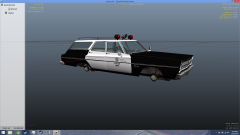 The problem with the spotlight we talked about.
 -
![[WIP] 2006 GMC Savanna 2500 Cargo Van](//s3-gallery.int-cdn.lcpdfrusercontent.com/gallery/album_3065/sml_gallery_86082_3065_127790.png) Found the dummies.
Found the dummies. -
You should fix the problem lund.
-
You can find handlings for most cars >here.


![[WIP] 2006 GMC Savanna 2500 Cargo Van](http://s3-gallery.int-cdn.lcpdfrusercontent.com/gallery/album_3065/sml_gallery_86082_3065_127790.png)