CrossFire
Members
-
Joined
-
Last visited
Everything posted by CrossFire
-
-
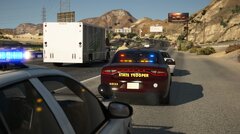
From the album: CrossFire's GTA V Album
SAHP in conjuction with Senora Valley PD -
-
-
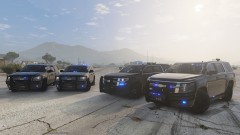
From the album: CrossFire's GTA V Album
100% Tahoe fleets are the best fleets Also, this is my first thing in a while, so hi -
Whenever you download a mod, whether it be a vehicle, script, texture, etc. it should include a file called "Readme". Inside that file, it'll say the credits to that addon and in most cases, how to install it. You follow the instructions in the readme and you should be good!
-
Sorry about that late response, but if you have backups of your original game, you can look inside the ENB folder to see what files were added, replaced, etc. From there you delete the files that were added and put the default files in that were replaced by the ENB.
-
Does the game actually start? To properly diagnose your issue, you'll need to provide more detail.
-
-
-
-
-
-
-
-
-
-
-
-
-
-
-
-
-