


Creators: Due to background reprocessing of files, approvals and file security checks may be delayed. Thanks for your patience.


Sam
Community Founder
-
Joined
-
Last visited
Everything posted by Sam
-
I could take a look over TeamViewer if you'd like?
-
Best thing to do is install the Taser manually here. You can see instructions for that here: '?do=embed' frameborder='0' data-embedContent>> You can use notepad to open all of the files, more info here: title="">http://www.lcpdfr.co...pad#entry203462 If it says the file is read only when you try to edit it, go to the parent folder (common), and right click on its properties. Then uncheck the box that says readonly, and click OK when it says to apply to all files and subfolders.
-
It will if you tell it to open with notepad. Alternatively you can open notepad from your start menu, and then click File > Open > and select it. Make sure you change this: to this: so that you can see the files in the browser, instead of just seeing text files.
-
Try installing the latest DirextX runtimes: http://www.microsoft.com/en-us/download/details.aspx?id=35
-
Have you tried manually installing the Taser? See here for more: '?do=embed' frameborder='0' data-embedContent>>
-
The Crime Stats system isn't up yet, it should be once we get all the installation problems ironed out though.
-
How often is it crashing? It just looks like you're getting unlucky from what I can see if others running the same setup are doing fine.
-
does this file path exist? 'F:SteamSteamAppscommonGrand Theft Auto IV Episodes from Liberty CityEFLClcpdfrAudio
-
Give it a few more tries.
-
Well, at least we're making progress I suppose. Keep trying the mod and see if you can get anywhere. We've saved your crash logs in the mean time.
-
Can I see a screenshot of your GTA IV directory?
-
Can you try it without other mods installed and see how it works then? (i.e. just LCPDFR, no traffic flow or cars or anything)
-
How many times have you tried?
-
LCDPFR isn't installed correclty, or LCPDFR can't read its files. Show us your GTA IV directory, your LCPDFR directory and the Audio folder inside the LCPDFR folder please.
-
We need to see your logs, and what operating system are you using?
-
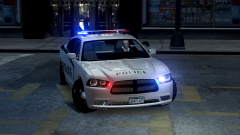 You probably could actually, You could have it mapped to a part of the paintjob, and have the bit where its mapped to just as pure alpha, meaning it would be see through. The model would still be there, but you wouldn't see it. That's an awesome idea. Plus that way you could have special markings for ALPR cars.
 -
You can use notepad to open all of the files, more info here: > If it says the file is read only when you try to edit it, go to the parent folder (common), and right click on its properties. Then uncheck the box that says readonly, and click OK when it says to apply to all files and subfolders.
-
And we'll need your log files too.
-
Can you restart your PC and try again?
-
It's already there.
-
Awesome :)
-
Your peds probably don't add or remove components. Modified peds are only incompatible with LCPDFR 1.0 if their model meshes are fundamentally different to the default ped models.
-
If you PM me with the details, I'll do what I can.
-
Thanks for the report, we'll look into these and fix as much as we can.
-
We're aware of this and will get it fixed shortly.


