




Sam
Community Founder
-
Joined
-
Last visited
Everything posted by Sam
-
This is a known issue and will be fixed.
-
What do you mean? The pursuit of armed suspects call is working as intended. It is meant to be more challenging, action packed and fast paced. They will happily fire at other units too, not just you. You can't rebind the X key to force a callout. It will probably be moved to the police computer or console as a command though in future updates. Looks like he resized it. Colours and different fonts are fine as long as used properly. No need for an entire post to be bright red or blue or pink and in massive lettering.
-
This is pretty cool. I always thought the Riot sucked the Insurgent would make for a much better replacement for it. My suggestion would be that you extract all the textures from the Riot texture file and place them into the Insurgent texture file. I'm not sure if that is possible yet, though.
-
It is certainly something we're planning on for future versions.
-
It is possible now, yes, but there's quite a lot of planning that has to go into the implementation of such a system.
-
This isn't possible as of yet.
-
We introduced the radio system for a reason. There's no need to go to your car's computer to check IDs. And, the system we use is fully native to the game. If you go to the pause menu you can bring up the 'brief', showing the latest notifications.
-
You might even pull me over, although that will end badly for you.
-
I think it is quite simple. You see red lights in traffic very often - the same can't be said for blue. There's a massive distinction and you're able to immediately identify a flashing blue light as an emergency car. Also, there's some decent logic to the fact that red lights tend to indicate the back of a car, and white to the front. In the UK, many police cars do actually have red lights, although they are only visible from the back. This makes it easier to know which direction the car is facing, and is also used to signal that the car is stopped. On traffic stops, it is common for only the red rear facing lights to be flashing, showing that the police car is stopped.
-
Downtown LS.
-
Press and hold E (not while aiming).
-
We'll release more information about the API shortly. Main focus is the actual release just now.
-
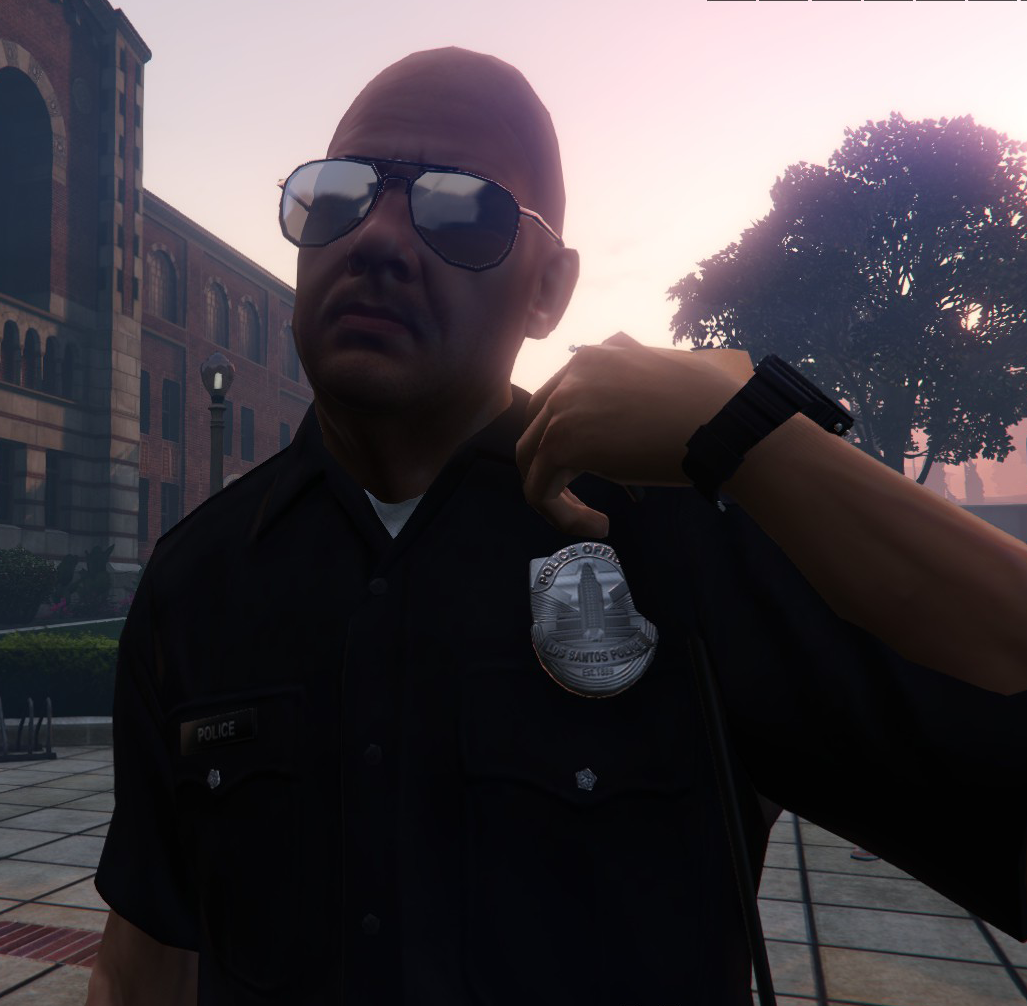 We're proud to present the second major public release of LSPDFR, and by far the most epic version yet, LSPDFR 0.2. LSPDFR Version 0.2 follows on from the groundbreaking success of our first release for GTA V, implementing a large number of features specifically asked for by our community. You can find LSPDFR 0.2 on the brand new LSPDFR page, including a whole set of online resources and documentation, at http://www.lspdfr.com
 -
We're proud to present the second major public release of LSPDFR, and by far the most epic version yet, LSPDFR 0.2. LSPDFR Version 0.2 follows on from the groundbreaking success of our first release for GTA V, implementing a large number of features specifically asked for by our community. You can find LSPDFR 0.2 on the brand new LSPDFR page, including a whole set of online resources and documentation, at http://www.lspdfr.com
-
I hate you now.
-
 Tsk tsk.
 -
Greenwich Mean Time works in the winter as well. But other than that, definitely not.
-
It should actually show up in your local format, based on your computer's date/time settings.
-
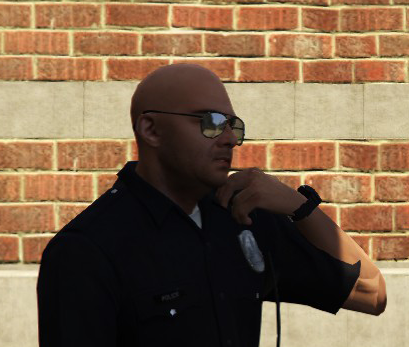 As a follow up to our previous update, we're still hard at work preparing LSPDFR 0.2 for release. At this time, it would appear that all issues caused by the latest update to GTA V have been resolved. Unfortunately we're still experiencing issues with LSPDFR 0.2 which appear to be unrelated to the recent update and more of a problem with the modification itself. These are in the form of script crashes that some, but not all, have encountered during pursuit testing and this is something we've been looking in to. Unfortunately this seems to be quite a tricky problem to find as different users are experiencing different results. It isn't all bad news, though, as we've also managed to take advantage of this delay to squeeze in some extra development time, allowing for a couple of new features to be added, including the ability to use the police radio to check subject and vehicle records - something we know will be very popular.
 -
To follow on from the previous update I posted yesterday, we're still hard at work preparing LSPDFR 0.2 for release. At this time, it would appear that all issues caused by the latest update to GTA V have been resolved. Indeed, I spoke of the problem and its solution in more detail in the previous update regarding 0.2. Unfortunately we're still experiencing issues with LSPDFR 0.2 which appear to be unrelated to the recent update and more of a problem with the modification itself. These are in the form of script crashes that some, but not all, have encountered during pursuit testing and this is something we've been looking in to. Unfortunately this seems to be quite a tricky problem to find as different users are experiencing different results. Nonetheless, I'm hopeful that we'll find the problem and resolve it relatively soon. While LMS has been hard at work debugging most of our issues (both the ones caused by Rockstar's protections and ones of our own making), I've taken advantage of the extra time to add more polish to LSPDFR 0.2, and even introduce a new feature which I know will be very popular. To complement the police computer in a vehicle, here's a sneak peek of the equivalent system on foot: Bear with us as we work this out. I guarantee you that LSPDFR 0.2 won't disappoint.
-
Just as a quick update, we're doing our best to continue to fix things up. The main cause of the performance issues was resolved earlier today, although there's still one problem which is resulting in script crashes. There's a good side to this delay as well though - we've been able to polish things up somewhat and even add in some little details that weren't going to make the original release.
-
 We're all sorry for the problems we encountered with the planned release of LSPDFR 0.2 last night. Unfortunately, there was a game breaking performance issue which was found only a few hours before we intended to release and this has required some time to investigate. The good news is that we've done our best to mitigate this problem, related to the way in which Rockstar has started to introduce anti-modding protections. Indeed, the problem has been identified and an alternative solution is now in place. This new version of LSPDFR 0.2 is now currently undergoing testing, and we hope to be in a position to release 0.2 as soon as possible - please check back through the day for further updates.
 -
First up, we're all sorry for the problems we encountered with the release last night. Unfortunately, there was a game breaking performance issue which was found only a few hours before we intended to release and this has required some time to investigate. The good news is that we've done our best to mitigate this problem, related to the way in which Rockstar has started to introduce anti-modding protections. For those of you interested in the technical detail, here's a snippet of a performance test ran by Alexander Blade and LMS: Performance difference between GTA V version 372 and 393 Calling SET_CURRENT_PED_WEAPON 1000 times via ScriptHookV and RAGEPluginHook: 372: ~582ms (RPH: ~585ms) 393: ~2480ms (RPH: ~2490ms) Performance on version 323/350 is most likely even better due to even less/no obfuscation than 372.In short, on the previous patch (372), it took 585 milliseconds for the function to be executed 1000 times. On the newest patch (393), it took 2490 milliseconds, which is roughly 2.5 seconds, to be executed 1000 times. This means that this particular function takes five times longer to execute on the latest patch than it did previously. LSPDFR 0.2 and 0.1 call this function a lot, mainly to stop other police officers from killing suspects, as we force them to be unarmed when appropriate by using it. As such, during a pursuit with even a couple of units, performance takes a hit. With the problem identified, we've managed to come up with an alternative way of doing things that doesn't have such a dreadful impact on performance. This version is currently undergoing testing, and we hope to be in a position to release 0.2 as soon as possible. Note that I won't commit to a date, as it is possible we run into further issues, and we'd like to avoid a situation similar to last night's, but there is still the possibility that we can release today, and we'll keep you updated as to our progress. Sam.
-
Quite frankly The West Wing is the best piece of television ever made, end of discussion.
-
It should work like before. should.


