Skip to content
View in the app

A better way to browse. Learn more.

LCPDFR.com

A full-screen app on your home screen with push notifications, badges and more.

To install this app on iOS and iPadOS
  1. Tap the Share icon in Safari
  2. Scroll the menu and tap Add to Home Screen.
  3. Tap Add in the top-right corner.
To install this app on Android
  1. Tap the 3-dot menu (⋮) in the top-right corner of the browser.
  2. Tap Add to Home screen or Install app.
  3. Confirm by tapping Install.

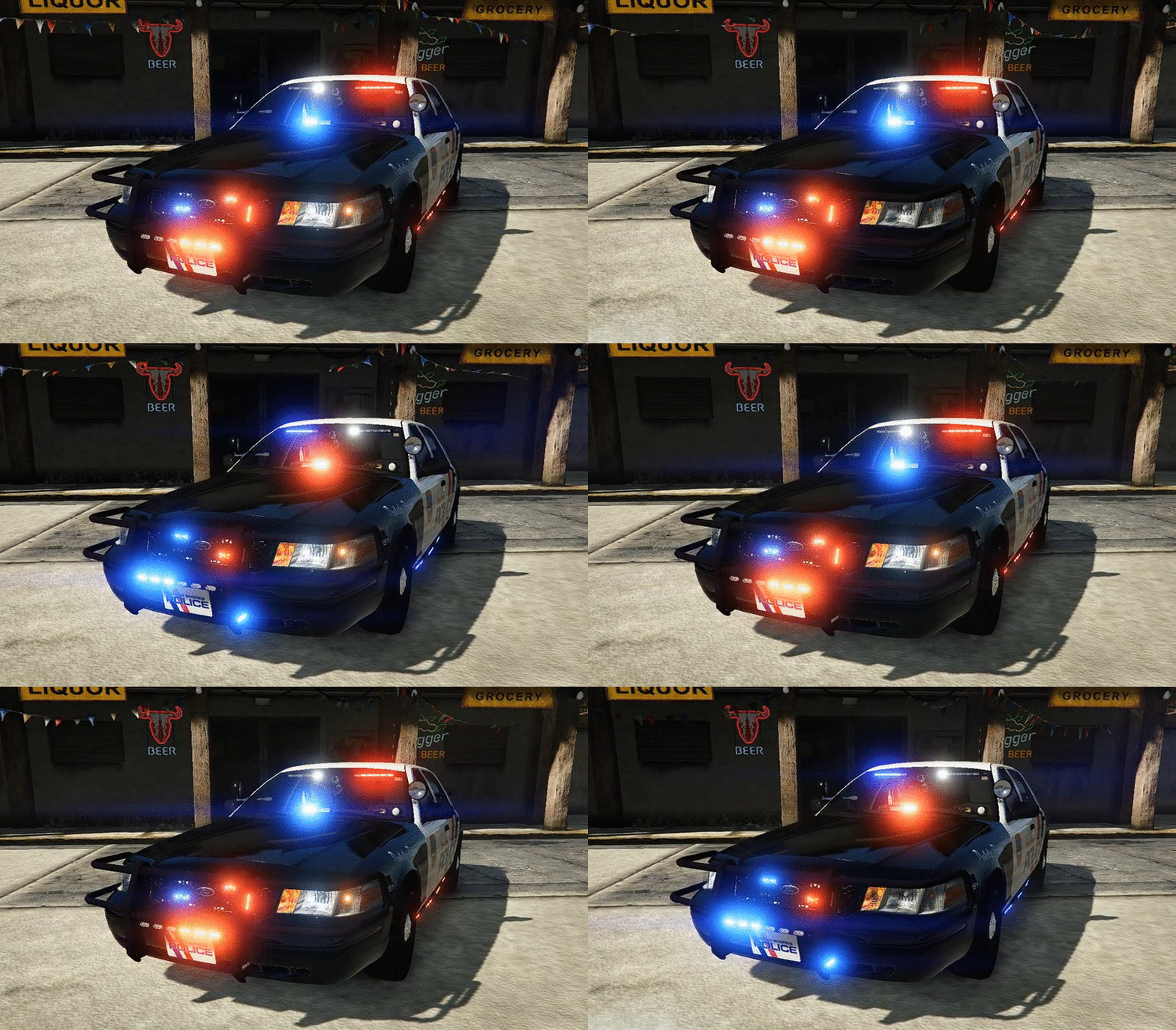
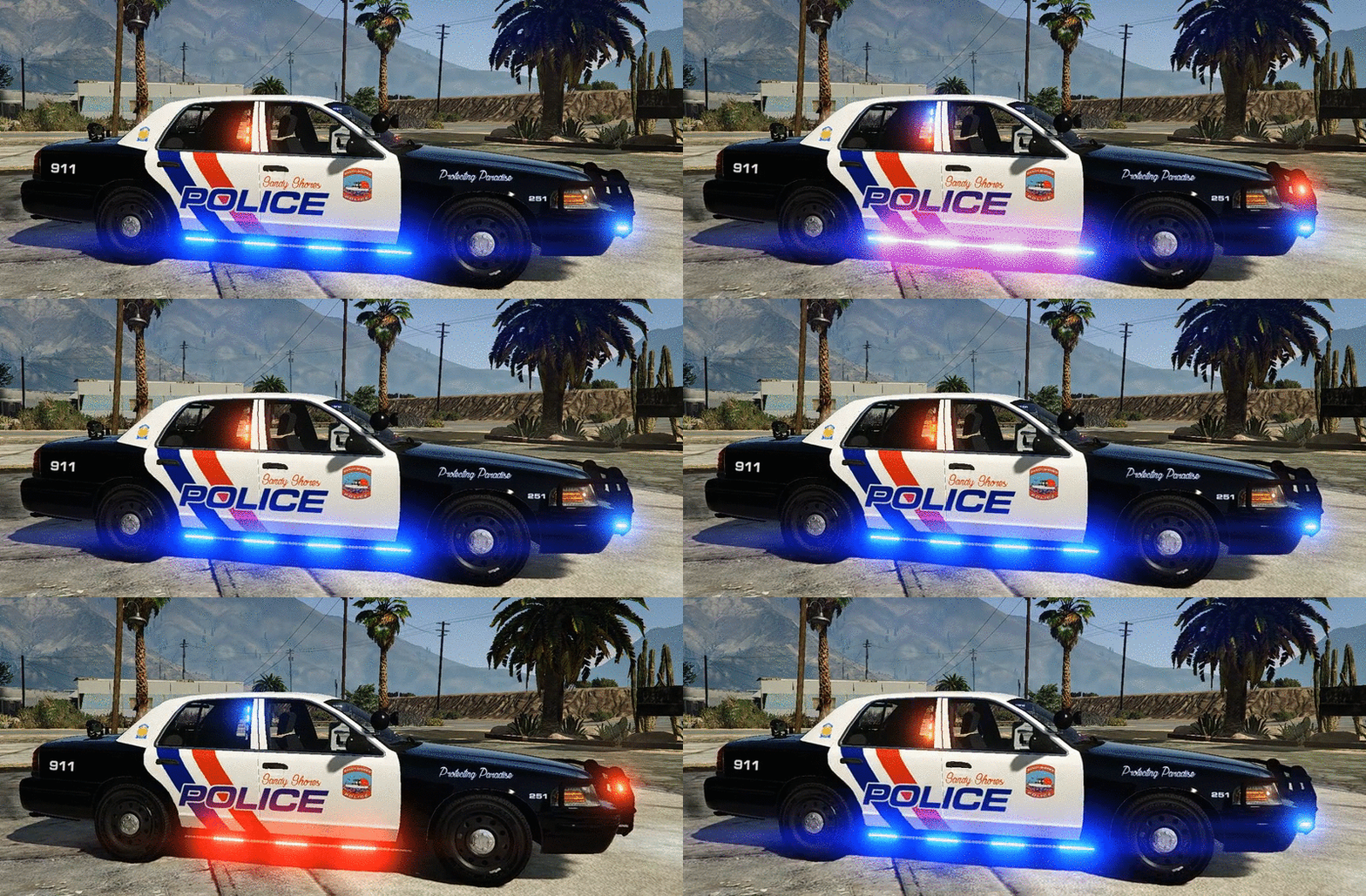
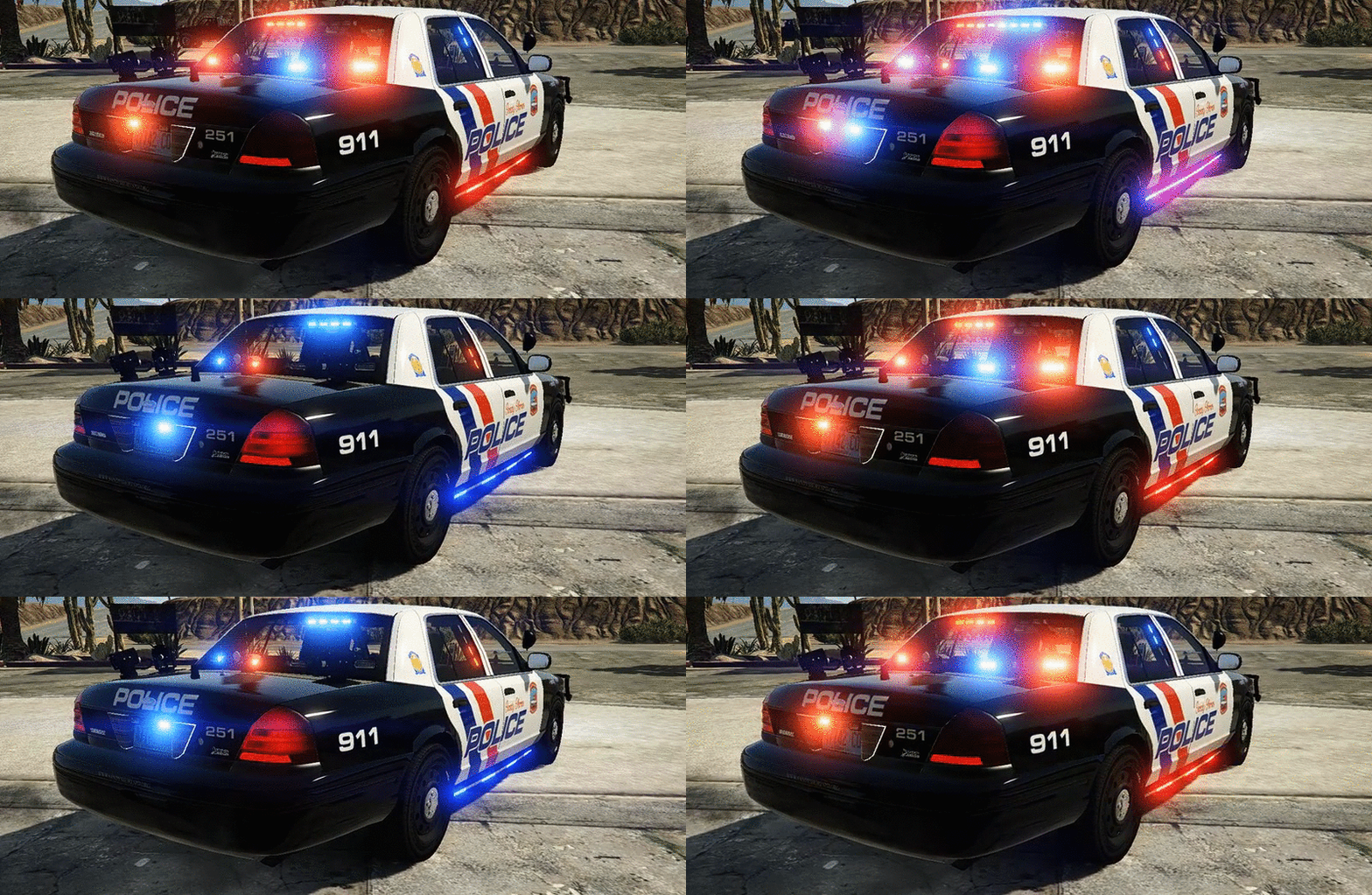
Sandy Shores PD Crown Vic Slicktop

(26 reviews)

3 Screenshots

69e00b834a02472179f35054ae25ee66.gif5456cd986110114ca599ad8b93526f27.gif706bdd2e54d9fe089b02386b710307bd.giftw92WzG.png

One of my favorite Crown Victoria's I've made.Has 4 extras included.The livery is based off of my local PD,Orange Beach AL Police.If you do not like siderunners,DO NOT FRET,I included a version without them(though,untested) It also has a working spotlight.I hope you guys enjoy the Vic!


Extra's:
1-Wraparound bar
2-ALPR's
3-Wilson CB antenna
4-Passenger side spotlight


Original Light - CVPI expertise, modeling contributions, BETA tester
Lundy - Door handles, CVPI expertise, CVPI parts from his models, mod tester
Yard1 - Encouragement, support, and modding techniques
Netman - Encouragement & support
Cj24 - Publisher of the original model for IV & template, including headlight

modifications & misc changes from F5544's release
KevinDV - Work on the original model & grille
Ubisoft - Driver: San Francisco Ford Crown Victoria parts, including base model &

first person interior
BxBugs123 - Headlight textures & expertise
OfficerUnderwood - CVPI parts from his DEV resource, mainly the headlights, grille,

dash
F5544 - Initial GTA IV conversion
Schaefft - Some interior components and initial seat model that was modified into

2011 variant
Murphy-For putting the Vic together for DEV
BlackJesus-Spotlights
Bueno-Deck lights and dash lights
Hilth-Whelen Inner
Bxbugs123-APLR's
CAP N' CRUNCH-Stalker radar(with edits by Gump)
Tomcat8492-Whelen Dominator and TIR6
CooperCM-Whelen LINZ6
Sheriff Van Dyke-Console
JohnClarke-Dashcam
EVI-HG2 siderunners
Ridgerunner-ToughbookCF31
Gump-Making liveries and putting the Vic together

 

known issues:
The reverse light have a white outline
I can't get the suction cup texture  to work for the dash lights,so it appears there is no suction cup


Stay thirsty my friends..

carvariations.meta

User Feedback

Recommended Comments

TheGoodSmiley

Members

I have a question, In the video you are showing, how do you get those lights so bright. I have this downloaded and they are very dim and dont look realistic..... please help!!!!!!!

RJT426

Members

how do i install? (new to modding)

dcrcbc722

Members

is there a way you could put pro guard partition as an extra? awesome job on the cvpi..

Kethen

Members

Are other crown vic skins compatible with the model?


Wippy

Members

Nice CV. Noticed that rims are narrower than tires and because of that some transparent seams can be seen.

Kethen

Members

(edited)

So the liveries for the other ones seem to work--I installed the version with no siderunners but the siderunners still show, the headlights don't alternate as pictured (which was the coolest thing to me, I haven't found another model that does that yet.) Was having a problem with the light colors but fixed it by just removing the file completely and reinstalling as it seemed to have merged the old CVPI files with this one when I replaced it.

Edited by Kethen

NeOnLaZeR

Members

3 hours ago, Kethen said:

Are other crown vic skins compatible with the model?


Yes, this is based on F5544's model

Ravalli

Members

Any plans of a marked version of this with the same light setup?

Ravalli

Members

(edited)

7 hours ago, PoliceWomen said:

Nice real Lights


carvariations.meta <------Do not use unless change siren setting to 1

@PoliceWomen The carvariations.meta file you have posted is WRONG. It needs the be <sirenSettings value="1" /> not 2. You should ALWAYS test files out before posting. I'm sure @Gump doesn't want to get bad reviews due to incorrect files being posted and lights not working correctly 

Edited by Ravalli

what folder do you post this into in open v? Cant seem to find where it goes. please advise.

Kethen

Members

Does anyone have a working wig-wag/strobe effect mod for the current version, like the one pictured? Installed the one that I could find to no avail (alexguirre was the author I think)

Vampyre

Members

7 hours ago, Kethen said:

So the liveries for the other ones seem to work--I installed the version with no siderunners but the siderunners still show, the headlights don't alternate as pictured (which was the coolest thing to me, I haven't found another model that does that yet.) Was having a problem with the light colors but fixed it by just removing the file completely and reinstalling as it seemed to have merged the old CVPI files with this one when I replaced it.

He's probably using the Emergency Strobes plugin for the headlights. And I think he's using Radiance for the light brightness.

Kethen

Members

6 minutes ago, Vampyre said:

He's probably using the Emergency Strobes plugin for the headlights. And I think he's using Radiance for the light brightness.

Thanks! Yeah, that's the one I installed--I just reinstalled and it's working okay now, I'm not sure what the deal was a moment ago since I did the exact same installation, but whatever haha. I have radiance as well so everything is in order now--just have to decide if I like the blue or blue/red more. lol

RyWilson

Members

10 hours ago, RJT426 said:

how do i install? (new to modding)

here ya go. here is a video link that should help.

https://youtu.be/ADAgu8XZz24

Dippa

Members

1 hour ago, harveybirmdan420 said:

what folder do you post this into in open v? Cant seem to find where it goes. please advise.

x64e.rpf/levels/gta5/vehicles

Bluewolf

Members

Where do I put the carvariations.meta? if I want to use this to replace sheriff2?

XxduckbossxX

Members

Where do i install? I've put the files in the usual x64e-levels-gta5-vehicles.rpf. But when I go in game, the mod is not there, am I doing something wrong?

XxduckbossxX

Members

On 6/1/2016 at 2:52 AM, Dippa said:

x64e.rpf/levels/gta5/vehicles

tried this and does not work.

Deputy Jay

Members

Love the car, but the lights dont work for me for some odd reason... any ideas why?

ErikB26

Members

In the "About this File" section, there is a .meta file. Where do I have to put it, and DO I even need it? It doesn't contain a line with "police" (it's apolice.ytd etc.) or something like that.

thediamondmine

Members

I put the files in there but it didnt work does anyone know where the carvaritions file is it so i can put it into the game so i may have this beautiful creation.

ErikB26

Members

On 15-6-2016 at 0:15 AM, thediamondmine said:

I put the files in there but it didnt work does anyone know where the carvaritions file is it so i can put it into the game so i may have this beautiful creation.


I haven't used the carvariations at all! (you don't need it, because it doens't even contain a police 1 line) Are you sure you haveput the vehicle files in the right place?

thediamondmine

Members

(edited)

i put the vehicles in the x64e file but it just screwed up my screen so then where should i put it?

Edited by thediamondmine

Create an account or sign in to comment

Latest Mods

Account

Navigation

Search

Search

Configure browser push notifications

Chrome (Android)
  1. Tap the lock icon next to the address bar.
  2. Tap Permissions → Notifications.
  3. Adjust your preference.
Chrome (Desktop)
  1. Click the padlock icon in the address bar.
  2. Select Site settings.
  3. Find Notifications and adjust your preference.