


Ekalb
Members
-
Joined
-
Last visited
Everything posted by Ekalb
-
-
Reinstall them, update them, remove any shitty addons you have. No one else has these problems, that's why they are among the leading web browsers. Chrome is also one of the fastest.
-
If Chrome or Firefox don't work half the time it's a problem on your end, not theirs.
-
It seems to work well, controls will take a bit of getting use to though. I'm using it on the US system and my readings are always like 0.77166548161847 with several numbers after the decimal point. It isn't a major issue and it's probably just down to the simple conversion formula but would it be possible to cut it to only 3 or four numbers of the decimal point for the US standard? Looking forward to seeing where you take this. Good stuff.
- 24 comments
- 16 reviews
-
Are they all unlocked? I'd love to have a go at modding the Impala at some point.
-
-
-
If you guys have started playing this I might start popping into the Vent now and then for a game.
-
-
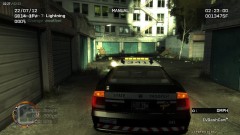 I'm not sure what spotlight coords you are using there but here are some from Zmodeler spot-x=-0.8 spot-y=0.93 spot-z=0.47
 -
Mmm yes, I believe you. The drug squad/plain clothes textures are essentially on hold at the moment. Those textures look great Escobar, my lack of photoshop is starting to get to me at the moment so the skins I'm doing aren't as 'clean' as they could be. Although I've changed the model a bit since the version that you are testing, the textures should still apply fine. I should be able to release the Interceptor in the next couple of days, then the regular police buffalo later in the week.
-
Both variants are still in the works and yes the templates will be the same. To save polys I may leave the prisoner divider/cage out of the regular variant though. Then again, it isn't really that many so it might stay in. The Interceptor .wft is about 884KB currently. For comparison, Sam's dodge charger is 1.85MB.
-
-
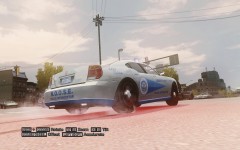
From the album: My Vehicles
2/2 -
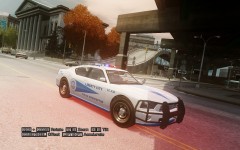
From the album: My Vehicles
1/2 -
Reinstall, run the installer as administrator, run the game as administrator. Post a diagnostic log.
-
Alt-I to spawn it while on duty. Press I to use it.
-
Do you have a cracked copy of the game? Is it patched to the latest version? Do you have updated versions of Games for Windows Live?
-
It was most likely part of the ELS mod. By default it appeared whenever you were in an ELS enabled car but it could be changed so it showed for any car.
-
Very well presented and put together videos man. The only other comment I have is more of a personal preference and that is that I feel like a live commentary makes these type of videos a lot more interesting, sort of how Unreal and NB do theirs.
-
The model should be fine. I'm just concerned about what it seems you did to it. I'd say starting over is the best bet.
-
Well I'm not sure what happened along the track but if you go right back to the drawing board, start a file/scene in Zmodeler and import one of the unlocked crown victorias. I'd recommend using Sam's one from the gallery here if that isn't the one you are using already. Remember that before importing the model into zmodeler, create a work folder with the .wft and .wtd inside it, as well as all the texture images extracted from the .wtd file AND all the vehshare texture images. Take a look at the hierarchy of that vehicle. There are dummy parts and then under them are l0, l1 and l2 and collision parts on some occasions. For any parts you want to add, like that other lightbar, do the same thing. Move the .wft and .wtd file into your work folder and extract all the images from that .wtd file there as well. A lot of what I learnt about using Zmodeler, aside from UV-mapping and a few of the real basics getting me started was essentially self taught just by googling and looking at zmodeler/gtaiv import/export discussions on other websites and forums.
-
There are multiple objects named 'skel' which either have to be deleted or renamed. There are also multiple wheel_lf's It's also concerning that you don't have any l1 or l2 models (or even l0s?) and no collisions. I think it's better off if you start over with a clean base vehicle model to edit. I'm not quite sure what you've managed to do to this one. It's like you've exported the vehicle as one format that has attatched everything together in a way that it shouldn't be and it's really wrecked the whole scene. You are importing .wft files and exporting only .wft files right?
-
The two ELS files should be in your root directory (the same folder as launchgtaiv.exe)
-
Do you have ELS installed correctly? Are you using ELS cars? Do you have those vehicles set to active = 1 in the ELS.ini?


