




ineseri
Friends of LSPDFR
-
Joined
Everything posted by ineseri
-
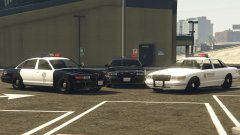 Featured on the LSPDFR Facebook page :) Very nice!
 -
To prevent spambots / spammers from giving out too many reputation points each day.
-
This topic has been closed by G17 Media Community Team Staff as it is a topic regarding support for the RAGE Plugin Hook. We are unable to provide support for the RAGE Plugin Hook, and require all support topics pertaining to this be posted over on the official RAGE Plugin Hook forums: http://forums.ragepluginhook.net/ If you feel this topic has been closed in error, please report this post.
-
This is for LCPDFR which is a modification for GTA IV, not GTA V.
-
Your topic has been moved to LCPDFR Support Requests. Please post in the correct location in the future. Hello there -- welcome to LCPDFR.com and thanks for trying out LCPDFR! Please do the following: Make sure you aren't using a crack - We don't support cracks or people using pirated software Update GTA IV to 1.0.7.0 (the latest version of the game, or 1.1.2.0 for EFLC) - These patches are needed. Make sure that you run the game as an administrator. Make sure that your GTA IV root folder (and every subdirectory) is not set to "read-only" Ensure that AdvancedHook.dll, ScriptHook.dll, ScriptHookDotNet.asi and Dsound.dll OR Xlive.dll are in the GTA IV ROOT folder Ensure that there is a folder titled 'LCPDFR' in the ROOT GTA IV folder. Check that all the above files exist, if they do not, reinstall LCPDFR with the MANUAL installation. Ensure that you are using up to date versions of every LCPDFR dependency and LCPDFR itself. Install these: https://www.microsoft.com/en-us/download/details.aspx?id=30653 , https://www.microsoft.com/en-us/download/details.aspx?id=30679 In some cases, your issue is resolved after following the above steps. If it did help, please let everyone know in the topic that your issue is resolved. If you do have to post a topic, do the following; Give a clear, detailed description of the problem. Explain any circumstances surrounding the problem. State what solutions you have tried. Post ALL relevant logs (LCPDFR.log, Scripthook.log, ScriptHookDotNet.log, AdvancedHook.log). Include as much information as possible. Post your system specifications. Post what other mods you are using. This includes car and script mods. Post a screenshot of your GTA IV or EFLC game directory. Please note that failure to follow these instructions may cause this thread to be closed.
-
Of course it will be. Don't update your game to an unsupported version if you wish to keep using the RPH.
-
They're on your GTA V DVD, RGSC Client or Steam Client. We do not allow linking, or uploading, of Rockstar copyrighted content on LCPDFR.com
-
Hello there -- welcome to LCPDFR.com and thanks for trying out LCPDFR! Please do the following: Make sure you aren't using a crack - We don't support cracks or people using pirated softwareUpdate GTA IV to 1.0.7.0 (the latest version of the game, or 1.1.2.0 for EFLC) - These patches are needed. Make sure that you run the game as an administrator.Make sure that your GTA IV root folder (and every subdirectory) is not set to "read-only"Ensure that AdvancedHook.dll, ScriptHook.dll, ScriptHookDotNet.asi and Dsound.dll OR Xlive.dll are in the GTA IV ROOT folderEnsure that there is a folder titled 'LCPDFR' in the ROOT GTA IV folder.Check that all the above files exist, if they do not, reinstall LCPDFR with the MANUAL installation.Ensure that you are using up to date versions of every LCPDFR dependency and LCPDFR itself.Install these: https://www.microsoft.com/en-us/download/details.aspx?id=30653 , https://www.microsoft.com/en-us/download/details.aspx?id=30679 In some cases, your issue is resolved after following the above steps. If it did help, please let everyone know in the topic that your issue is resolved. If you do have to post a topic, do the following; Give a clear, detailed description of the problem.Explain any circumstances surrounding the problem.State what solutions you have tried.Post ALL relevant logs (LCPDFR.log, Scripthook.log, ScriptHookDotNet.log, AdvancedHook.log).Include as much information as possible.Post your system specifications.Post what other mods you are using. This includes car and script mods.Post a screenshot of your GTA IV or EFLC game directory. Please note that failure to follow these instructions may cause this thread to be closed.
-
That is correct. Download here: http://www.lcpdfr.com/files/file/7989-calloutsv-the-successor-to-callouts/
-
Then it's rather unhelpful. Please refrain from that in the future.
-
That's quite enough.
-
Which file did you download?
-
-
Your thread has been moved to the GTA IV Support Requests forum, as it is not an LCPDFR support request.
-
There are many ways to say that - Yours wasn't very nice was it? We all make mistakes, and shouldn't be scolded or made a fool of for it.
-
This topic has been closed by G17 Media Community Team Staff as it is a topic regarding support for the RAGE Plugin Hook. We are unable to provide support for the RAGE Plugin Hook, and require all support topics pertaining to this be posted over on the official RAGE Plugin Hook forums: http://forums.ragepluginhook.net/ If you feel this topic has been closed in error, please report this post.
-
Please follow the instructions to the letter.
-
Hello there -- welcome to LCPDFR.com and thanks for trying out LCPDFR! Please do the following: Make sure you aren't using a crack - We don't support cracks or people using pirated softwareUpdate GTA IV to 1.0.7.0 (the latest version of the game, or 1.1.2.0 for EFLC) - These patches are needed. Make sure that you run the game as an administrator.Make sure that your GTA IV root folder (and every subdirectory) is not set to "read-only"Ensure that AdvancedHook.dll, ScriptHook.dll, ScriptHookDotNet.asi and Dsound.dll OR Xlive.dll are in the GTA IV ROOT folderEnsure that there is a folder titled 'LCPDFR' in the ROOT GTA IV folder.Check that all the above files exist, if they do not, reinstall LCPDFR with the MANUAL installation.Ensure that you are using up to date versions of every LCPDFR dependency and LCPDFR itself.Install these: https://www.microsoft.com/en-us/download/details.aspx?id=30653 , https://www.microsoft.com/en-us/download/details.aspx?id=30679 Make sure you're running the latest version of LCPDFR (1.1)In some cases, your issue is resolved after following the above steps. If it did help, please let everyone know in the topic that your issue is resolved. If you do have to post a topic, do the following; Give a clear, detailed description of the problem.Explain any circumstances surrounding the problem.State what solutions you have tried.Post ALL relevant logs (LCPDFR.log, Scripthook.log, ScriptHookDotNet.log, AdvancedHook.log).Include as much information as possible.Post your system specifications.Post what other mods you are using. This includes car and script mods.Post a screenshot of your GTA IV or EFLC game directory. Please note that failure to follow these instructions may cause this thread to be closed.
-
Hello there -- welcome to LCPDFR.com and thanks for trying out LCPDFR! Please do the following: Make sure you aren't using a crack - We don't support cracks or people using pirated softwareUpdate GTA IV to 1.0.7.0 (the latest version of the game, or 1.1.2.0 for EFLC) - These patches are needed. Make sure that you run the game as an administrator.Make sure that your GTA IV root folder (and every subdirectory) is not set to "read-only"Ensure that AdvancedHook.dll, ScriptHook.dll, ScriptHookDotNet.asi and Dsound.dll OR Xlive.dll are in the GTA IV ROOT folderEnsure that there is a folder titled 'LCPDFR' in the ROOT GTA IV folder.Check that all the above files exist, if they do not, reinstall LCPDFR with the MANUAL installation.Ensure that you are using up to date versions of every LCPDFR dependency and LCPDFR itself.Install these: https://www.microsoft.com/en-us/download/details.aspx?id=30653 , https://www.microsoft.com/en-us/download/details.aspx?id=30679 In some cases, your issue is resolved after following the above steps. If it did help, please let everyone know in the topic that your issue is resolved. If you do have to post a topic, do the following; Give a clear, detailed description of the problem.Explain any circumstances surrounding the problem.State what solutions you have tried.Post ALL relevant logs (LCPDFR.log, Scripthook.log, ScriptHookDotNet.log, AdvancedHook.log).Include as much information as possible.Post your system specifications.Post what other mods you are using. This includes car and script mods.Post a screenshot of your GTA IV or EFLC game directory. Please note that failure to follow these instructions may cause this thread to be closed.
-
It's a free service. I am sure Cyan will take a look at it when there's time to.
-
Your topic has been moved to LCPDFR Support Requests. Please post in the correct location in the future.
-
Not at the moment.
-
With LSPDFR; you can press "J" to toggle mute on the siren. Holding "E" ("G" in my case as I remapped it) will prompt a different siren, correct.
-
Contacting Rockstar support is your only option to do it legitimately.
-
Sorry for your loss, but this is much better as a status update and not a topic. If you feel this topic has been closed in error, please report this post.

