




ineseri
Friends of LSPDFR
-
Joined
Everything posted by ineseri
-
When in doubt, blame the squid.
-
Caching issue on your side (most likely). Try refreshing the page with CTRL+F5 (works on Chrome and Firefox).
-
Your thread has been moved to the GTA IV Support Requests forum, as it is not an LCPDFR support request.
-
Indeed - But you need to be the local administrator over your PC with permission to overwrite program files. You do not have to remove any files prior to this. Make sure you copy, paste and overwrite ALL files when asked.
-
Yes, buy the game.
-
This topic has been closed by G17 Media Community Team Staff as it is a topic regarding support for the RAGE Plugin Hook. We are unable to provide support for the RAGE Plugin Hook, and require all support topics pertaining to this be posted over on the official RAGE Plugin Hook forums: http://forums.ragepluginhook.net/ If you feel this topic has been closed in error, please report this post.
-
This is false. You do not have to remove the RPH to play GTA Online. Simply do not launch the game with the RPH and you can play GTA Online without issues. However, you will need to remove any ScriptHookV mods before venturing into GTA Online (simply rename ScriptHookV.dll to something else, I prefer a different file ending).
-
Yes - As I said, you need to edit the meta files.
-
The same. As long as you don't edit anything but the model, the game will still think it's a Stanier.
-
As far as I know, replacing the model isn't enough. You'll need to configure more settings in the .meta files to tell the game what kind of vehicle it is you're loading. A model is just a model. I'm afraid I can't help more than that.
-
You'll find a backup on your game disc, RGSC dowload link or Steam (verify game cache). You may not ask for, or link to, copyrighted Rockstar content on LCPDFR.com
-
Your thread has been moved to LCPDFR Support Requests as it isn't a LSPDFR Support Request.
-
I've said this many times: This isn't LCPDFR 1.1 for GTA V. Be patient. LSPDFR has been in development for a few months. LCPDFR was in development for years.
-
It's a known Windows bug and it will never apply properly. Please respond to all the things in the list.
-
If you feel this topic has been closed in error, please report this post.
-
LCPDFR itself is very stable. Adding third-party mods will make GTA IV crash.
-
Can you attach the picture here please? You need to press the button labeled "Insert other media".
-
How does print screen not do anything? You press it when viewing the directory, and then you open MSPaint, and press "Paste"?
-
Install these: https://www.microsoft.com/en-us/download/details.aspx?id=30653 , https://www.microsoft.com/en-us/download/details.aspx?id=30679
-
Easiest is this for specs: https://www.piriform.com/speccy For a screenshot, simply go to where the game is installed, press PrintScreen, Open up MSPaint, Paste and save the image. Attach it here.
-
Please follow, and reply, to all things in the list.
-
Hello there -- welcome to LCPDFR.com and thanks for trying out LCPDFR! Please do the following: Make sure you aren't using a crack - We don't support cracks or people using pirated softwareUpdate GTA IV to 1.0.7.0 (the latest version of the game, or 1.1.2.0 for EFLC) - These patches are needed. Make sure that you run the game as an administrator.Make sure that your GTA IV root folder (and every subdirectory) is not set to "read-only"Ensure that AdvancedHook.dll, ScriptHook.dll, ScriptHookDotNet.asi and Dsound.dll OR Xlive.dll are in the GTA IV ROOT folderEnsure that there is a folder titled 'LCPDFR' in the ROOT GTA IV folder.Check that all the above files exist, if they do not, reinstall LCPDFR with the MANUAL installation.Ensure that you are using up to date versions of every LCPDFR dependency and LCPDFR itself.Install these: https://www.microsoft.com/en-us/download/details.aspx?id=30653 , https://www.microsoft.com/en-us/download/details.aspx?id=30679 In some cases, your issue is resolved after following the above steps. If it did help, please let everyone know in the topic that your issue is resolved. If you do have to post a topic, do the following; Give a clear, detailed description of the problem.Explain any circumstances surrounding the problem.State what solutions you have tried.Post ALL relevant logs (LCPDFR.log, Scripthook.log, ScriptHookDotNet.log, AdvancedHook.log).Include as much information as possible.Post your system specifications.Post what other mods you are using. This includes car and script mods.Post a screenshot of your GTA IV or EFLC game directory. Please note that failure to follow these instructions may cause this thread to be closed.
-
Your question is better asked here: http://www.lcpdfr.com/forums/forum/894-api-development/ If you feel you didn't get an answer there by reading the pinned topics, please recreate this topic there. If you feel this topic has been closed in error, please report this post.
-
Your thread has been moved to LCPDFR Support Requests as it isn't a LSPDFR Support Request. Hello there -- welcome to LCPDFR.com and thanks for trying out LCPDFR! Please do the following: Make sure you aren't using a crack - We don't support cracks or people using pirated software Update GTA IV to 1.0.7.0 (the latest version of the game, or 1.1.2.0 for EFLC) - These patches are needed. Make sure that you run the game as an administrator. Make sure that your GTA IV root folder (and every subdirectory) is not set to "read-only" Ensure that AdvancedHook.dll, ScriptHook.dll, ScriptHookDotNet.asi and Dsound.dll OR Xlive.dll are in the GTA IV ROOT folder Ensure that there is a folder titled 'LCPDFR' in the ROOT GTA IV folder. Check that all the above files exist, if they do not, reinstall LCPDFR with the MANUAL installation. Ensure that you are using up to date versions of every LCPDFR dependency and LCPDFR itself. Install these: https://www.microsoft.com/en-us/download/details.aspx?id=30653 , https://www.microsoft.com/en-us/download/details.aspx?id=30679 In some cases, your issue is resolved after following the above steps. If it did help, please let everyone know in the topic that your issue is resolved. If you do have to post a topic, do the following; Give a clear, detailed description of the problem. Explain any circumstances surrounding the problem. State what solutions you have tried. Post ALL relevant logs (LCPDFR.log, Scripthook.log, ScriptHookDotNet.log, AdvancedHook.log). Include as much information as possible. Post your system specifications. Post what other mods you are using. This includes car and script mods. Post a screenshot of your GTA IV or EFLC game directory. Please note that failure to follow these instructions may cause this thread to be closed.
-
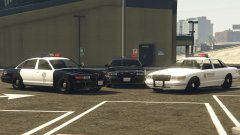 It's obvious that post never happened.


