




ineseri
Friends of LSPDFR
-
Joined
Everything posted by ineseri
-
Please check the signatures or profiles of other members on the site.
-
There are pretty much no cops driving around in vanilla GTA V. You must be using a mod to make them spawn in traffic.
-
While we appreciate your dedication, we have several forum sections dedicated to support where you can post to help. Most mods come with a readme that everyone should read, this is pretty self explanatory.
-
This section is an off-topic forum for all forms of conversation outside of GTA and LCPDFR/LSPDFR. Which game are you talking about?
-
Use a mods folder. This topic has been closed, as it has been previously answered on LCPDFR.com - We require all members to thoroughly investigate whatever question they might have before posting. You can find the search function here: http://www.lcpdfr.com/search/ If you feel this topic has been closed in error, please report this post.
-
Please do not tell our members what to do - Such action falls upon the Community Team. Furthermore, this looks like the correct place to post in. OP: You need to review the readme or manual of each mod you download, some might require some tinkering before working and some might work right out of the box,
-
This topic has been closed by G17 Media Community Team Staff as it is a topic regarding support for the RAGE Plugin Hook. We are unable to provide support for the RAGE Plugin Hook (RPH), and require all support topics pertaining to this be posted over on the official RAGE Plugin Hook forums: http://forums.ragepluginhook.net/ If you feel this topic has been closed in error, please report this post.
-
Will most likely be possible in 0.3.
-
It will remove and replace any file that modifies the vanilla files with the original files. Script modifications are not affected.
-
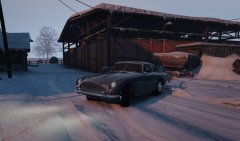
From the album: ineseri's GTA V Pics
-
Exactly this. Please read the readme for all the mods you download before posting - It is clearly outlined there.
-
GTA V is not a police simulator, it's a crime sandbox - Of course the police AI and other AI (really, it's not ai, it's more VI) will act a bit more aggressive than real life. This is something that is very hard to change without it looking weird, but it is part of the GTA charm to have overtones of it all.
-
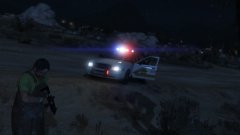 But this looks like San Andreas :P
 -
No, that is not a standard feature in LSPDFR 0.2. But with LSPDFR 0.3 you can change the backup in customization files, which allow for any ped or car to respond.
-
Absolutely - And I am fairly certain there are mods to fix these issues, take a look at our downloads section :)
-
You can download LCPDFR for GTA IV here: http://www.lcpdfr.com/files/file/4607-lcpd-first-response/
-
We've never been fixing the appearance of anything in the game (texture mods, model mods etc). We leave that for the Community. Regarding the, rather misplaced, LSSO building I don't think that will happen due to the area they govern being a bit too small. I am not a developer though, so we shall wait and see.
-
Indeed, you have posted this before and as such there is no need to post it again.
-
Please use the search button before posting - Such a system is currently being developed, with no release date yet. It is in no way related to (or a part of) LCPDFR or LSPDFR. If you feel this topic has been closed in error, please report this post.
-
You need to provide a lot more information than this. And you really need to read the readme, you probably missed a step. This topic has been moved to the appropriate forum. Please post in the correct location in the future.
-
This topic has been closed by LCPDFR.com staff as it is a support topic concerning an unsupported version of LCPDFR. We do not support old versions of LCPDFR, and recommend you use and download the latest version (http://www.lcpdfr.com/files/file/4607-lcpd-first-response/) If you feel that this topic has been closed in error, please report this post.
-
Don't worry, I fixed it.
-
Please run the RPH as administrator (Right-click, Run as administrator).
-
We're not Rockstar however, please contact them for direct support.
-
Please use this topic: If you feel this topic has been closed in error, please report this post.


