




ineseri
Friends of LSPDFR
-
Joined
Everything posted by ineseri
-
1. No, they are seperate games. But as with all mods, make backups if you are unsure. 2. Oh you mean that, silly me. Order partner to arrest targted ped = G (aim at suspect) You could be required to press either alt or ctrl.
-
I can do my best. OP: Can you try using my handling file from EFLC and see if you can open that one? It's attached to this post.
-
It's no problem, happy new year to you too! :)
-
Here you can download the game: http://store.steampowered.com/app/12210/?snr=1_7_15__13 http://store.steampowered.com/app/12220/ http://store.steampowered.com/app/901583/?snr=1_7_15__13
-
Not really no, it's extremely individual. You'll have to test for yourself.
-
Oh wow, that has never happened to be before BUT it does sound awfully similar to a savegame corruption. The save files are located in 2 different places. X:Users%username%AppDataLocalRockstar GamesGTA IVsavegames X:Users%username%DocumentsRockstar GamesGTA IVsavegames Delete or move them and try the game again.
-
Most ENBs are quite performance heavy. Post your computer specs to help us get a better understanding of what you could run. If your computer is way too weak, consider using timesyc mods instead.
-
No problem, happy gaming! :)
-
Yes, one by one. Add one, test the game and so on.
-
Download and apply this mod ('?do=embed' frameborder='0' data-embedContent>>).
-
Please provide us with more details, most of us can't read minds.
-
Some may allow it, but playing with mods online is generally frowned upon.
-
Billion = 2 :p Anyway, didn't know that. I just know that the model looks like a cutscene spawn.
-
Read this: ?do=embed#entry204057'' frameborder='0' data-embedContent>> Legal copy of the game? Running the game as administrator? Latest patch? What other mods are you using? What operating system are you using (Windows XP is NOT supported)? Make sure that LCPDFR 0.95 is removed (http://www.lcpdfr.com/page/tutorials/index.action/_/script-data-file-modification-tutorials/how-to-uninstall-lcpdfr-r19). Also, please install these http://www.microsoft.com/en-us/download/details.aspx?id=30679 http://www.microsoft.com/en-us/download/details.aspx?id=30653 http://www.microsoft.com/en-us/download/details.aspx?id=35 http://www.microsoft.com/en-us/download/details.aspx?id=5549 (If you haven’t updated GFWL, use this). Running the game as administrator: Go to the GTA IV folder, right click on GTAIV.exe, Properties, Compatibility and select 'Run this program as administrator', do the same exact thing to the LaunchGTAIV.exe.
-
Read this: '?do=embed' frameborder='0' data-embedContent>> Legal copy of the game? Running the game as administrator? Latest patch? What other mods are you using? What operating system are you using (Windows XP is NOT supported)? Make sure that LCPDFR 0.95 is removed (http://www.lcpdfr.com/page/tutorials/index.action/_/script-data-file-modification-tutorials/how-to-uninstall-lcpdfr-r19). Also, please install these http://www.microsoft.com/en-us/download/details.aspx?id=30679 http://www.microsoft.com/en-us/download/details.aspx?id=30653 http://www.microsoft.com/en-us/download/details.aspx?id=35 http://www.microsoft.com/en-us/download/details.aspx?id=5549 (If you haven’t updated GFWL, use this). Running the game as administrator: Go to the GTA IV folder, right click on GTAIV.exe, Properties, Compatibility and select 'Run this program as administrator', do the same exact thing to the LaunchGTAIV.exe.
-
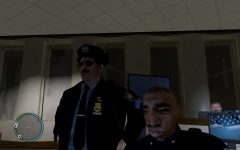 Guess he couldn't face writing that report.
 -
I didn't say it was you. And yes you can spawn cutscene models, on the last page of the ped spawn in SNT.
-
No, you have a x86 operating system. It's 32-bit, but it's called x86.
-
Read these: (http://www.lcpdfr.com/forum/67-knowledge-base/) and ()
-
Are you sure you are pressing Ctrl and not Alt?
-
Still waiting for you to answer all of my questions.. Thanks for the screenshots btw.
-
Hello and welcome to the fora! Please install these http://www.microsoft.com/en-us/download/details.aspx?id=30679 http://www.microsoft.com/en-us/download/details.aspx?id=30653 http://www.microsoft.com/en-us/download/details.aspx?id=35 http://www.microsoft.com/en-us/download/details.aspx?id=5549 (If you haven’t updated GFWL, use this). .... and make sure you run the game as administrator and that you have bought the game. Running the game as administrator: Go to the GTA IV folder, right click on GTAIV.exe, Properties, Compatibility and select 'Run this program as administrator', do the same exact thing to the LaunchGTAIV.exe.
-
Hello and welcome to the fora! Please install these http://www.microsoft.com/en-us/download/details.aspx?id=30679 http://www.microsoft.com/en-us/download/details.aspx?id=30653 http://www.microsoft.com/en-us/download/details.aspx?id=35 http://www.microsoft.com/en-us/download/details.aspx?id=5549 (If you haven’t updated GFWL, use this). .... and make sure you run the game as administrator and that you have bought the game. Running the game as administrator: Go to the GTA IV folder, right click on GTAIV.exe, Properties, Compatibility and select 'Run this program as administrator', do the same exact thing to the LaunchGTAIV.exe.
-
Hm alright, that sounds like the best course of action atm.
-
Ah, well the OP didn't really specify.


