




ineseri
Friends of LSPDFR
-
Joined
Everything posted by ineseri
-
I think it is a issue with the resolution, correct me if I am wrong but I think you need to have a 1920x1080 resolution for it to look properly.
-
No, it's recommended to remove 0.95 completely. Please follow this guide to do just that (http://www.lcpdfr.com/page/tutorials/index.action/_/script-data-file-modification-tutorials/how-to-uninstall-lcpdfr-r19).
-
Is your game a legal copy of the game? Are you running the game as administrator? Did you use the automatic or manual installer?
-
Glad I could be of help! :)
-
Glad it's finally running for you! Happy gaming :)
-
What are your computer specs? It would seem like your crashes are within the "acceptable" zone.
-
Great! For the trainer thing: Make sure that the trainer keys are disabled by going to your GTA IV folder, open trainer.ini, hit CTRL+F, type in KeyBindingsDisabled=0, click on Find Next and replace 0 with 1. This should solve your issue.
-
You need to read the manual installation guide that I have linked before :)
-
Have you applied the hot-fix? It's in the manual installation package.
-
Use the manual installer instead, it may be more stable.
-
No, not if you use the manual installation since it is included.
-
Can you post a screenshot of your GTA IV + LCPDFR + Scripts folders?
-
Can you use the manual installation and make sure that the file is removed and then follow the manual taser installation again, please?
-
Did you use the manual installation package this time? Make sure that you actually removed AdvancedHookInit.asi.
-
So you are using the default police cars?
-
Could you use the manual installer and try the game again?
-
I believe I linked a guide, if not, it's in the LCPDFR knowledge base.
-
Which version of LCPDFR is this regarding?
-
Thanks, could you attach it too?
-
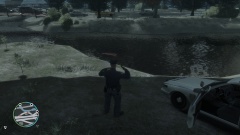 Pictured: LCPD doing their best to rescue the suspect :p
 -
I take it you have tried it then. Could I see a screenshot of your GTA IV folder?
-
Just different skins, and not actual car models?
-
Well, that is good to hear. Happy gaming :)
-
I think you can add those lines without issue. I, however, do not use ELS so don't take my word for it.
-
I don't know. You need to try it out, we are giving suggestions. We don't automatically know if it will fix it. LMS suggested it, so I suggest that you try it.

