




ineseri
Friends of LSPDFR
-
Joined
Everything posted by ineseri
-
 As always, Please ensure your review adheres to the Community Guidelines. Non-constructive or offensive reviews will be removed.
 -
MODERATOR NOTICE Moving to GTA IV Support Requests. Wild guess: Probably not.
-
MODERATOR NOTICE Moving to GTA IV Development Suggestions & Requests.
-
MODERATOR NOTICE Moving to GTA IV Development Tutorials & Questions.
-
Further, LCPDFR 0.95RC2 isn't supported anymore. Please use LCPDFR 1.0c instead.
-
Hello there -- welcome to LCPDFR.com and thanks for trying out LCPDFR. You failed to read the instructions before posting in this forum. So we'll remind you of them. Please do the following: Make sure you aren't using a crack - We don't support cracks Update GTA IV to 1.0.7.0 (the latest version of the game, or 1.1.2.0 for EFLC) - This sometimes fixes a wide variety of issues Make sure that you run the game as an administrator. Make sure that your GTA IV root folder (and every subdirectory) is not set to "read-only" Ensure that ScriptHook.dll, ScriptHookDotNet.asi and Dsound.dll OR Xlive.dll are in the GTA IV ROOT folder Ensure that there is a folder titled 'LCPDFR' in the ROOT GTA IV folder. Check that all the above files exist, if they do not, reinstall LCPDFR with the MANUAL installation. Ensure that you are using up to date versions of every LCPDFR dependency and LCPDFR itself. Install these: .Net Framework 4.5, Microsoft Visual C++ Redist 2012 If your problem has been solved after following these basic instructions, hit 'Mark Solved' next to this post. If not, please now reply to this thread, and make sure that you do the following: Give a clear, detailed description of the problem. Explain any circumstances surrounding the problem. State what solutions you have tried. Post ALL relevant logs (LCPDFR.log, Scripthook.log, ScriptHookDotNet.log, AdvancedHook.log). Include as much information as possible. Post your system specifications. Post what other mods you are using. This includes car and script mods. Please note that failure to follow these instructions may cause this thread to be closed.
-
Your PC would be more suitable for office work, barely that. You really should get a better PC.
-
Please provide a lot more information about your PC, what kind of errors you are having, post screenshots of your GTA IV directory and any errors you are recieving. Where and when are the issues happening? Further, is this error related to LCPDFR?
-
 Anyone is allowed to post whatever they want, to a certain extent. Please ensure your review adheres to the Community Guidelines. Non-constructive or offensive reviews will be removed
 -
You have to buy GTA IV or Episodes from Liberty city on PC as it is a PC only mod. To use Sam's Watch_Dogs car on demand app, you need Watch_Dogs for PC. We do not deal with consoles.
-
Hello there -- welcome to LCPDFR.com and thanks for trying out LCPDFR. You failed to read the instructions before posting in this forum. So we'll remind you of them. Please do the following: Make sure you aren't using a crack - We don't support cracks Update GTA IV to 1.0.7.0 (the latest version of the game, or 1.1.2.0 for EFLC) - This sometimes fixes a wide variety of issues Make sure that you run the game as an administrator. Make sure that your GTA IV root folder (and every subdirectory) is not set to "read-only" Ensure that ScriptHook.dll, ScriptHookDotNet.asi and Dsound.dll OR Xlive.dll are in the GTA IV ROOT folder Ensure that there is a folder titled 'LCPDFR' in the ROOT GTA IV folder. Check that all the above files exist, if they do not, reinstall LCPDFR with the MANUAL installation. Ensure that you are using up to date versions of every LCPDFR dependency and LCPDFR itself. Install these: .Net Framework 4.5, Microsoft Visual C++ Redist 2012 If your problem has been solved after following these basic instructions, hit 'Mark Solved' next to this post. If not, please now reply to this thread, and make sure that you do the following: Give a clear, detailed description of the problem. Explain any circumstances surrounding the problem. State what solutions you have tried. Post ALL relevant logs (LCPDFR.log, Scripthook.log, ScriptHookDotNet.log, AdvancedHook.log). Include as much information as possible. Post your system specifications. Post what other mods you are using. This includes car and script mods. Please note that failure to follow these instructions may cause this thread to be closed.
-
Hello there -- welcome to LCPDFR.com and thanks for trying out LCPDFR. You failed to read the instructions before posting in this forum. So we'll remind you of them. Please do the following: Make sure you aren't using a crack - We don't support cracks Update GTA IV to 1.0.7.0 (the latest version of the game, or 1.1.2.0 for EFLC) - This sometimes fixes a wide variety of issues Make sure that you run the game as an administrator. Make sure that your GTA IV root folder (and every subdirectory) is not set to "read-only" Ensure that ScriptHook.dll, ScriptHookDotNet.asi and Dsound.dll OR Xlive.dll are in the GTA IV ROOT folder Ensure that there is a folder titled 'LCPDFR' in the ROOT GTA IV folder. Check that all the above files exist, if they do not, reinstall LCPDFR with the MANUAL installation. Ensure that you are using up to date versions of every LCPDFR dependency and LCPDFR itself. Install these: .Net Framework 4.5, Microsoft Visual C++ Redist 2012 If your problem has been solved after following these basic instructions, hit 'Mark Solved' next to this post. If not, please now reply to this thread, and make sure that you do the following: Give a clear, detailed description of the problem. Explain any circumstances surrounding the problem. State what solutions you have tried. Post ALL relevant logs (LCPDFR.log, Scripthook.log, ScriptHookDotNet.log, AdvancedHook.log). Include as much information as possible. Post your system specifications. Post what other mods you are using. This includes car and script mods. Please note that failure to follow these instructions may cause this thread to be closed.
-
No, but it is for your own personal safety. As I said: Please provide a lot more information about your PC, what kind of errors you are having, post screenshots of your GTA IV directory and any errors you are recieving. Where and when are the issues happening?
-
MODERATOR NOTICE I have removed your personal information from your post. It is never a good idea to post it publicly on the internet. Please provide a lot more information about your PC, what kind of errors you are having, post screenshots of your GTA IV directory and any errors you are recieving. Where and when are the issues happening? Further, it isn't recommended to ask for money about a specific question since most will do it for free. Please refrain from it in the future.
-
MODERATOR NOTICE Moving to GTA IV Development Tutorials & Questions
-
Oh damn, nice work! Really gave me a NYPD Blue vibe. Mike Post made some nice tunes.
-
Welcome to the world of GTA IV Modding. Does it run fine without any mods?
-
Yep, it's alt + p as outlined in the manual :)
-
MODERATOR NOTICE Moving to GTA IV Support Requests forum. Please read this '?do=embed' frameborder='0' data-embedContent>> before posting in the Vehicle Showroom.
-
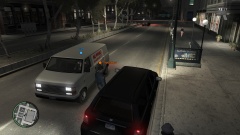
From the album: ineseri's GTA IV MP Pics
-
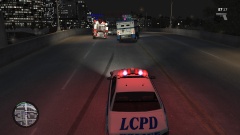
From the album: ineseri's GTA IV MP Pics
-
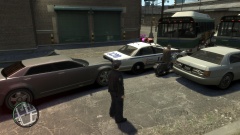
From the album: ineseri's GTA IV MP Pics
-
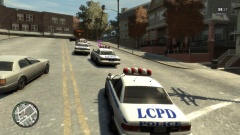
From the album: ineseri's GTA IV MP Pics
-
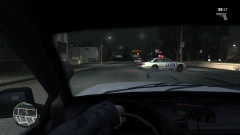
From the album: ineseri's GTA IV MP Pics
-
 Sure looks like a Pigalle to me :)


